FIFA World Cup Winners Table
| Year | Winners | Final Score | Runners-up |
|---|---|---|---|
| 1930 |  Uruguay Uruguay | 4-2 |  Argentina Argentina |
| 1934 |  Italy Italy | 2-1 aet |  Czechoslovakia Czechoslovakia |
| 1938 | Italy | 4-2 |  Hungary Hungary |
| 1950 | Uruguay | 2-1 |  Brazil Brazil |
| 1954 |  West Germany West Germany | 3-2 | Hungary |
| 1958 | Brazil | 5-2 |  Sweden Sweden |
| 1962 | Brazil | 3-1 | Czechoslovakia |
| 1966 |  England England | 4-2 aet | West Germany |
| 1970 | Brazil | 4-1 | Italy |
| 1974 | West Germany | 2-1 |  Netherlands Netherlands |
| 1978 | Argentina | 3-1 aet | Netherlands |
| 1982 | Italy | 3-1 | West Germany |
| 1986 | Argentina | 3-2 | West Germany |
| 1990 | West Germany | 1-0 | Argentina |
| 1994 | Brazil | 0-0 (3-2 pens) | Italy |
| 1998 |  France France | 3-0 | Brazil |
| 2002 | Brazil | 2-0 | Germany |
| 2006 | Italy | 1-1 (5-3 pens) | France |
| 2010 |  Spain Spain | 1-0 aet | Netherlands |
| 2014 | Germany | 1-0 aet | Argentina |
| 2018 | France | 4-2 |  Croatia Croatia |
| 2022 | Argentina | 3-3 (4-2 pens) | France |
The FIFA World Cup has produced some of football’s most unforgettable moments, and this table brings every championship together in one easy-to-browse timeline. From the inaugural tournament in 1930 to the latest final, it lets visitors quickly compare winners, runners-up, and final scores without jumping between multiple sources.
This FIFA final score table template is a great fit for sports blogs, football history articles, fan communities, educational websites, or tournament recap pages. The flag images make each entry easier to recognize at a glance, while the searchable layout helps readers find specific tournaments or teams in seconds.
You can customize the colors, replace the flags with your own media, add more columns for hosts or venues, or update the table as future World Cups are played. Whether you’re building a football archive or adding context to a sports article, this template gives you a clean starting point that’s easy to adapt to your own website.
How to use this Football Score Table Template:
This table is easy to use and customize. Just follow these steps:
- Install and activate Ninja Tables on your WordPress dashboard.
- Go to Ninja Tables → Tables → Import Table.
- Select the JSON file and in the import format section choose: JSON- Exported From Ninja Tables.
- Click on the Import button and wait for the confirmation message.
- Replace the table IDs, media image link, opacity, and size in Custom CSS/JS tabs for the codes to work.
After getting the success message, you can edit your table as you wish. Add or remove columns, rows, and features. Change the colors, fonts, and styles.
When you are done, save your table and copy the shortcode to your clipboard. You can paste it on any page or post where you want to display the table. Enjoy!
***This table may include some Pro features. Get Ninja Tables Pro for all-access fun!
You May Also Like
-
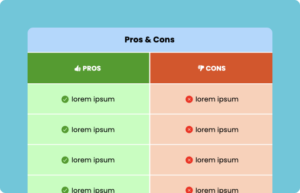
Pros and Cons Table
Customize this table to show Pros and Cons.
-
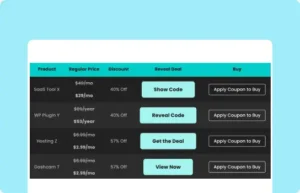
Click-to-Reveal Coupon
Initially hide coupon code or discount code to encourage clicks from people.
-

Patient Profile
Use this table to store patient information like demography, medical history, etc.
Craft Responsive Data Tables Fast!
Ninja Tables is the best table plugin to show data in an organized table format.