Formula 1 Driver Standings Table Template
Formula 1 Driver Standings
| Rank | Driver | Name | Brand | PTS | Season Average |
|---|---|---|---|---|---|
| 1 |  | Lando Norris |  | 423 | 17.6 |
| 2 |  | Max Verstappen |  | 421 | 17.5 |
| 3 |  | Oscar Piastri | | 410 | 17.1 |
| 4 |  | George Russell |  | 319 | 13.3 |
| 5 |  | Charles Leclerc |  | 242 | 10.1 |
| 6 |  | Lewis Hamilton | | 156 | 6.5 |
| 7 |  | Kimi Antonelli | | 150 | 6.3 |
| 8 |  | Alexander Albon |  | 73 | 3.0 |
Track race performance, compare championship points, and present season rankings clearly with this F1 driver standings table template. Designed for motorsport blogs, racing analytics pages, fan communities, and sports news websites, this template helps display F1 driver rankings in a structured and visually engaging format.
It demonstrates how Ninja Tables can combine media elements, team branding visuals, and advanced styling to create a professional motorsport leaderboard layout. Driver images, constructor logos, and performance metrics work together to improve readability and engagement while keeping numbered data easy to scan.
The customized table header and background image uses simple HTML styling, allowing users to modify media image, colors, spacing, or layout by editing text and custom CSS values — no advanced coding required.
Whether you’re publishing race updates, tracking season standings, or building a Formula 1 analytics dashboard, this template provides a clean and flexible foundation for presenting racing statistics.
How to use this F1 Drivers Championship table:
This table is easy to use and customize. Just follow these steps:
- Install and activate Ninja Tables on your WordPress dashboard.
- Go to Ninja Tables → Tables → Import Table.
- Select the JSON file and in the import format section choose: JSON- Exported From Ninja Tables.
- Click on the Import button and wait for the confirmation message.
- Replace the table media elements in the Custom CSS/JS tabs for the codes to work.
After getting the success message, you can edit your table as you wish. Add or remove columns, rows, and features. Change the colors, fonts, and styles.
When you are done, save your table and copy the shortcode to your clipboard. You can paste it on any page or post where you want to display the table. Enjoy!
***This table may include some Pro features. Get Ninja Tables Pro for all-access fun!
You May Also Like
-
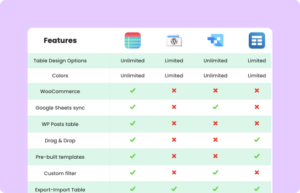
Comparison Table with Logo
Create a professional comparison table with logo for clear brand representation.
-

Product Display Box
Simple product display table with image, buy button, ratings, and description.
-
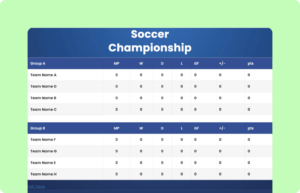
Soccer Championship Table
Customize this soccer championship table and showcase scroes list.
Craft Responsive Data Tables Fast!
Ninja Tables is the best table plugin to show data in an organized table format.