How to Upsell and Cross-Sell Products in Your Online Store


Getting traffic to your store is hard. Converting that traffic is harder. So when someone finally adds a product to their cart and checks out, that moment is worth more than most store owners treat it. Brands spend aggressively on ads, SEO, and acquisition funnels while ignoring the highest-ROI lever already inside their store: customers who are ready to buy.
Upselling and cross-selling are two of the oldest tactics in ecommerce. Done well, they increase how much each customer spends per order without requiring more ad spend, more traffic, or more customers. Done badly, they annoy people mid-checkout and tank your conversions. Upselling and cross-selling sit at the intersection of Average Order Value (AOV), personalized marketing, and conversion optimization. When implemented strategically, they increase revenue without increasing acquisition cost — which is why mature ecommerce brands treat them as infrastructure, not tactics.
This guide covers what both tactics actually mean, where they work in your store, and how to put them into practice without making your customers feel pressured.
Show Customers What They’re Looking For — Before They Leave
One of the most overlooked reasons upsells and cross-sells fail is presentation. Customers don’t reject the offer — they never process it properly because it’s buried in a widget they scroll past or presented in a wall of text.
A clean, scannable product comparison table solves this. Instead of telling a customer “the Pro version is better,” you show them exactly what they’re getting for a few dollars more — side by side, in seconds. Ninja Tables makes this easy for WordPress and WooCommerce stores. You can build responsive product comparison tables, pricing tier breakdowns, and feature grids without writing a single line of code. Drop one on a product page and let customers see the value difference themselves.
Recommended For You!
| Product Bundle | Individual Price Total | Bundle Price | You Save | Visit |
|---|---|---|---|---|
| Laptop + Mouse | $1,050 | $950 | $100 | Details... |
| Laptop + Mouse + Keyboard | $1,200 | $1,000 | $200 | Details... |
| Laptop + Mouse + Keyboard + Monitor | $1,800 | $1,100 | $700 (!!!) | Details... |
| Laptop + Full Office Setup (All 4) | $2,200 | $1,200 | $1000 ⭐ | Details... |
| Laptop + Chair + Desk | $1,800 | $1,400 | $400 | Details... |
| Ultimate Productivity Pack (All) | $2,500 | $1,600 | $900 🔥 Best Value! | Details... |
Tables like this do the selling quietly — no pop-up, no hard pitch, just clarity. And clarity converts.
Upsell vs. Cross-Sell: What’s the Actual Difference?
These two terms are often used interchangeably, but they work differently and belong in different places across your store.
Upselling Move the customer to a better version of what they're already choosing | Cross-selling Add something relevant that makes the main purchase more complete |
Same product, higher tier — upgrade the plan, size, or spec, not a different item | Different product, same mission — the add-on makes the original item more useful |
Best placed on the product page — show a tier comparison before the customer commits | Best placed in the cart — buying intent is confirmed, so "what else do you need?" lands well |
Works with visible value — a feature comparison table justifies the price difference fast | Driven by real order data — "frequently bought together" from actual transactions, not guesswork |
Keep price gap under 25% — a jump that feels too steep kills conversion entirely | 3–4 suggestions max — too many options causes decision paralysis and none get chosen |
Increases AOV without growing the cart — higher spend, same number of items | Grows the cart, not the item — more products in one order without changing what was chosen |
Outcome: High value items and better purchase | Outcome: Bigger cart means more items sold |
Upselling is about upgrading the purchase. The customer has already decided what they want — your job is to show them a better version of that same thing. It means steering a customer toward a better version of the product they’re already considering. Same product category, higher tier, better spec, or larger size. A customer looking at a 128GB phone gets shown the 256GB model. A customer adding a basic hosting plan sees the business tier. The customer isn’t buying more things; they’re buying a better thing.
Cross-selling is about completing the purchase. The customer’s main product stays exactly as chosen; you’re adding something alongside it that makes it more useful, more complete, or more convenient. It means adding a complementary product to what the customer already has in their cart. The phone gets recommended earbuds to pair with. The camera buyer is suggested an SD card and a case. The laptop buyer sees a wireless mouse. The original product stays the same; the cart grows.
Both strategies have the same goal — increasing how much a customer spends per order, but the difference between upsell and cross sell is the mechanism and placement, which is why mixing them up leads to underperformance.
There’s a third concept that often gets lumped in: order bumps and add-ons. These are low-friction, low-consideration items presented at the point of checkout — think gift wrapping, an extended warranty, or a small consumable. They’re technically a form of cross-selling, but the psychology is closer to impulse buying, and they convert best at checkout rather than on product pages.
The practical implication of knowing this distinction: upselling works best when the upgrade is obvious, and the price difference feels proportional. Cross-selling works best when the additional item makes the primary purchase more useful or complete. Mixing these up, showing an expensive, unrelated item as a “cross-sell” or trying to upgrade someone with a dramatically different product, is where most stores lose conversion rate without realizing why.
What about downselling?
Worth a quick mention because it does come up. Downselling is the reverse of upselling — offering a lower-priced alternative when a customer looks like they’re about to abandon. If someone is hesitating at checkout or bouncing off a product page, a lighter version of the product at a lower price point can recover the sale at a lower margin instead of losing it entirely. It’s a defensive tactic rather than a growth one, but for stores with a tiered product range, it’s worth having set up.
Why These Strategies Deserve a Dedicated System
A lot of store owners treat upsells and cross-sells as a default WooCommerce feature they set once and forget. The platform does let you manually assign upsells and cross-sells per product, but that’s not a system — it’s a checkbox.
Here’s why these tactics warrant actual investment of time and tooling:
The math is unforgiving in your favor. Every customer who buys from your store has already passed the hardest acquisition barrier. According to Marketing Metrics by Paul Farris, the probability of selling to an existing customer is 60–70%, versus just 5–20% for a new prospect. This means a customer at checkout is one of the highest-quality sales opportunities of the entire funnel. Not before they found your product, not after they leave, but right in that moment, while their wallet is already open.
Upselling alone can grow CLV by 20–40%. According to McKinsey research, effective upsell programs can push customer lifetime value upward by that range. That’s not a one-time AOV bump; it’s compounding revenue across a customer’s entire relationship with your store.
Beyond AOV, upselling and cross-selling also improve customer lifetime value (CLV). And the more your recommendations are driven by actual customer behavior and purchase history, the better they perform. Personalization increases AOV precisely because it makes those suggestions feel relevant rather than random.
It directly reduces the cost-per-revenue. Unlike advertising spend, the revenue from a cross-sell or upsell has near-zero acquisition cost. That laptop buyer you upsold to the higher model? You spent nothing extra to convert them. The gross margin on that upsell goes almost entirely to your bottom line.
Cross-sells contribute 10–30% of ecommerce revenue at well-run stores. Brands that treat recommendations as a core merchandising strategy rather than a plugin setting regularly see this range.
The Funnel Map: Where Upsells and Cross-Sells Belong
Placement is arguably the most misunderstood dimension of this whole strategy. The right offer at the wrong moment is just noise. Here’s how to think about each stage:
Product Page
This is where upselling has its highest leverage. The customer is in exploration mode — they’re evaluating, comparing, still forming intent. Showing them a premium alternative or a product comparison table here makes sense because they haven’t committed yet.
What works on product pages:
- “Good, Better, Best” tier comparisons — a side-by-side table showing what they’d get for $20 more (more on how Ninja Tables helps here in a moment)
- “Frequently bought together” sections — these work as social proof combined with convenience
- Product variant upsells — highlighting the larger size, the premium material, or the extended subscription at a per-unit cost comparison
What doesn’t work: pushing expensive, unrelated products as “cross-sells” when someone is still deciding whether to buy the main item. That’s just a distraction.
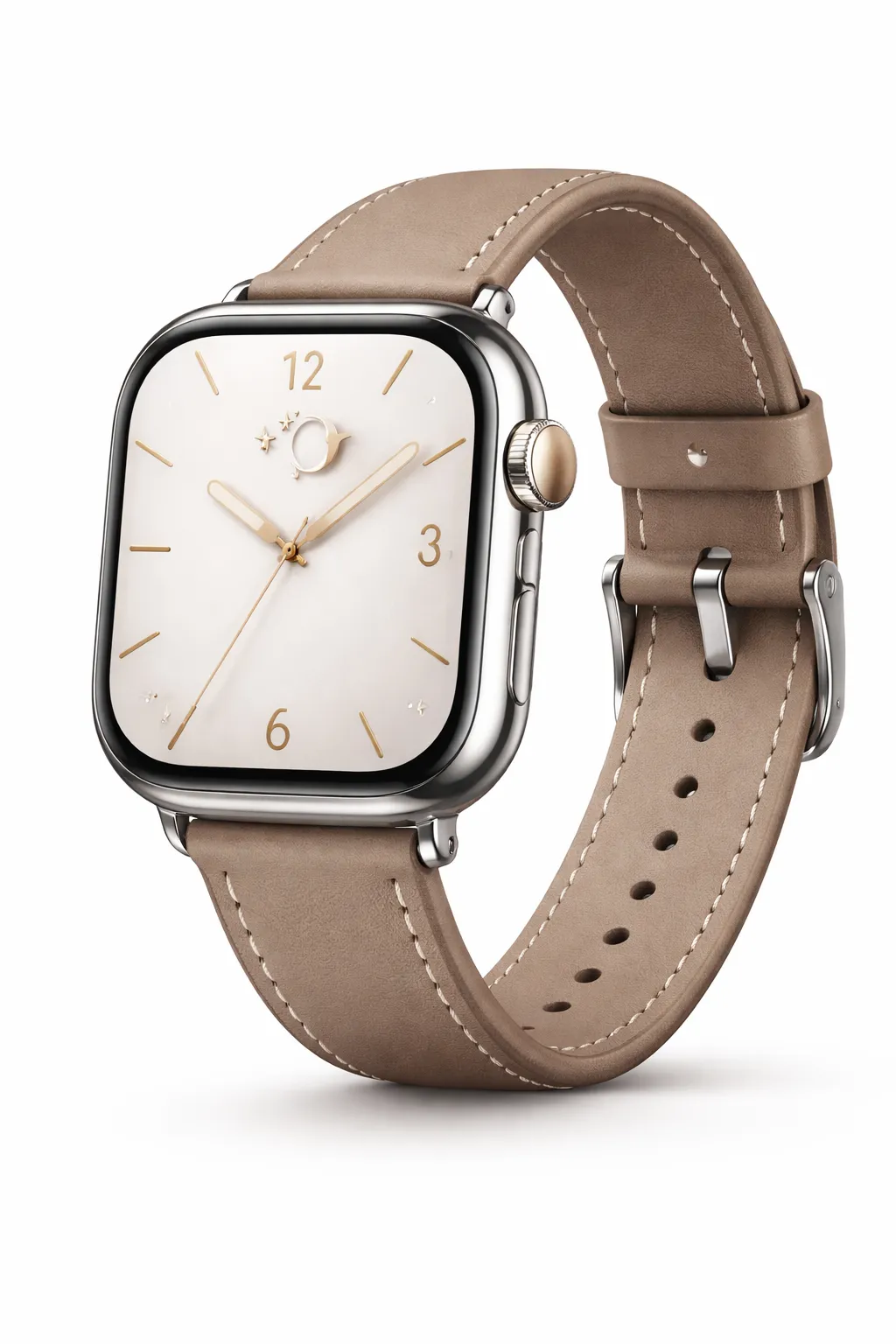 | 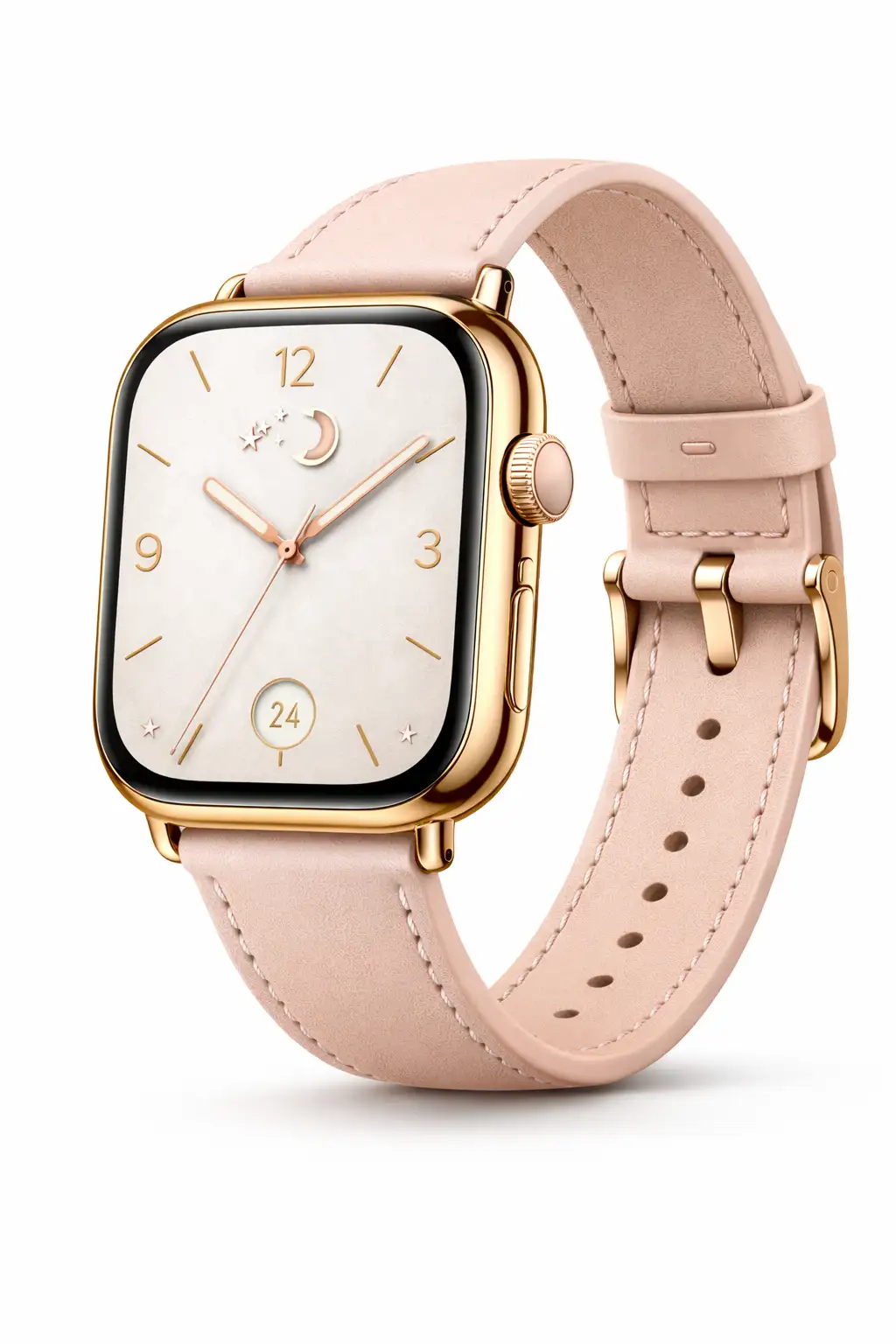 | 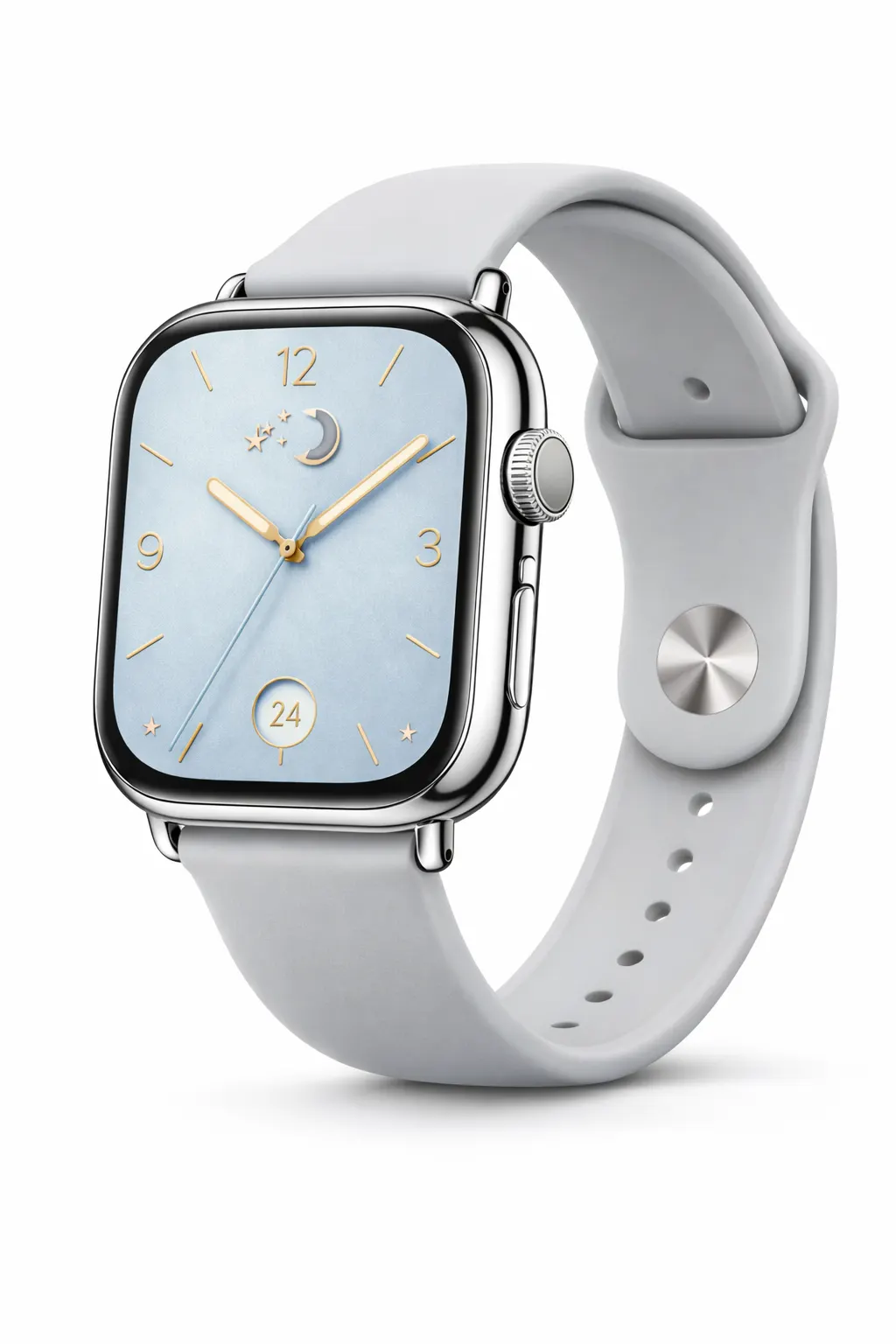 |
A smartwatch with a polished silver case paired with a classic brown leather strap. | An elegant rose-gold smartwatch with a soft blush strap and delicate dial details. | A fresh and modern smartwatch with a cool silver case and soft sky-blue dial. |
Classic brown | Blush pink | Sky blue |
$199 | $179 | $219 |
Details | ||
Display | ||
Always-On square display | Slim square display | Wide square display |
Classic analog dial | Elegant minimal dial | Modern numeric dial |
Case & Size | ||
42mm case size | 40mm case size | 44mm case size |
Stainless steel case | Rose gold aluminum case | Polished silver aluminum case |
Reinforced glass display | Scratch resistant glass | Edge-to-edge glass display |
Strap | ||
Premium leather strap | Soft leather strap | Silicone sport band |
Breathable stitched design | Lightweight and flexible | Soft-touch sport fit |
Benchmark: Frequently bought together sections on product pages convert at roughly 1–3% acceptance rates. That sounds small, but on 10,000 monthly visitors with an average cross-sell value of $15, that’s $1,500–$4,500 in pure incremental revenue per month from a single section.
Cart Page
By the time a customer reaches the cart, buying intent is confirmed. This is the best spot for cross-selling; the customer has committed to the primary purchase and is now in a “completing the mission” mindset. They’re receptive to: “Is there anything else you need for this?”
What works in the cart:
- Complementary low-consideration items — accessories, consumables, protection plans
- Free shipping thresholds — “Add $12 more to get free shipping” prompts customers to browse and add items, and it doesn’t feel like a sales tactic because it’s framed as saving money
- Bundle upgrades — showing that buying the main product plus an accessory as a bundle saves them 15% over buying both separately
Cart cross-sells typically convert in the 2–5% range. The key constraint: don’t show too many options. Three well-chosen items outperform ten mediocre suggestions in almost every documented test.
Checkout Page
This is the most conversion-sensitive point in the entire funnel. Poorly designed checkout upsells are one of the leading causes of cart abandonment. But done correctly, typically as order bumps, not as full product suggestions — checkout upsells are powerful.
Order bumps (small add-on offers displayed inline during checkout) convert at 1–4% on average, but because every conversion comes from a customer who is literally entering payment information right now, the revenue per conversion is efficient.
The rule for checkout: if the offer requires more than two seconds of consideration, save it for post-purchase. Checkout should feel fast and low-friction.
Post-Purchase (Thank You Page and Email)
This is structurally the best-kept secret in ecommerce upselling. Post-purchase upsell offers are shown immediately after a confirmed purchase and convert at 3–8% according to benchmark data across Shopify stores. They consistently outperform product-page and cart-stage offers in acceptance rate.
Why? The customer has just experienced the psychological satisfaction of buying. They’ve already made the mental purchase decision, their payment info is saved, and the commitment barrier is at its lowest. A well-placed one-click post-purchase upsell requires no re-entering of payment details, which means the friction is minimal.
What works post-purchase:
- Complementary items that enhance the just-purchased product — the customer bought a coffee machine; now they’re a natural audience for a descaler kit, a grinder, or a variety coffee pack
- Subscription upgrades — “You bought a one-time kit; here’s how to get it monthly at 20% off.”
- Post-purchase email sequences — timed 3–7 days after purchase, personalized by what was ordered, these can capture customers who weren’t ready during their initial session
One important note on post-purchase automation: timing emails at 3–7 days post-purchase consistently outperforms immediate follow-ups for product recommendations, likely because the customer has had time to begin using (and form opinions about) their original purchase.
7 Specific Strategies That Actually Move AOV
1. Product Comparison Tables for Upsells
One of the cleanest mechanics for upselling is the side-by-side feature comparison. Instead of just saying “this is better,” you show the customer exactly what they get and what they’re giving up.
A well-built comparison table between a standard and premium version of a product does several things simultaneously: it anchors the customer’s attention on the higher-tier option, it removes uncertainty (the customer can see the value difference), and it uses a format that feels informative rather than salesy.
This is where a tool like Ninja Tables adds direct value to your upsell strategy. Rather than embedding a clunky screenshot or a hard-coded HTML table, you can create responsive, sortable comparison tables that pull your product features into a format customers actually read. Tier pricing tables and product feature comparisons built this way tend to reduce the “is it worth the extra money?” hesitation that kills upgrades. The psychological principle at play is called value justification — customers accept price increases when they can clearly see the incremental features at a glance. A vague “Premium version” with a bullet list of jargon doesn’t do this. A clean comparison table that shows “2GB storage vs. 50GB storage” does.
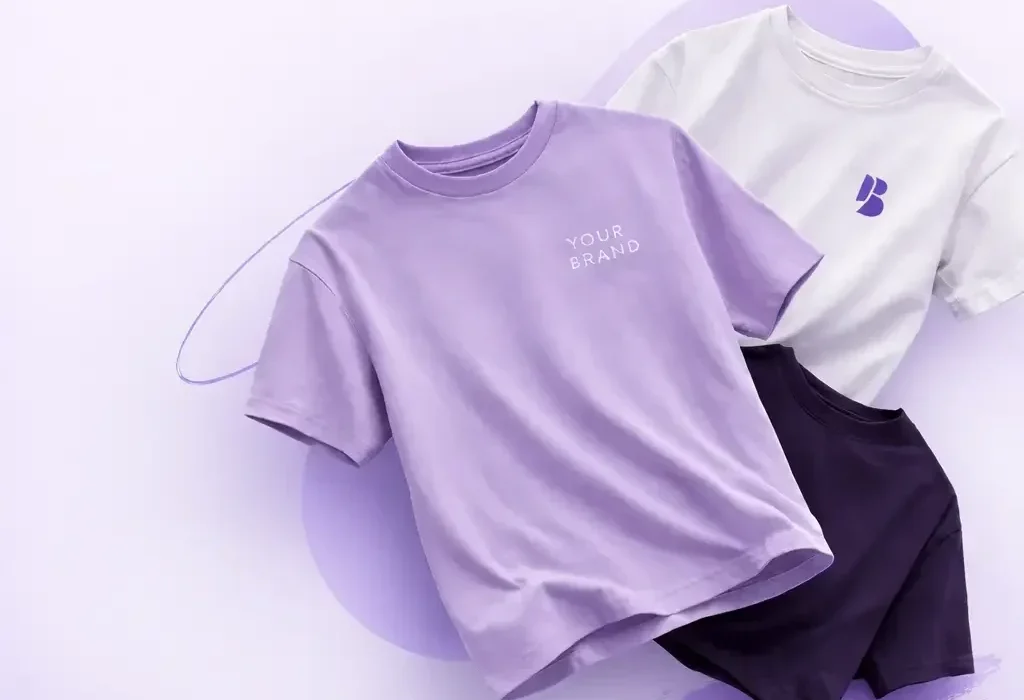 Basic Print Tee A simple custom t-shirt for everyday branding. | Popular 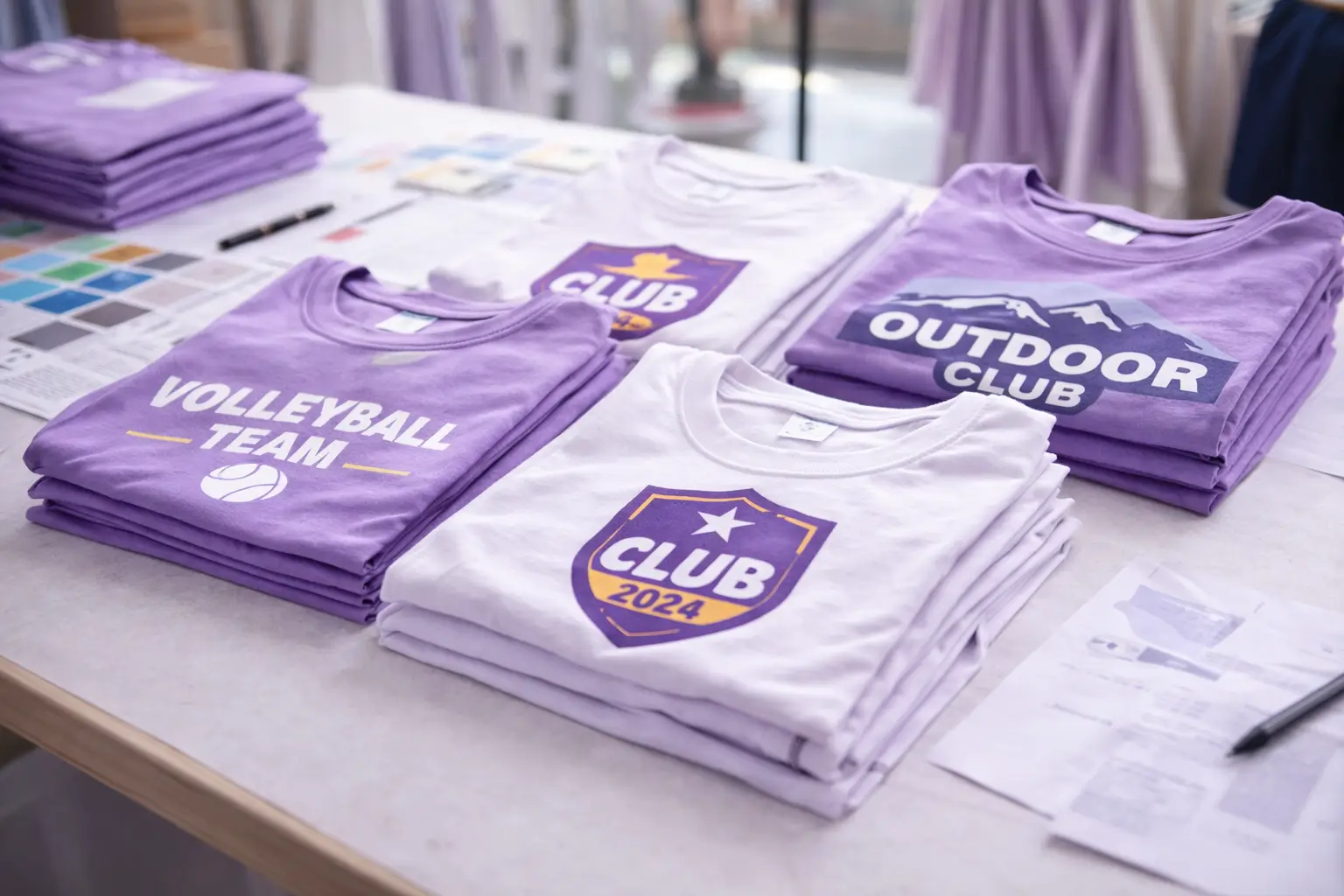 Team Bundle Best suited for group orders, clubs, or small campaigns. |  Brand Merch Kit A complete merch for events and promotional launches. | |
Setup assistance | |||
Front-side print included | |||
Back print option | |||
Sleeve customization | |||
Fabric upgrade choices | |||
Addition (Cap, Sticker) | |||
Priority production | |||
Minimum order | No minimum required | 6 Pieces | 20 Pieces |
Extended color selection | |||
Bulk pricing | |||
Packaging customization | |||
Shipping included | |||
2. Frequently Bought Together (Data-Driven, Not Manual)
The FBT (frequently bought together) section is so familiar from Amazon that customers expect it, and expectations lower the friction to accept suggestions. But there’s a critical difference between manually curating these sections and letting actual order data drive them.
When you manually assign cross-sells to products, you’re making educated guesses. When you pull associations from actual transaction data (customers who bought Product A and also bought Product B in the same order), you get product pairings with genuine behavioral validation behind them.
Automated FBT systems outperform manual curation significantly — AI-driven recommendations average a 3.8% acceptance rate versus 1.56% for manually curated offers. That’s a 2.4x performance gap from one operational change.
For WooCommerce stores, plugins like the official WooCommerce Product Recommendations extension or third-party tools like UpsellWP can build FBT associations automatically by analyzing your order history. For FluentCart stores, similar logic applies — the more transaction data the recommendation engine has to work with, the more accurate (and profitable) the suggestions become.
3. Tiered Pricing with “Good, Better, Best” Structure
The “Good, Better, Best” pricing architecture is one of the most well-documented tactics in pricing psychology, and it applies directly to product upsells. When customers are shown three versions of a product — a basic tier, a mid-tier, and a premium tier — the mid-tier typically becomes the most popular choice due to a cognitive phenomenon called the compromise effect. People default to the middle option because it feels reasonable.
The practical implication: structure your upsell display so the mid-tier is the one with the highest margin or the one you most want to sell. Present the entry-level option to make the mid-tier look accessible, and the premium tier to make the mid-tier look like a deal.
Software companies do this almost universally (Free / Pro / Enterprise), but it works equally well in physical product categories. A skincare brand can position 50ml / 100ml / 200ml sizes with per-ml cost comparisons and watch conversion distribute toward the middle SKU.
PRO | Top! PLUS | BUSINESS |
4.99$/month with 4 days free trail | 9.99$/month with 4 days free trail | 19.99$/month with 4 days free trail |
1 GB Disk Space | 1 GB Disk Space | 1 GB Disk Space |
500 MB Bandwidth | 2 GB Bandwidth | 5 GB Bandwidth |
1 Sub Domain | 3 Sub Domain | 10 Sub Domain |
1 Email Account | 5 Email Account | 10 Email Account |
SMTP | SMTP | SMTP |
Monthly Traffic: 1000 GB | Monthly Traffic: 2000 GB | Monthly Traffic: 3000 GB |
Network Port: 50 Mbps | Network Port: 75 Mbps | Network Port: 100 Mbps |
4. Bundle Pricing with Transparent Savings
Bundling is often described as cross-selling, which is partially true — but its psychological mechanism is distinct. A bundle doesn’t just add products to the cart; it reframes the decision from multiple individual purchases into one consolidated value proposition.
When a customer sees “Camera + Case + SD Card: $189 (save $32),” their decision changes from “Should I buy the case?” to “Is this bundle worth it?” That’s a lower-friction question to answer.
Effective bundles:
- Combine products that logically complete a task or solve a problem together
- Show the savings prominently (both the dollar amount and percentage)
- Let customers swap one component of the bundle for an alternative (a configurator-style bundle) — this gives the feeling of customization, and helps you improve average order value
One nuanced tactic: offer a bundle on the product page but also offer the individual product — don’t force it. Customers who don’t want the bundle should be able to buy the individual item, because forcing bundles kills conversion on the base product. The bundle should feel like an upgrade option, not a barrier. Upsell bundled products with clear display and informative tables.
| Product Bundle | Individual Price Total | Bundle Price | You Save | Visit |
|---|---|---|---|---|
| Laptop + Mouse | $1,050 | $950 | $100 | Details... |
| Laptop + Mouse + Keyboard | $1,200 | $1,000 | $200 | Details... |
| Laptop + Mouse + Keyboard + Monitor | $1,800 | $1,100 | $700 (!!!) | Details... |
| Laptop + Full Office Setup (All 4) | $2,200 | $1,200 | $1000 ⭐ | Details... |
| Laptop + Chair + Desk | $1,800 | $1,400 | $400 | Details... |
| Ultimate Productivity Pack (All) | $2,500 | $1,600 | $900 🔥 Best Value! | Details... |
5. Free Shipping Thresholds as a Passive Upsell Strategy
Free shipping thresholds are one of the most elegantly designed AOV mechanics in ecommerce because they don’t feel like upsells. They feel like the customer is finding a way to save money. The buying math is “If I add $10 more to my cart, I don’t pay $8 shipping” — and that feels like a win to the customer even though it means they spend more.
The key is calibration. Your free shipping threshold should be set 15–20% above your current AOV. If your average order is $45, setting free shipping at $55 captures a segment of customers willing to browse for one more item to clear the threshold without feeling unattainable.
The messaging matters enormously: “Add $10 more for free shipping” displayed in the cart (ideally with a progress bar) is significantly more effective than a passive policy page nobody reads. Every checkout page should have a dynamic threshold reminder.
6. Post-Purchase Email Sequences Based on Order History
Email is the highest-ROI channel for cross-selling to existing customers, primarily because it combines the permission-based relationship (they already bought from you) with the ability to time suggestions strategically.
Effective post-purchase cross-sell email logic:
- Confirmation + care/usage tips for the purchased product. No upsell here — set expectations and build confidence in the purchase.
- Introduce complementary products based on what they bought. This is when the customer is actively using the product and receptive to add-ons. “You just started your morning routine with our cleanser — here’s what pairs with it.”
- Replenishment trigger (for consumables) or accessory suggestion. By now, the customer either loves the product (prime time to deepen the relationship) or hasn’t used it much (which means a different kind of follow-up may be needed).
- Upgrade trigger. Customers who bought a mid-tier product are natural upsell candidates for the premium version, especially if they’ve made a second purchase in the interim.
The rule of thumb: never send a pure “here’s something to buy” email without a genuine reason. Framing it around usage, how to get the best results from their purchase, or seasonal relevance, dramatically outperforms cold product push emails.
7. Social Proof Integration in Recommendation Widgets
Customers are dramatically more likely to accept a recommendation when it comes with validation from other buyers. A cross-sell widget that says “Customers who bought this also bought X” performs better than one that says “You might also like X” — not because the products are different, but because the former has implicit social proof baked into the copy.
Even star ratings on recommended products make a measurable difference. Showing “4.8 (312 reviews)” next to a cross-sell item answers the unspoken objection like “Is this even worth adding?”- without requiring the customer to click away.
For upsell widgets, including a short one-line benefit callout (“237 customers upgraded to this for longer battery life”) accomplishes something similar: it turns the upsell from a commercial suggestion into peer validation.
What Not to Do: The Most Common Mistakes
Recommending products with no logical connection. This is the cardinal sin of cross-selling. If your recommendation algorithm surfaces an unrelated item — or if you manually assign cross-sells based on what you want to sell rather than what complements the product — customers feel manipulated rather than helped. The recommendation credibility of your entire store suffers.
Every suggestion should pass a simple test: Does this make the primary purchase better or more complete?
Exceeding the 25% price rule on upsells. Research from Shopify’s merchandising guidelines suggests avoiding upsell suggestions that increase the order by more than 25% above the current product price. If someone is buying a $50 product, don’t push a $120 upgrade. Pushing expensive upgrades with no context does more harm than good. A $60–$65 upgrade, on the other hand, is much more likely to convert.
Read this guide to effectively increase average order value (AOV).
Show the customer what they’re getting for the additional cost. A comparison table, a benefit callout, a short “here’s why this matters” line — anything that justifies the upgrade price makes acceptance dramatically.
Piling on too many suggestions at once. Choice overload is a documented psychological phenomenon. Showing ten cross-sell items on a product page doesn’t give customers more options — it causes decision paralysis, and they choose none. Three or four well-chosen recommendations are a ceiling, not a floor.
Introducing upsells at the checkout page when they require real consideration. Checkout should be fast. Any offer that asks the customer to think — to weigh the pros and cons of an expensive add-on, to read product descriptions, to compare features — belongs on the product page or post-purchase, not on the customer’s confirmation screen. Complex offers at checkout cause abandonment.
Not measuring acceptance rate separately from overall conversion. A lot of stores set up upsell widgets and then look at their overall conversion rate. But this tells you nothing useful about whether the upsell is working. You need a separate acceptance rate (number of customers who took the upsell / number who were shown it) for each placement: product page, cart, checkout, and post-purchase. Without this breakdown, you can’t tell which touchpoints are contributing and which are creating friction.
Setting up recommendations once and never revisiting them. Seasonal shifts, new product launches, inventory changes, and evolving customer behavior all affect which product associations make sense. Upsell and cross-sell strategies should be reviewed and tweaked every few weeks, not set up once and treated as permanent infrastructure.
Treating checkout as a sales floor. Checkout is where the purchase gets completed. Anything that slows that process — especially a confusing offer that requires real thought — is a potential abandonment trigger. Save complex offers for before or after checkout, not during.
How Product Tables Tie Into Your Upsell Strategy
One tactical underuse across most WooCommerce and FluentCart stores: the product or pricing comparison table as an upsell mechanism.
When your upsell strategy relies solely on a widget that pops up with “Hey, want the Pro version?”, you’re asking the customer to decide without giving them the information they need to feel confident about it. Comparison tables solve this by removing the “but what am I actually getting for $20 more?” question before the customer has to ask it.
A Ninja Tables comparison grid placed on a product page — showing features of the standard and premium versions side by side — does two things at once. It educates the customer about the value of the upgrade and serves as the upsell mechanism itself. The customer sees the comparison, recognizes that the premium tier includes X and Y they’d benefit from, and adds the upgrade to the cart directly from the table.
This is especially effective for:
- Software or subscription products with tiered plans
- Physical products available in multiple versions (materials, sizes, configurations)
- Bundles vs. individual products (showing what’s included in each)
Get table templates for free
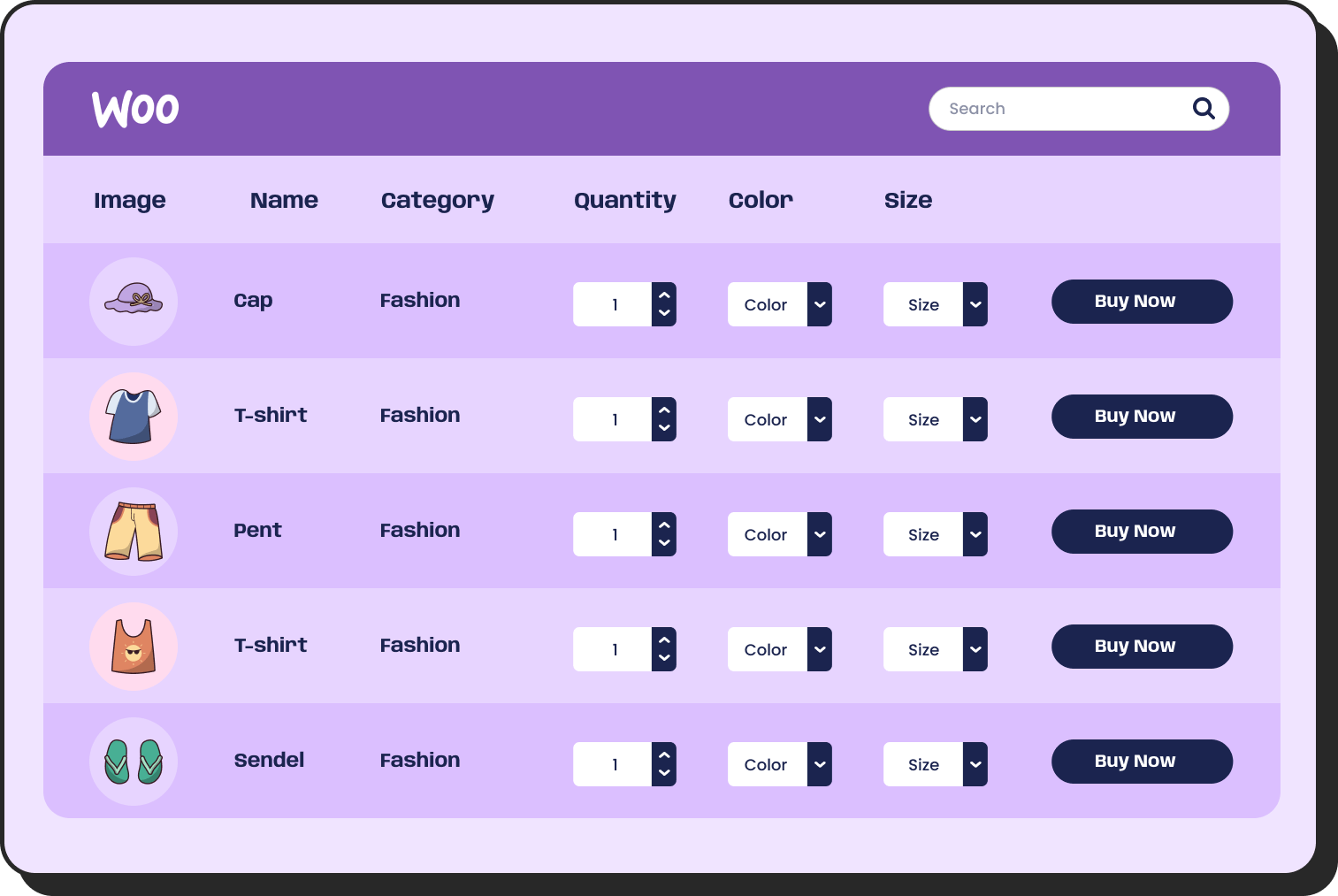
WooCommerce
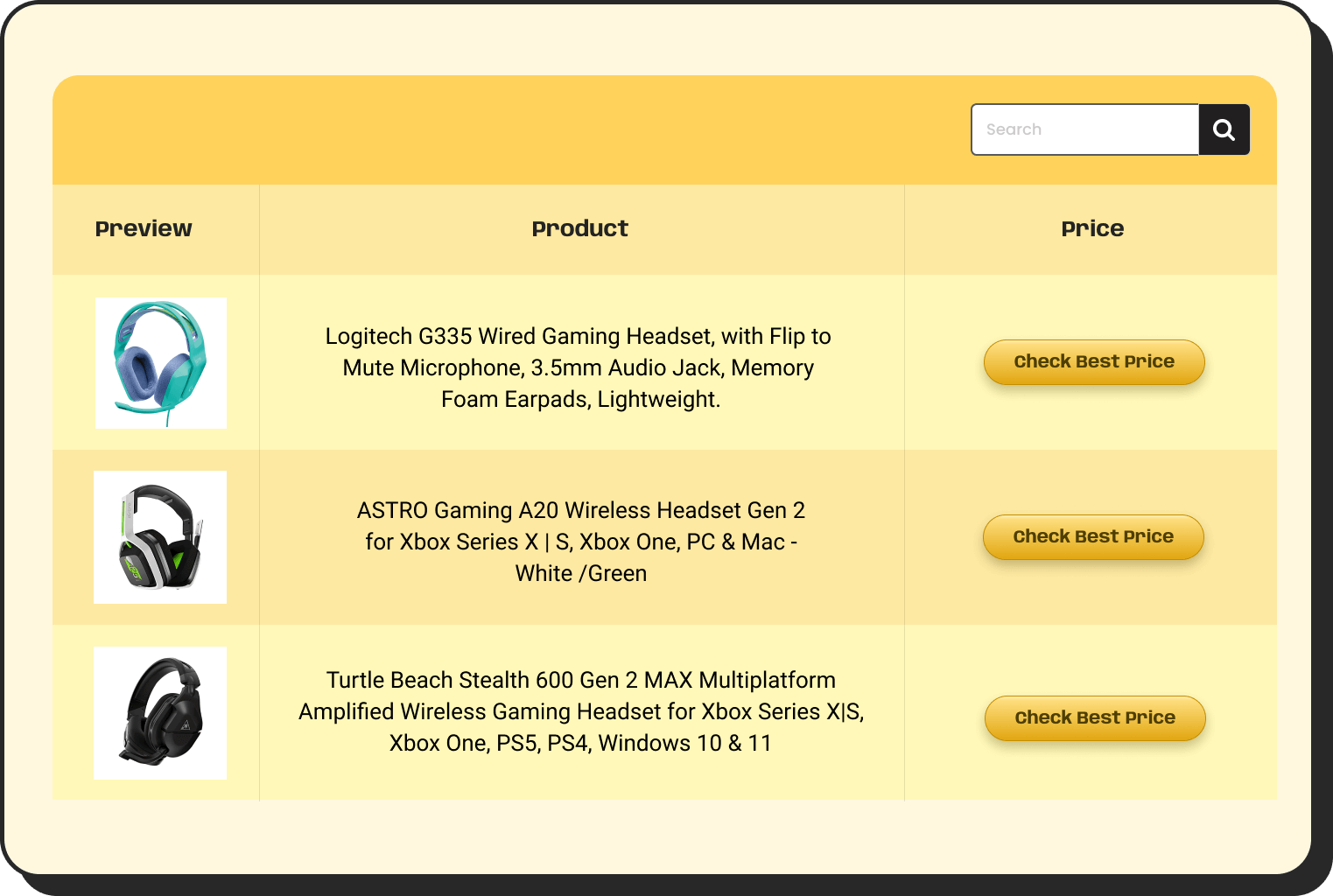
Amazon Products
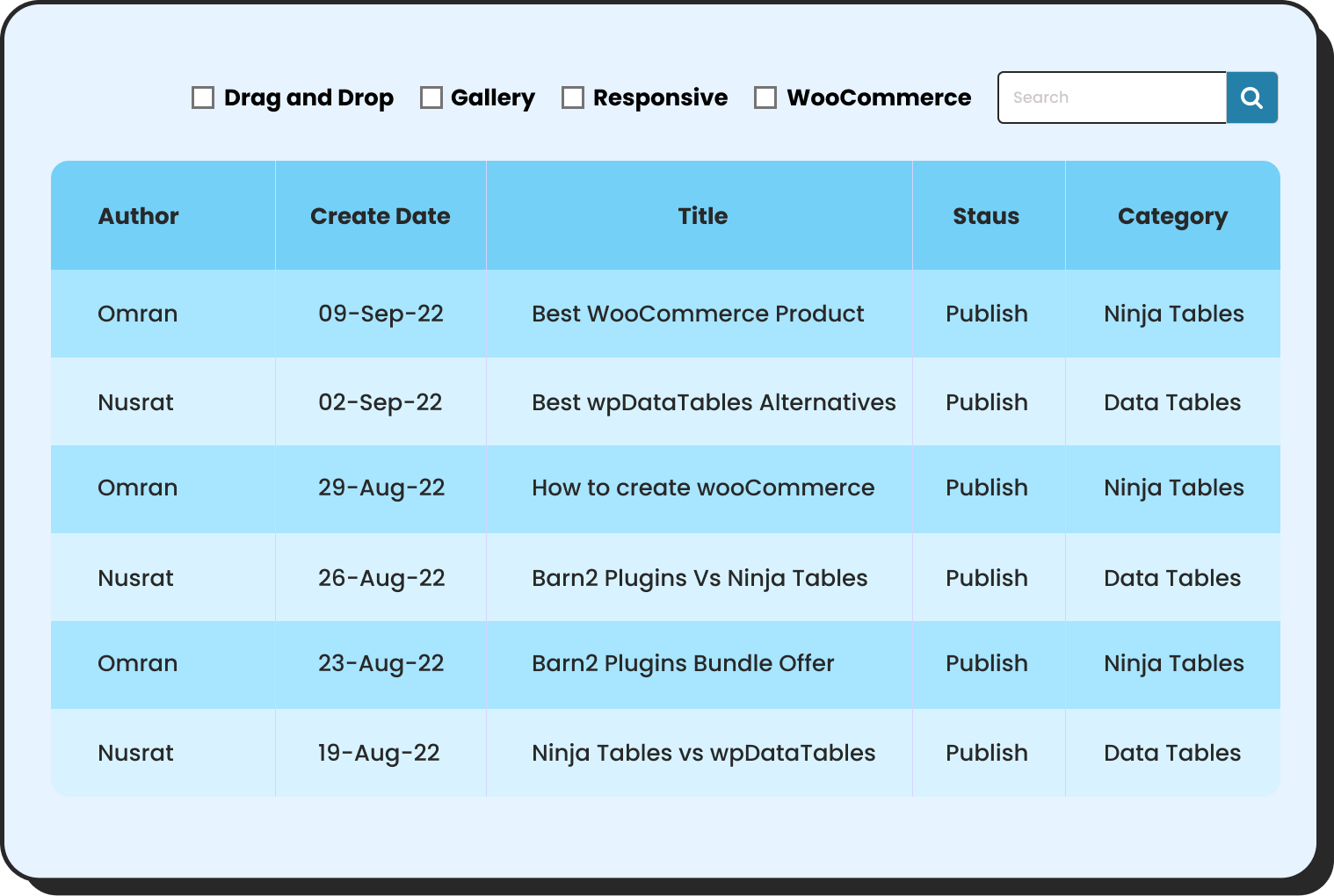
WP Posts
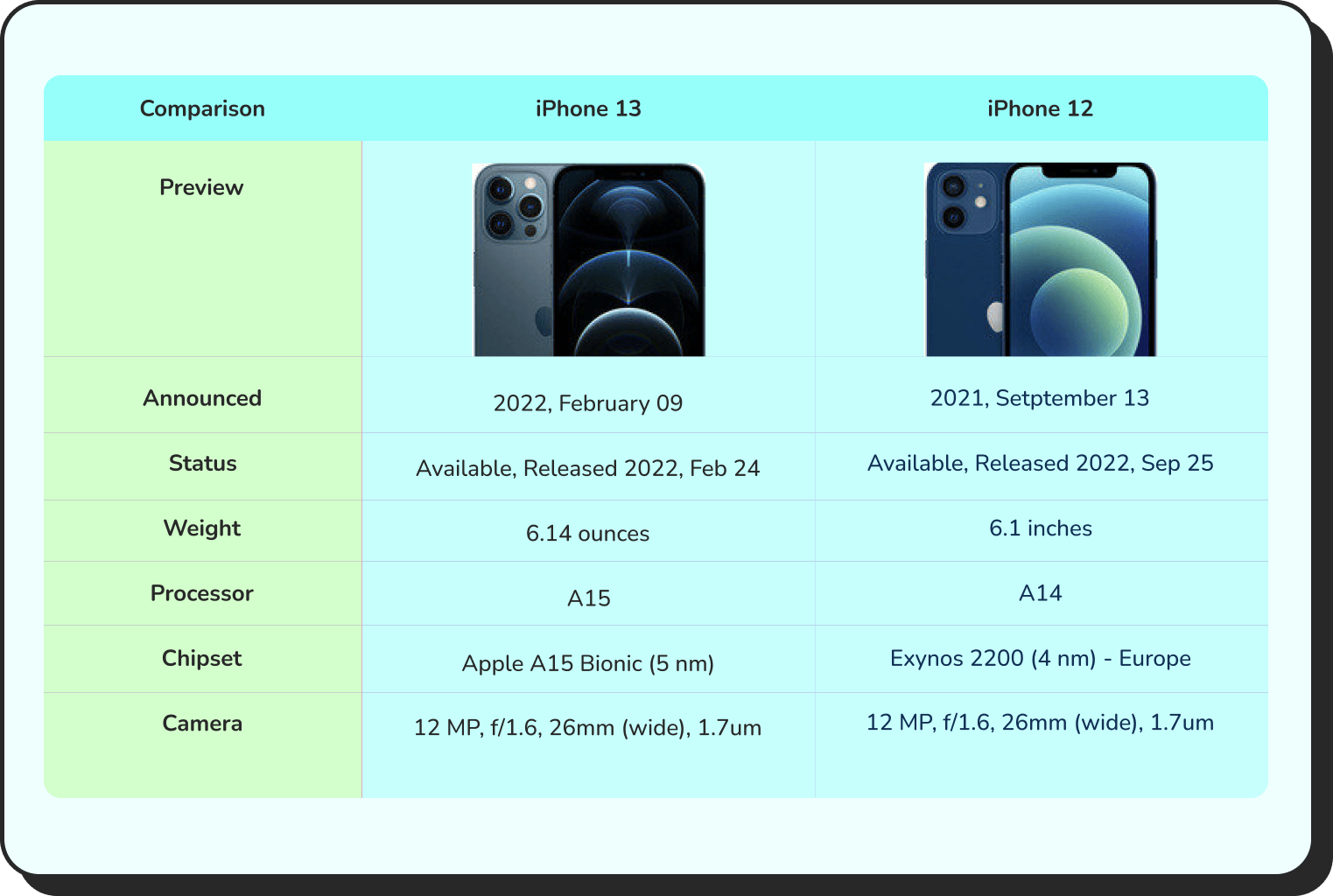
Products Comparison
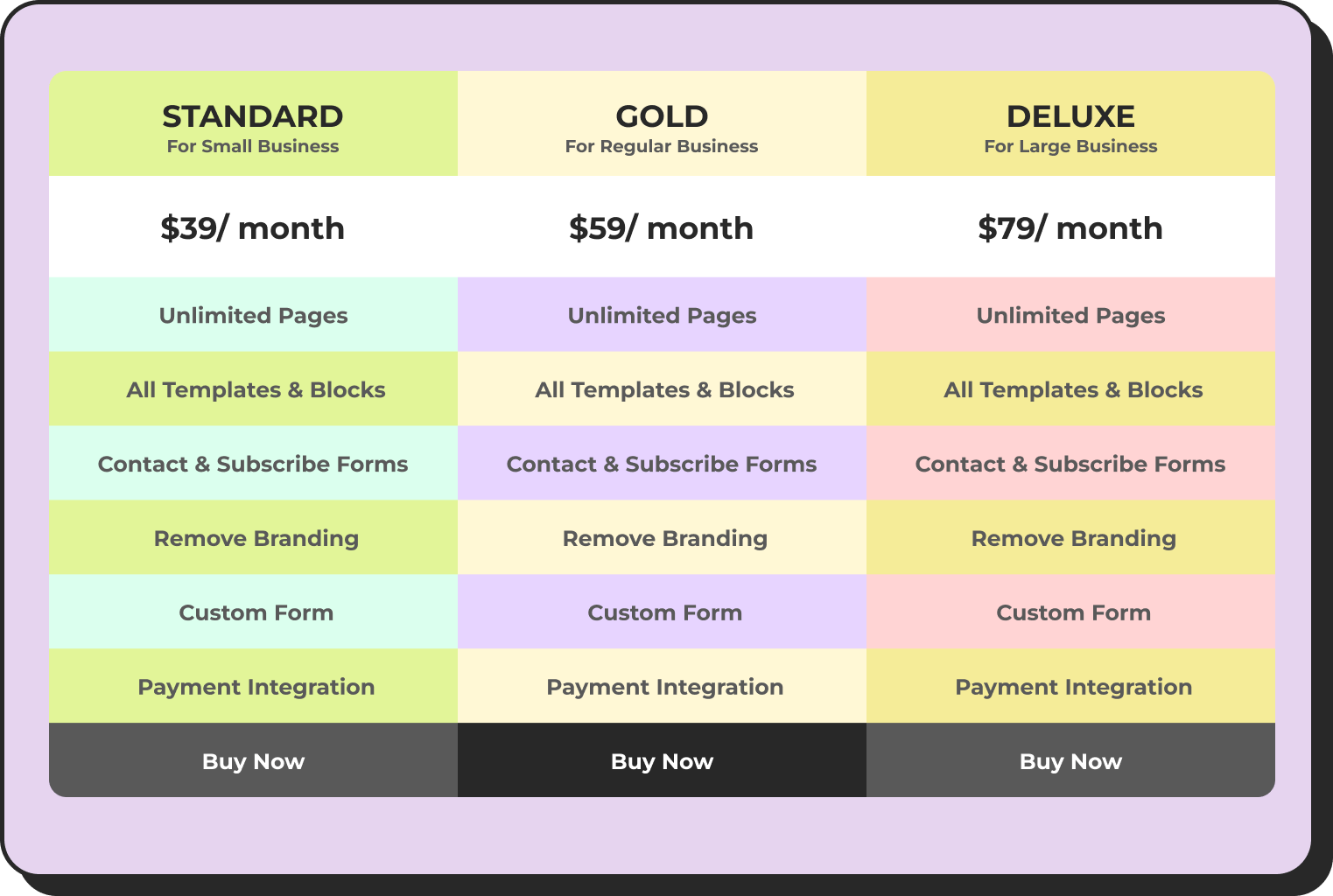
Pricing Table
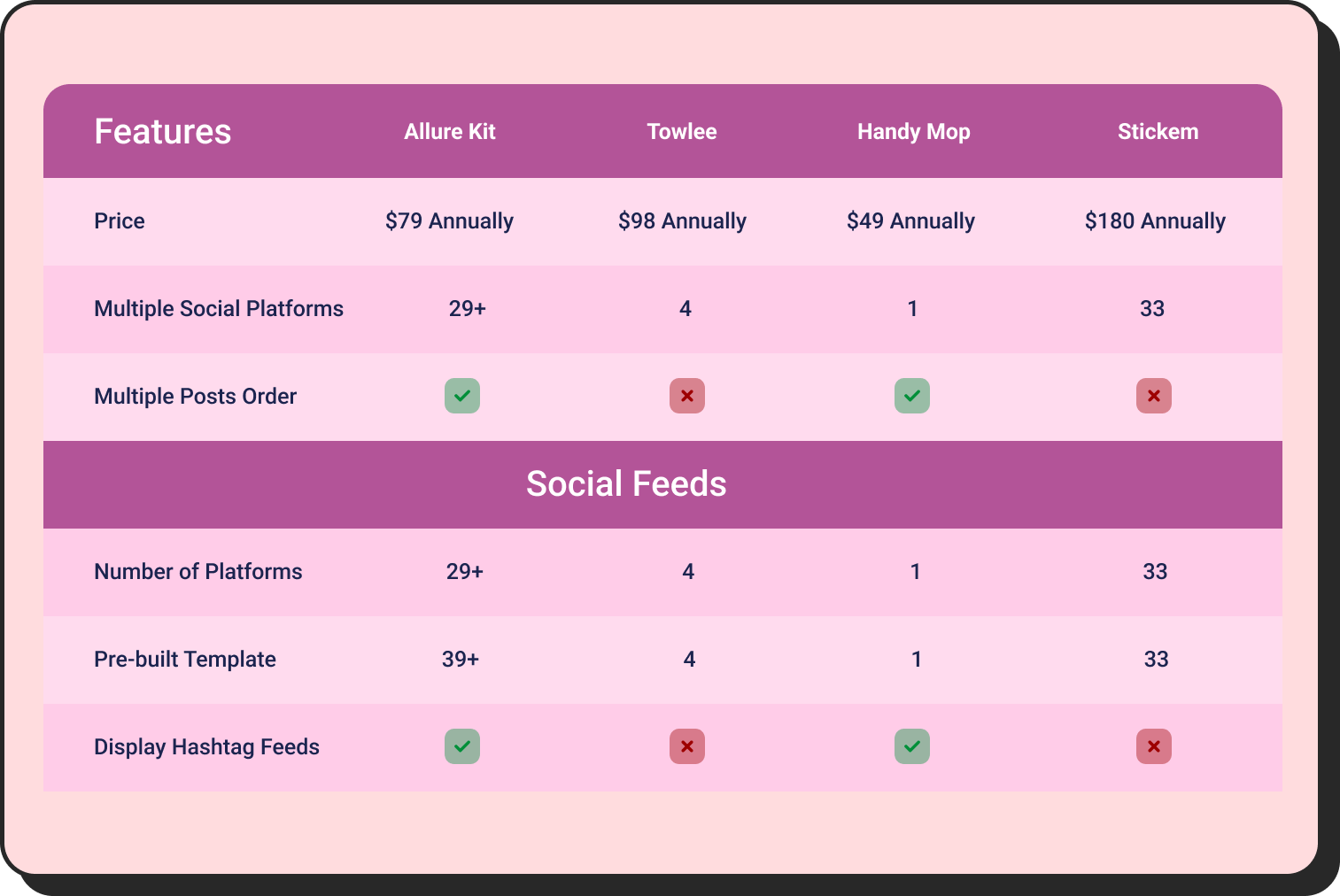
Features Comparison
Pricing tables and feature comparison grids serve as persistent, always-on upsell infrastructure on product and category pages — they don’t require a pop-up, they don’t risk interrupting the checkout flow, and they perform well because customers control their own pace through the decision.
The Bigger Picture
Upselling and cross-selling aren’t about squeezing more money out of customers. When done with genuine relevance, when the recommended upgrade actually suits their needs better, and when the cross-sell item is something they’d have wanted anyway, these tactics make the shopping experience more useful.
The stores that build this well don’t do it by slapping recommendation widgets on every page and hoping something sticks. They think about what each customer actually needs at each stage of their journey, show them relevant options, and present those options clearly. The revenue follows from that, not the other way around.

Ninja Tables– Easiest Table Plugin in WordPress



Add your first comment to this post