15+ Use Cases of WordPress Directory Plugins for Growing Websites


We see directories everywhere. Business listings, employee database, product catalog, real estate listings, company info, academics, or event catalogs, all the data stay organized in directories or indexes.
You’d think you don’t need any of it, but when you’re handling a big load of dynamic data, a data directory is a life-saver.
For WordPress websites that’s growing, a WordPress directory plugin is a personal Marie Kondo! Be it any website, directories are helpful to keep everything in their designated structured, searchable, and filterable place.
Imagine a bookshop website using directories. They can list the books by category or genre in a directory or a book catalog with details like author, title, publisher, ratings, and price. If the directory has search and filter functions in the frontend for book lovers to find what they want, it’s certainly a good user experience.
We’ll explore what a directory plugin is, why it matters, and the use cases of the right ones.
What a WordPress Directory Plugin Actually Does
You run a third-party website that people use to buy products from. Or a school website holding faculty and student info.
Instead of dumping all the data in pages in paragraphs, a directory or an index lets you organize entries into a nice layout for people to search, filter, and explore.
A long and messy page full of texts vs a clean, interactive directory, guess what wins?
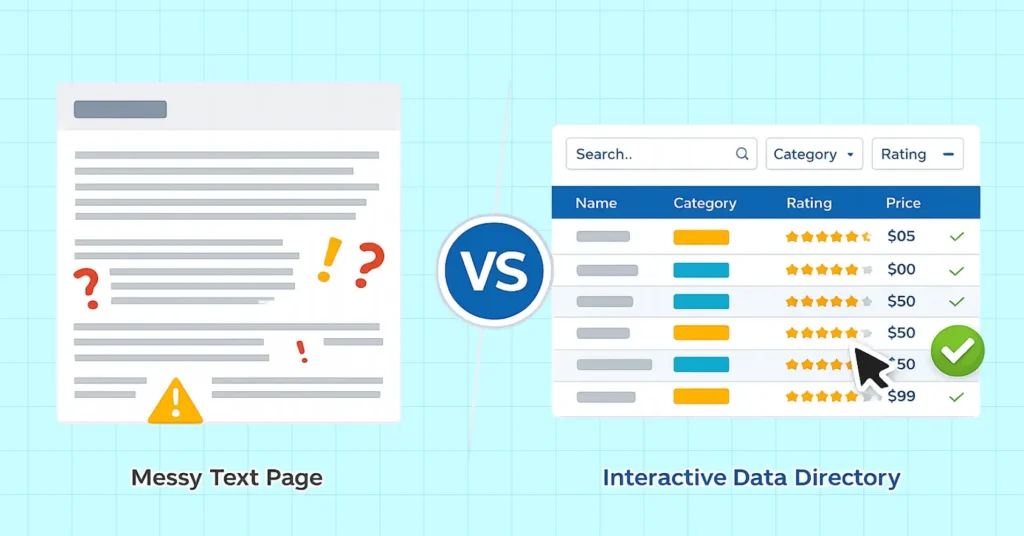
When someone visits your site, they expect instant clarity and fast access to information. A well-built WordPress directory plugin meets those expectations by replacing static content with interactive discovery.
Instead of scrolling, users filter the data and instead of guessing, they search.
It’s also good for SEO because it helps improve internal linking, increases CTR, reduces bounce rate, and is easier for search engines to understand.
Some index plugins focus on custom post types and frontend submissions and some others focus on data presentation using tables. The right plugin choice for you depends on how much control, performance, and flexibility you need.
We’ll use Ninja Tables to demonstrate how directories can be built in practice with table plugins.
Ninja Tables as a WordPress Directory Plugin
How many plugins do you know that try to do everything all at once and fail? Ninja Tables isn’t like other plugins at all!
This table plugin takes a separate route than the common WP directory plugins.
Ninja Tables doesn’t force you into rigid directory templates. It lets you create your own directory tables with your own style. It’s clean, flexible, SEO-friendly, and fast-loading. You get all the control without the complexity.
It’s easy to create and customize directories for book details, movie reviews, freelance work, blogs, media, products, employee index, and what not!
15 Directory Use Cases with Ninja Tables
Since WP directory plugins come in different forms, the use cases below apply to any directory plugin. Ninja Tables just adds its own spice!
1. Employee and Team Directories
Say goodbye to the boring “About Us” page or long list of names and contacts. Ninja Tables can create:
- Team directories with name, responsibilities, position
- Employee directories with name, role, department, contact, ID
- Department listings (HR, Engineering, Marketing, etc.)
Employee Directory Templates
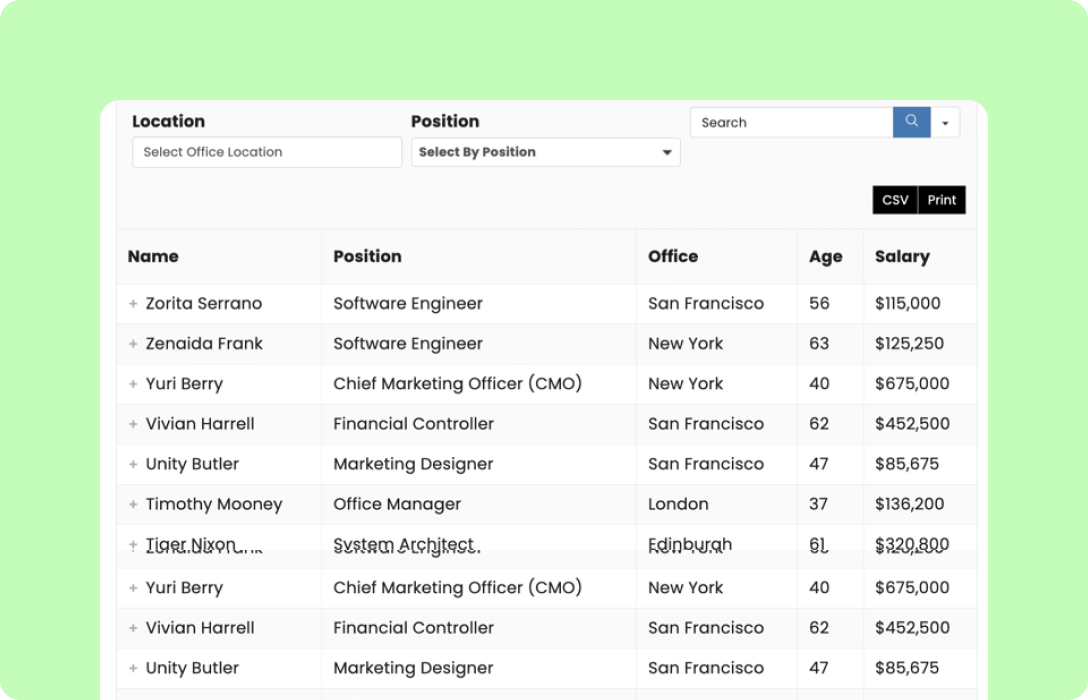
Employee Log
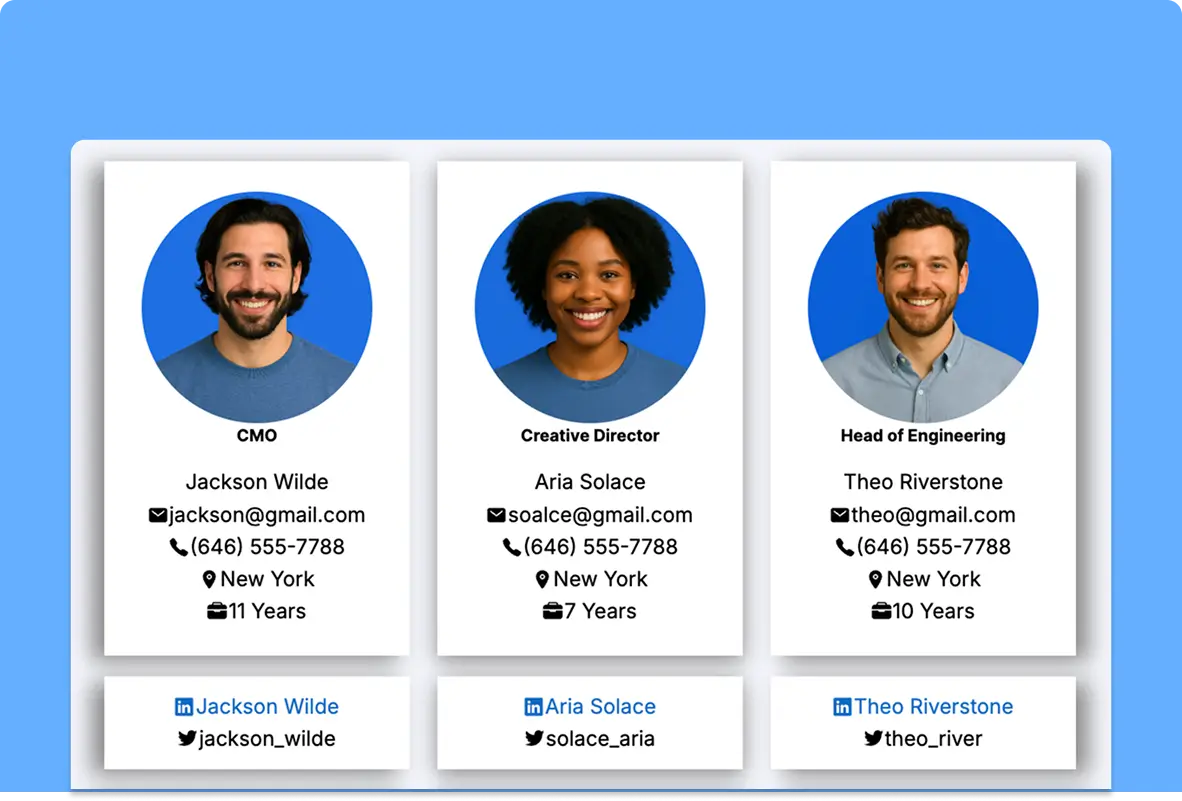
Staff Directory
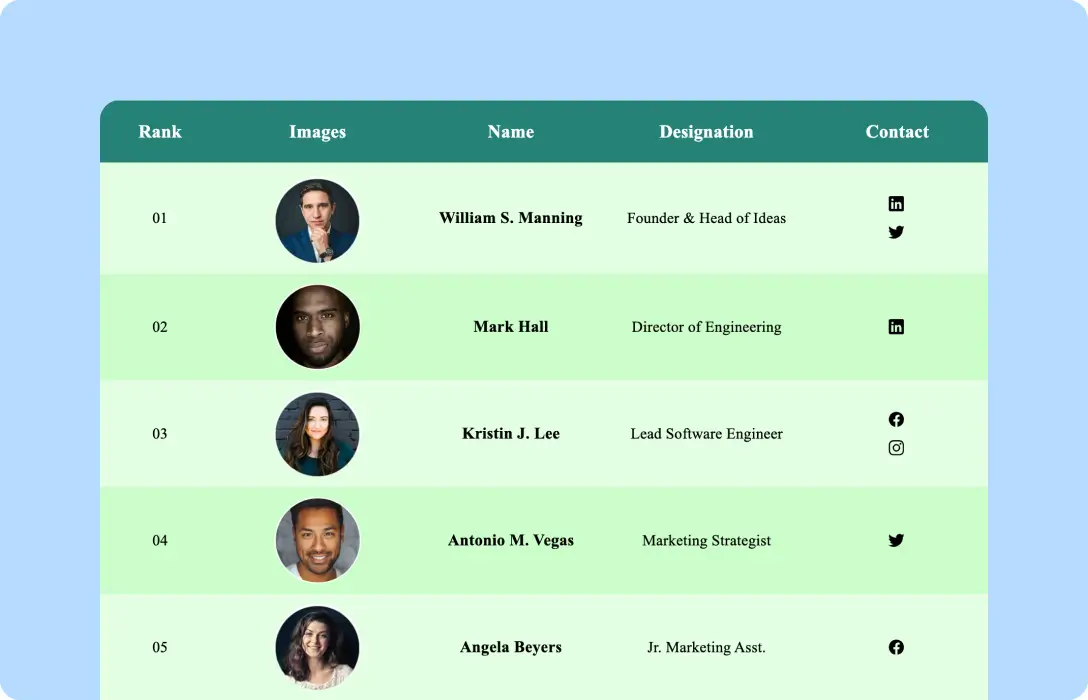
Employee Info
The above examples are fully interactive. Click the “+” icon to expand table rows, use the color switches to change colors, or contact a specific employee using their social info.
User base: Companies/startups, remote teams, agencies, admins, NGOs, etc.
These employee directories are easier to maintain than manually editing pages and finding the exact location of the data to edit.
2. Blogs, Posts, Content or Resource Index
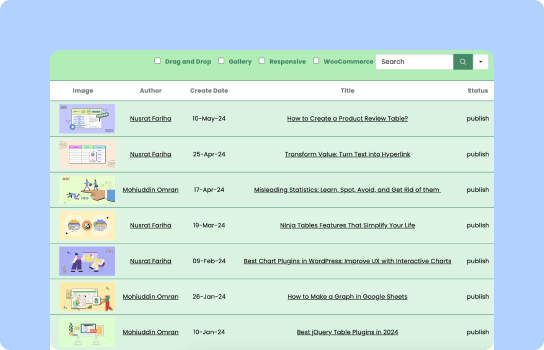
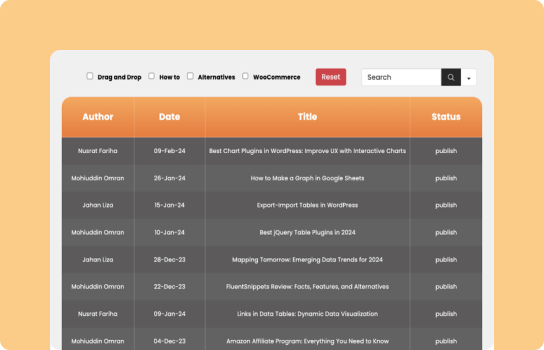
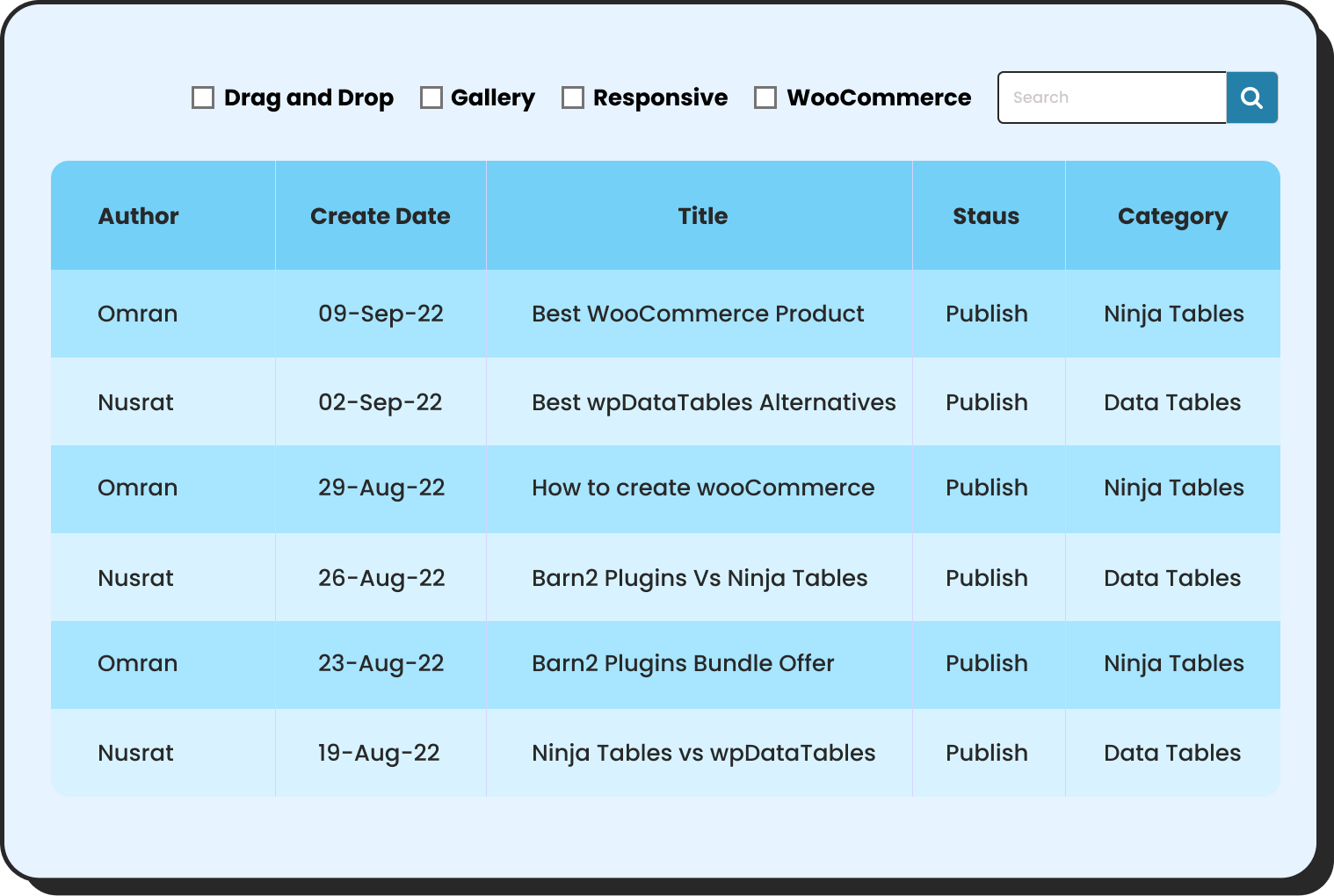
Websites with multiple genre of content like posts, pages, templates, podcasts and different categories should be kept organized as a knowledge base. It’s easier for the audience if it’s a filterable posts directory.
Posts, Blogs, Resource Indexes
Posts Table 1
Posts Table 2
Posts Table 3
Posts tables, content or resource index with Ninja Tables can be:
- Blog post directory with blog image, title, author, category, publish date
- Knowledge base indexes
- Tool or software directory
- Editorial archives for frontend or backend use
Here’s a table template index we keep for our admin side to find templates easily.
User base: Content-heavy sites, documentation sites, educational platforms, marketing teams, bloggers, freelance writers, authors, etc.
3. Students, Faculty, or Academics
Schools, colleges, or universities can create:
- Student directories with name, program, year
- Alumni directories
- Student scoreboards
- Research group listings
- Class or exam schedules
| Student ID | Student Name | Program / Major | Department | Year | Enrollment Status |
|---|---|---|---|---|---|
| STU-001 | Student A | Computer Science | Engineering | 2nd | Active |
| STU-002 | Student B | Economics | Social Sciences | 4th | Active |
| STU-003 | Student C | Business Administration | Business | 3rd | Active |
| STU-004 | Student D | Mathematics | Science | 1st | Re-admission |
| STU-005 | Student E | English Literature | Humanities | 4th | Graduated |
| STU-006 | Student F | Political Science | Social Sciences | 2nd | Active |
| STU-007 | Student G | Physics | Science | 3rd | Active |
| STU-008 | Student H | Marketing | Business | 1st | Active |
| STU-009 | Student I | Sociology | Social Sciences | 4th | Graduated |
| STU-010 | Student J | Data Science | Engineering | 2nd | Active |
| STU-011 | Student K | International Relations | Social Science | 3rd | On leave |
| STU-012 | Student L | Accounting | Business | 5th | On leave |
| STU-013 | Student M | Environmental Science | Life Science | 2nd | Re-admission |
User base: University-school-college admins, research institutes, alumni associations, academic communities, etc.
4. Product Listings
If you’re selling products online, a table with product listings can save you from messy product info chunks. Instead of long product pages, users can create:
- Product catalogs
- Feature-based product directories
- Status or lifecycle listings (active, beta, discontinued)
- eCommerce product tables
- Pricing, reviews, and “Buy” button
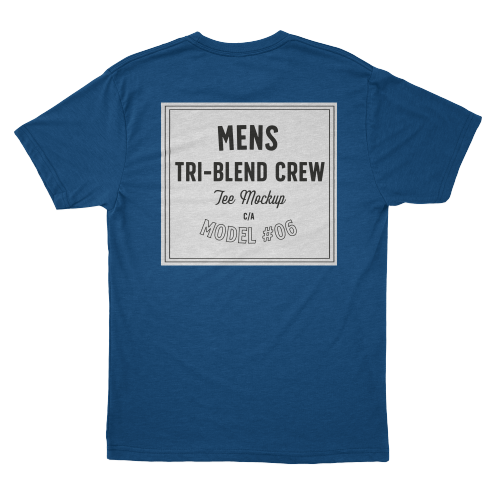
WooCommerce product table:
| Image | Name | Category | Price | Choose | |
|---|---|---|---|---|---|
 | Blue Hoodie (Zipper) | Hoodies | Original price was: $40.00.$35.00Current price is: $35.00. | | |
 | Hat | Hat | Original price was: $20.00.$15.00Current price is: $15.00. | | |
 | T Shirt | Half sleeve | $45.00 | | |
 | T-Shirt with Logo | Tshirts | Original price was: $10.00.$8.00Current price is: $8.00. | | |
 | Beanie with Logo | Accessories | Original price was: $20.00.$18.00Current price is: $18.00. | | |
 | T-Shirt | Tshirts | $18.00 | | |
 | Long Sleeve Tee | Tshirts | $25.00 | | |
 | Polo | Tshirts | $20.00 | | |
 | Hoodie with Logo | Hoodies | $45.00 | | |
 | Hoodie with Pocket | Hoodies | Original price was: $45.00.$35.00Current price is: $35.00. | | |
 | Hoodie with Zipper | Hoodies | $45.00 | | |
 | Beanie | Accessories | Original price was: $20.00.$18.00Current price is: $18.00. | | |
 | Belt | Accessories | Original price was: $65.00.$55.00Current price is: $55.00. | | |
 | Cap | Accessories | Original price was: $18.00.$16.00Current price is: $16.00. | | |
 | Sunglasses | Accessories | $90.00 | | |
 | Tank Top | Tanktop | Original price was: $45.00.$40.00Current price is: $40.00. | |
User base: SaaS companies, eCommerce sites, product marketers, sales teams.
This format makes comparison easier and keeps product information consistent.
5. Book Catalog
Running a book-related website? Your entire book archive can be organized in book catalog tables.
- Book catalogs (with book title, author, genre, year, etc.)
- Reading lists (with progress bar)
- Library inventories
- Direct link to publishers or author
| ISBN | COVER | TITLE | AUTHOR | GENRE | RATING | BUY |
|---|---|---|---|---|---|---|
| 0-31-97-0 |  | The Haunting | Q. Stone | Horror/Mystery | Grab | |
| 0-65-28-7 |  | Hill House | G. R. Tom | Mystery | Grab | |
| 0-83-08-8 |  | Lake Side | Allan P. | Horror/Mystery | Grab | |
| 0-31-80-5 |  | Alone | L. Greer | Horror/Mystery | Grab | |
| 0-31-20-3 |  | Midnight Rain | Jane Dutch | Mystery | Grab | |
| 0-48-76-8 | | Mu-seoun | Yong-su Rick | Horror | Grab | |
| 0-71-54-3 |  | Night Coach | Jenny Halpert | Horror/Mystery | Grab |
User base: Libraries, educators, personal bloggers, book clubs, book reviewers, publishers, and more.
Unlike blog posts, book directories stay relevant indefinitely And if you add a “Buy” button, it’s instantly conversion-ready!
6. Sports Info Directory
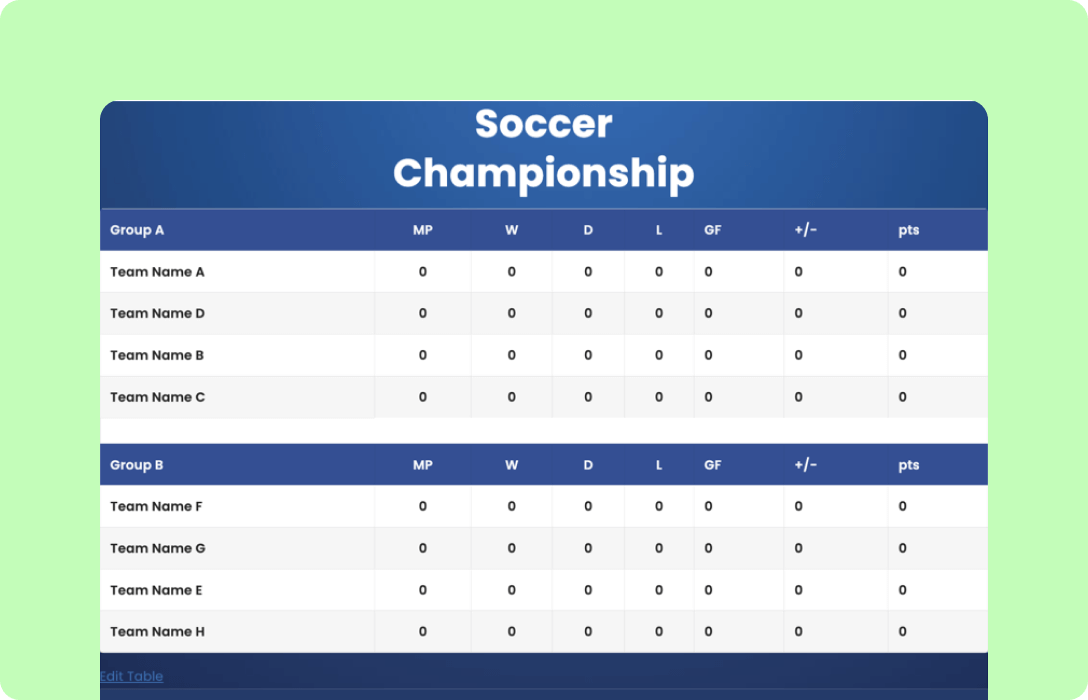
As a sports news portal or a sports fanatic, your website can showcase live scores, stats, player details, or leaderboards if you know how you use Ninja Tables as sports directory.
Here are a few examples showing player names, positions, stats, and team name with custom filters.
Sports Data Archive
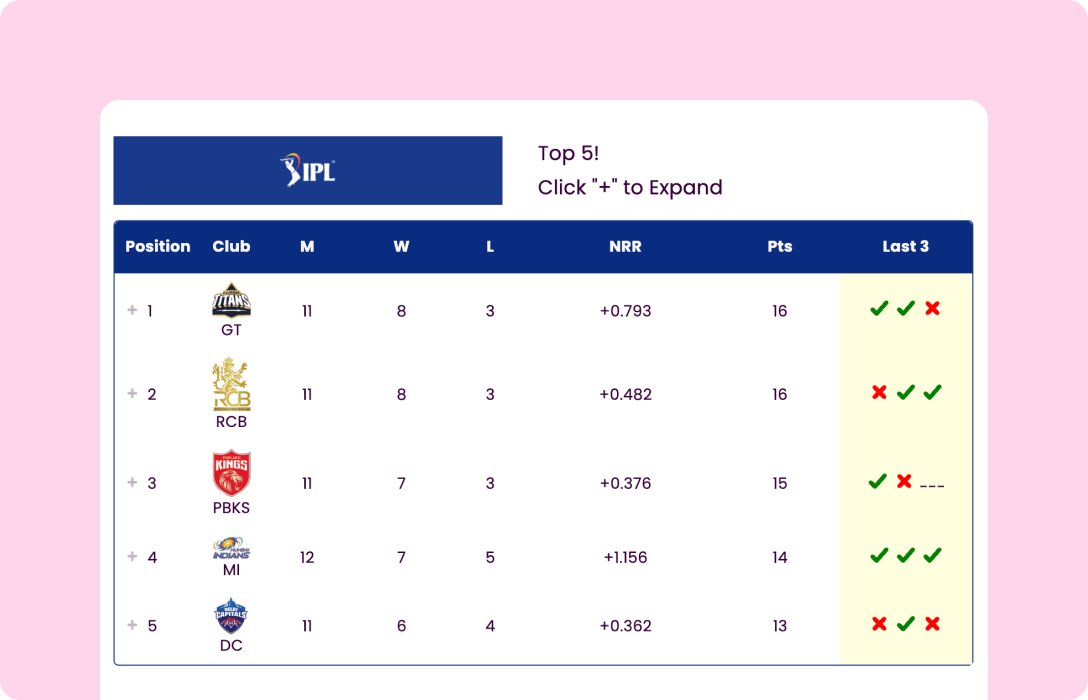
IPL Standings
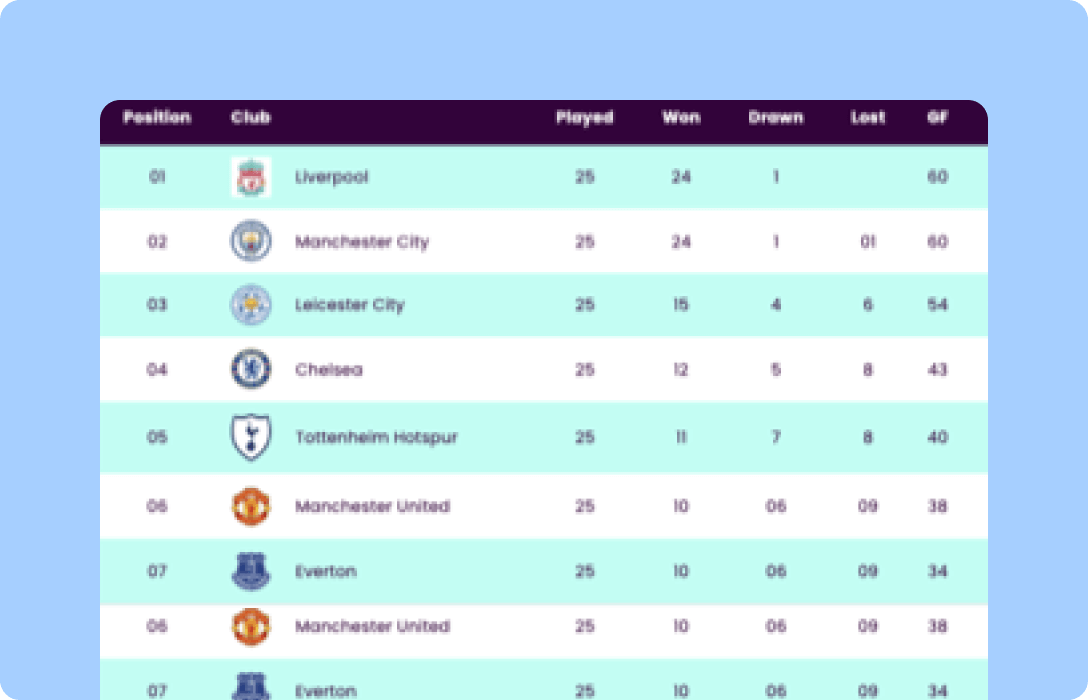
Soccer League
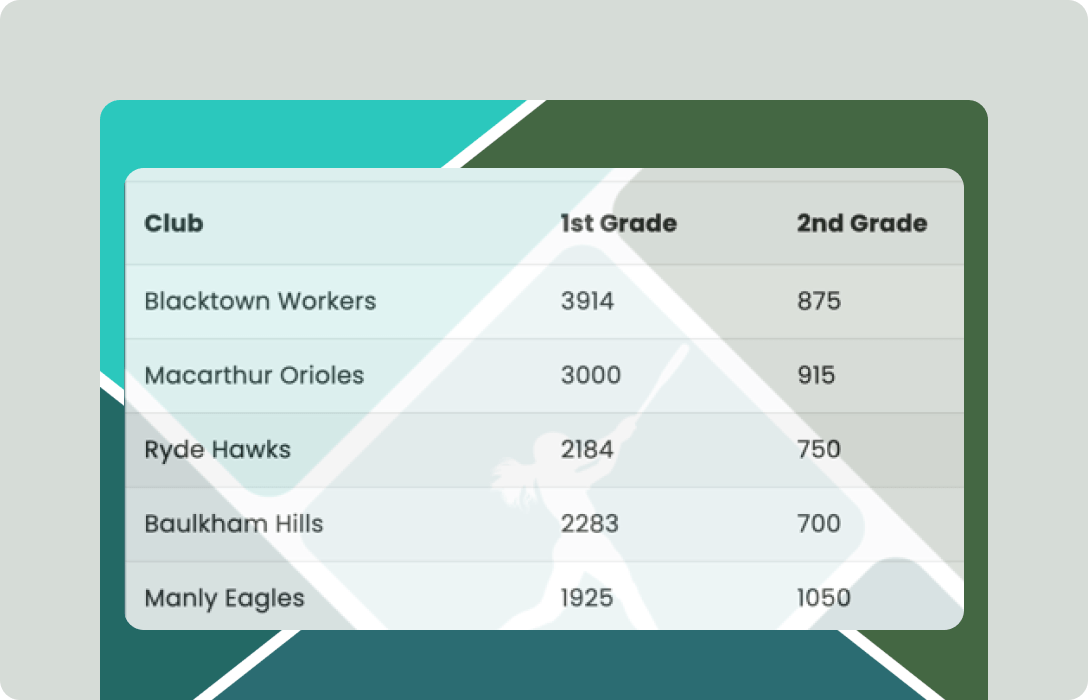
Baseball Standings
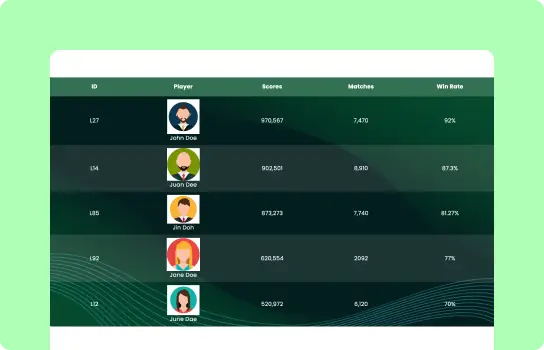
Leaderboard
Soccer Points
Here’s dummy IPL standings table in action.
 Top 5!
Click "+" to Expand
 GT
GT RCB
RCB PBKS
PBKS MI
MI DC
DCThese types of tables can be used as:
- Player databases with player name, position, scores
- Team squad pages with team name, country, wins and losses
- Tournament directories with season, format, points
- Athlete profile directories with personal stats
User base: Sports bloggers, local leagues, news portals, school and university sports departments, sports fan sites, etc. Check out some sports points table examples.
7. IMDb and Movies
Netflix won’t be much fun without the search and filter option, would it? A movie review directory can show posters, IMDb rating, short description, teaser, and even personal rating.
Instead of scattered movie reviews and details, users can create:
- Movie directories
- TV show databases
- Watchlists & archives
| Poster | Movie Title | Rating | Trailer | IMDB Link |
|---|---|---|---|---|
 | Minions: The Rise of Gru | 6.6 |  | Learn more |
 | 12 Angry Men | 8.9 |  | Learn more |
 | Pulp Fiction | 8.9 |  | Learn more |
 | The Dark Knight | 9.3 |  | Learn more |
User base: Movie bloggers, fan communities, review sites, streaming comparison blogs.
These directories encourage repeat visits and long session times. The audience can easily filter or search for the movie they’re looking for.
8. Service, Vendor, Business Listings
Service-based or vendor businesses heavily rely on user reviews and trust. With products or services listed clearly as directories will help them get more engagement.
Tables allow users to create:
- Vendor directories
- Service provider listings
- Partner catalogs
User base: Agencies, marketplaces, B2B platforms, community networks
Structured listings feel more trustworthy to customers than promotional text blocks. And filters help users choose based on expertise, specialization, or availability.
9. Healthcare Info
Directories or logs are important for the healthcare sector because hospitals or clinic websites can display available doctors or other staff members for people to make appointments accordingly.
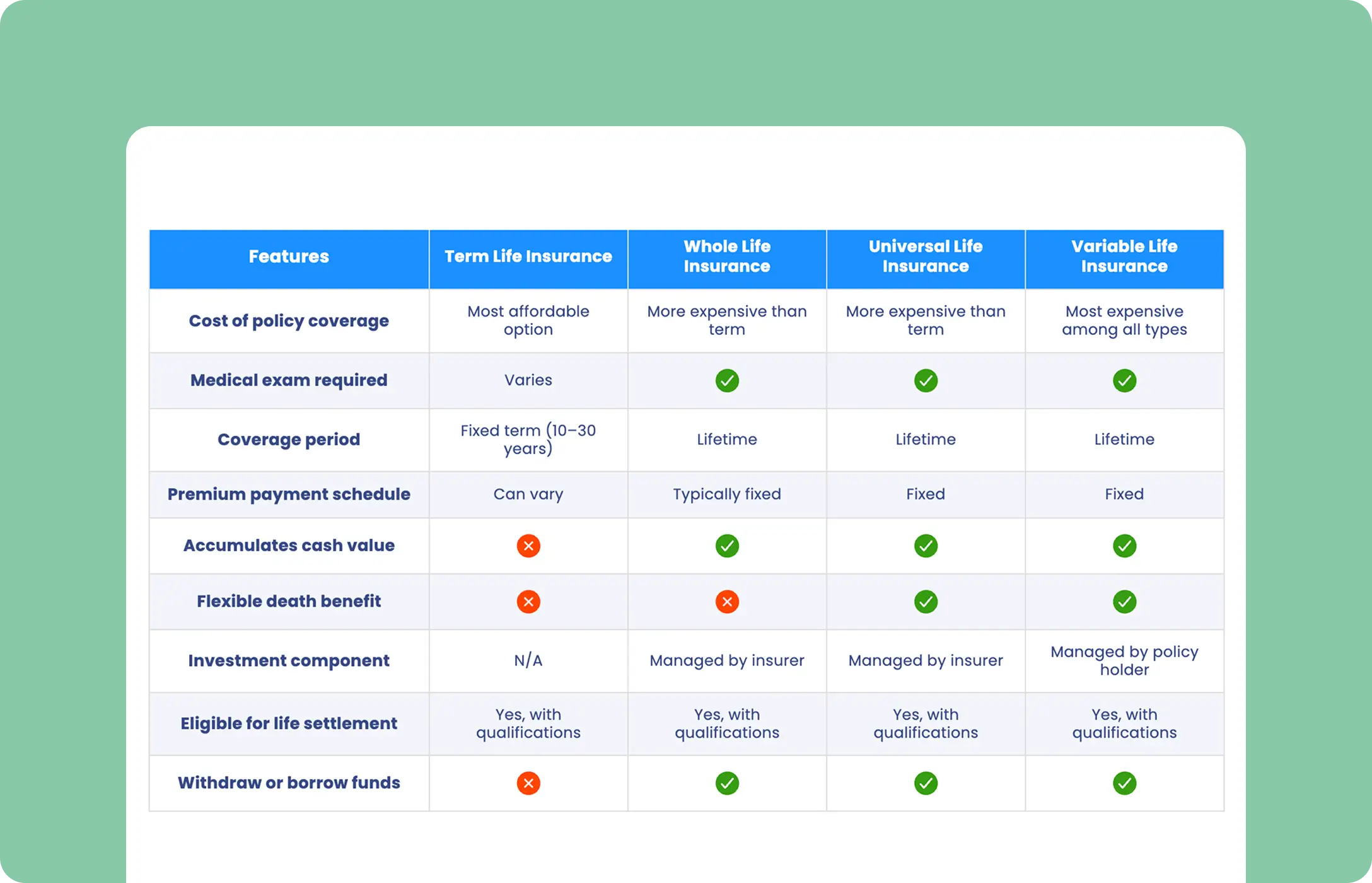
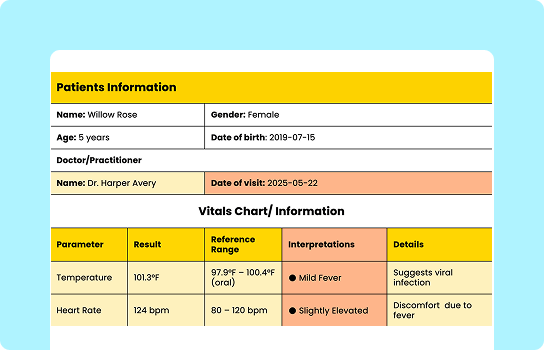
Also, life insurance or healthcare insurance plan tables for insurance companies. Or, nursing care, patient vitals, nutrition lists, online medicare, and anything health-related.
Healthcare Directories
Life Insurance
Patient Vitals

Nursing Care Plan
With Ninja Tables, you can create directories for:
- Doctor shifts
- Clinic & hospital listings
- Service availability
- Nursing care plan
- Patient vitals
- Life/health insurance
User base: Hospital websites, clinics, healthcare portals, online medical assistants, etc.
10. Freelance Projects or Job Directories
This can be on both ends: job post portals or freelancers’ portfolio websites. Instead of posting a long list of job posts or completed freelance projects/gigs, a smartly organized directory saves everyone’s time.
With tables, users can create:
- Freelance project directories (with project name, client type, budget, status)
- Open freelancing gig boards for communities to see
- Internal project trackers for agencies
- Personal freelancing portfolio or profile
| Client Name | Company | Project Type | Budget | Urgency | Summary | |
|---|---|---|---|---|---|---|
| Jane Doe | Creative Co. | [email protected] | Landing Page UI/UX | $2K–$3K | High | Wants modern layout & bolder CTA |
| Mark Reed | FinEdge | [email protected] | Data Dashboard Redesign | $5K+ | Medium | KPI-heavy internal dashboard revamp |
| Priya Singh | Finwise India | [email protected] | Fintech App UX Audit | $3.5K–$4K | High | Better user onboarding journey |
| Olivia Chen | GreenLine | [email protected] | Sustainability Report Design | $1.5K–$2.5K | Low | Rich, nature-themed visual report |
| Omar Khaled | NextGen Tech | [email protected] | SaaS Landing Page | $4K–$5K | Medium | CTA redesign & cleaner UX flow |
| Mia Lopez | Crafta | [email protected] | Artist Portfolio UI Redesign | $1.2K–$2K | Medium | Portfolio site refresh |
| Tom Becker | GridSoft | [email protected] | SaaS Dashboard Wireframe | $6K–$7K | High | Internal analytics tool revamp |
| Nadia Ahmed | VibeHunt | [email protected] | Mobile App UI Design | $6K | High | B2B flow simplification |
| Luca Romano | CineLogica | [email protected] | Film Festival Branding | $3K–$4K | Medium | Themed site for annual film event |
| Amy Tan | JoyOfBake | [email protected] | Recipe Blog Custom Theme | $900–$1.1K | Low | Blog layout for baking influencer |
| Daniel Kim | SnapShop | [email protected] | Ecom UX Optimization | $1.8K–$2.2K | Medium | Simplify checkout experience |
| Alex Johnson | MediaNest | [email protected] | Podcast Site UI Revamp | $1.2K | Low | Better audio embed & player layout |
| Chisomo Banda | Impact Africa | [email protected] | NGO Campaign Design | $2K–$3K | Medium | Visual storytelling, donation journey |
| Jorge Alvarez | CodeWave | [email protected] | Dev Agency Portfolio Update | $3.5K | Low | Internal site design facelift |
| Laila Noor | SheTech | [email protected] | SaaS Feature UI Design | $2K–$3K | High | Quick turnaround for new dashboard module |
| Ethan Miller | PeakMotion | [email protected] | App Onboarding Redesign | $2.8K | Medium | Improve onboarding conversion |
| Amina Yusuf | LearnAfrica | [email protected] | E-learning UI | $2K | Low | Better UX for course browsing |
| Soobin Park | BuildOn | [email protected] | Landing Page Design | $1.5K–$2.5K | Medium | Construction SaaS site design |
| Emilie Durand | PetalBrands | [email protected] | Product Landing UX | $2K | Low | Page for spring campaign |
| Zion Bennett | AlphaBridge Ventures | [email protected] | Portfolio Design | $4K+ | High | VC site to showcase founders |
Check out some more freelance project management examples.
User base: Freelancers running personal sites, agencies managing multiple clients, remote work communities, bootcamps and training programs, etc.
11. Real Estate Listings
If you’re looking into houses or showing houses to people as a real estate agent, a proper real estate directory is what you need.
With tables you have:
- Property listing directories (with property type, location, price, agent details)
- Rental catalogs
- Commercial real estate directories
Open House  | Closed Listing  | Price Reduced  | Open House  |
456 Elm Street | 789 Oak Avenue | 321 Pine Lane | 654 Maple Drive |
Floors 2–4 | Floor 2 | Floor 5 | Floor 2 |
1500 sqft | 1400 sqft | 2000 sqft | 1000 sqft |
2 Bd 2 Bth | 2 Bd 1 Bth | 3 Bd 2 Bth | 1 Bd 1 Bth |
Kara Midley (Agent) | Dave William (Agent) | Kara Midley (Agent) | Sam West (Agent) |
User base: Anyone who wants to compare house prices or renting details, realtors and brokers, property and house listing portals, developers’ inventory, etc.
12. Events and Conferences
Organizing an event? With tables, you can create event directories that include both upcoming and past events, turning schedules into archives, and display them in your websites.
Create:
- Conference directories
- Concert details
- Workshop and meetup listings
- Webinar archives
And thanks to Ninja Tables integration with Fluent Forms, you can also embed signup forms in your event directory tables.
User base: Community organizers, universities and colleges, local or global cultural groups, celebrity fansites, tech and developer groups, education platforms, etc.
13. Local Food Directory or Restaurants
Create and embed restaurant directory tables or online food menus for the local community instead of long lists of “top 10 restaurants near me” or “best local food to try.”
- Restaurant directories (with cuisine, location, price range, and reservation details)
- Diet-specific food listings for restaurants (vegan, halal, gluten-free)
- City or neighborhood food guides for tourists






User base: Travel bloggers, restaurant websites, local community websites, city guides, foodies and food vloggers, etc.
14. Pricing or Subscription Directories
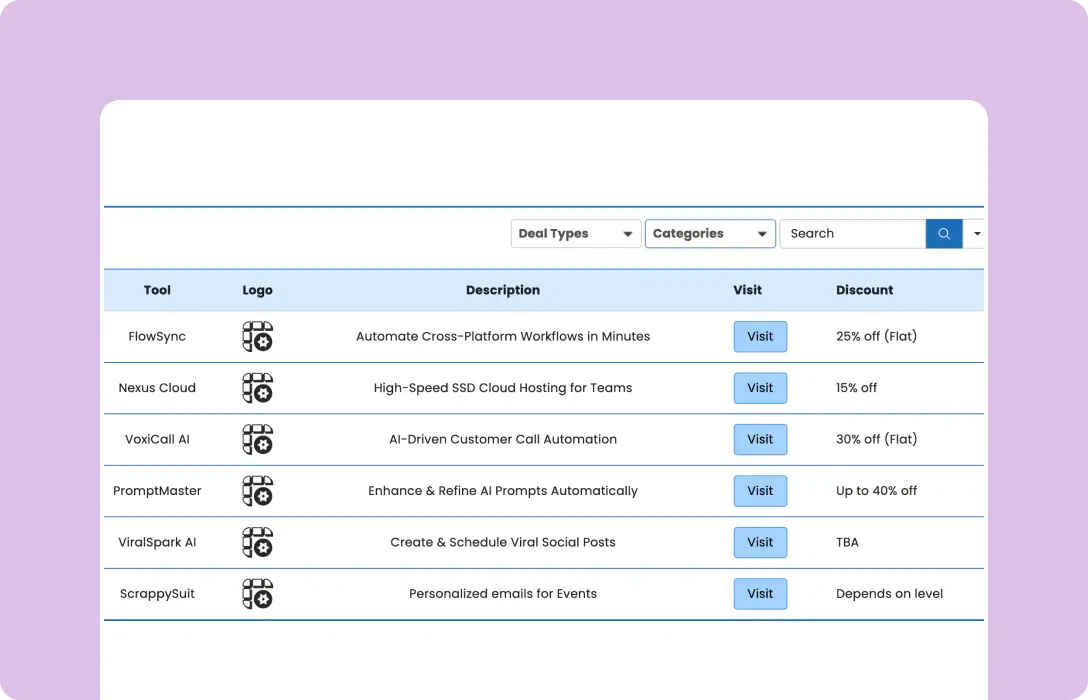
For CMS or web developers, pricing tables or pricing tiers show multiple membership tiers, packages, features, or subscription options. These tables keep a log of all the features or services a specific plan offers and lets potential customers choose by comparing different tiers.
- Subscription plan directories
- Service tier listings
- Membership level comparisons
- Simple pricing tables with features
Pricing Directories
Deals Directory
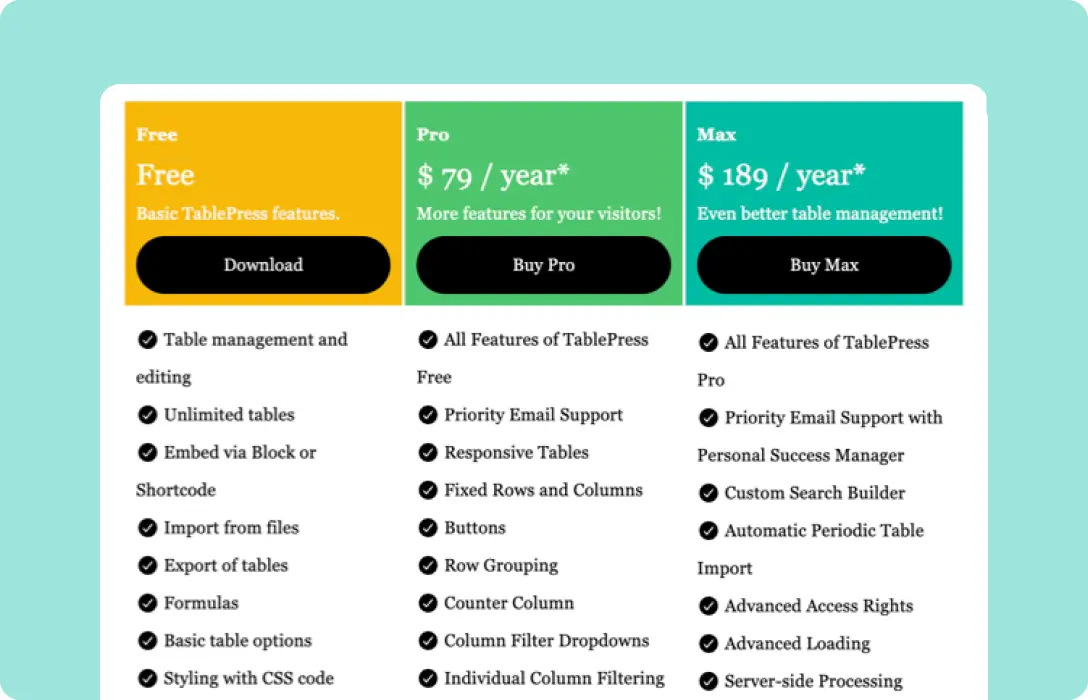
Pricing & Features
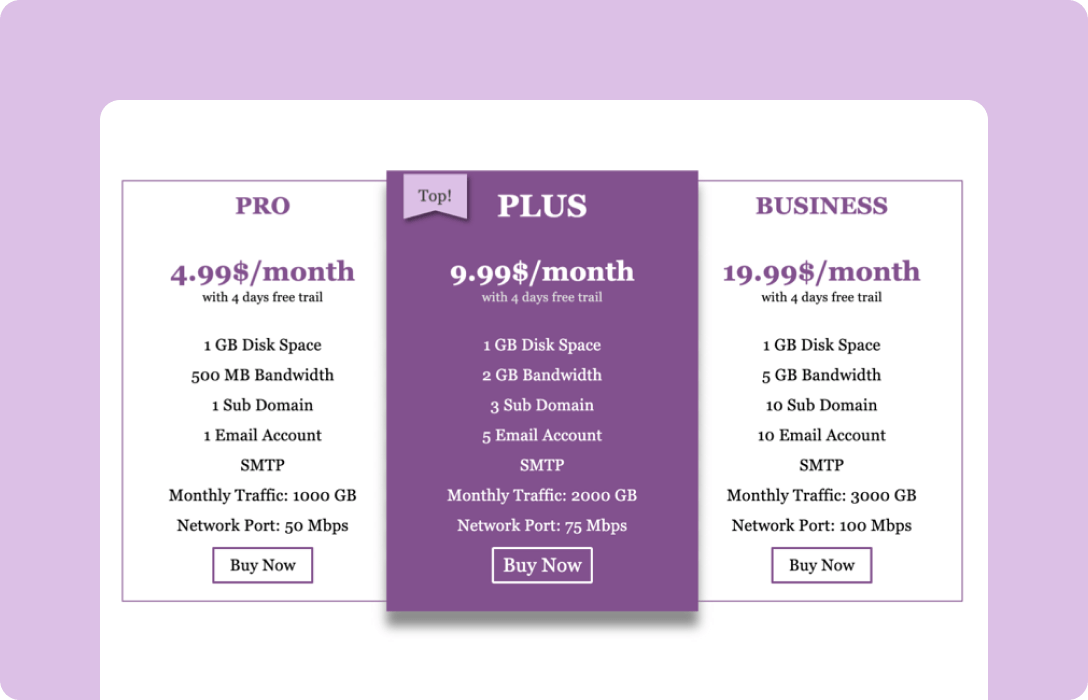
Basic 3-tier
User base: SaaS or WordPress-based company sites, membership sites, hosting providers, digital service businesses, etc.
15. Financial directories
Anything related to finance, and you want clarity, accuracy, and transparency. Financial directories can display data perfectly without burying the numbers in long text paragraphs. These tables can be used either privately among the team or presented to admins.
- Investment option directories
- Financial projections
- Fund or asset listings
- Risk and return comparison tables
2026 | 2027 | ||||||
Jan | Feb | Mar | Q2 | Q3 | Q4 | FY | |
Cumulative seats | 0 | 0 | 61 | 594 | 1240 | 2117 | $822 |
End of period | $0 | $0 | $13 | $121 | $464 | $2039 | $850 |
Growth % | 0% | 0% | 282% | 339% | |||
Revenue* | $0 | $9 | $15 | $64 | $133 | $345 | $566 |
Cost of sales* | $1 | $3 | $3 | $31 | $45 | $72 | $15 |
Gross profit* | -$1 | $7 | $11 | $33 | $88 | $273 | $411 |
Gross margin % | 51% | 66% | 79% | 73% | |||
Earning before interest & tax | -$29 | -$29 | -$31 | -$152 | -$195 | -$54 | -$491 |
Financial plan | www.weekly.io | 523-345-7842 | |||||
User base: Financial advisors, investment handlers, data-driven websites, sales, agencies, etc.
More Use Cases of Ninja Tables as Directory Plugin
From a bird’s eye view, Ninja Tables can create any type of table you want for your website.
For example, any LMS website can showcase a directory for courses, training, or certifications. It’s a must-have for EdTech platforms or skill-based communities. People can compare course duration, difficulty level, and course provider easily.
“X vs Y” directories are quite useful for affiliate sites, review sites, alternatives listings, buyer guides, and feature comparison hubs. These are key resources for conversion.
| Features |  |  |  |  |
|---|---|---|---|---|
| Table Design Options | Unlimited | Limited | Unlimited | Limited |
| Colors | Unlimited | Limited | Unlimited | Limited |
| WooCommerce | ||||
| FluentCart table | ||||
| Google Sheets sync | ||||
| WP Posts table | ||||
| Drag & Drop | ||||
| Pre-built templates | ||||
| Custom filter | ||||
| Export-Import Table | ||||
| One-click Migrate from TablePress | ||||
| Fluent Forms integration | ||||
| Advanced Styling | ||||
| ACF Field Mapping | ||||
| Charts | ||||
| Conditional formatting | ||||
| Value transformation | ||||
| Custom CSS | ||||
| Trash/restore |
Tourist sites, travel vloggers, or community portals can use directories to list tourist spot details with cost range, food and security info, local emergency contacts, transportation types and costs. Location-based directories are gold-mines for local SEO!
| Tourist Spot | Type | Cost Range | Food Options | Safety / Emergency Info | Transport Types | Transport Cost |
|---|---|---|---|---|---|---|
| Location A | Historical Site | $10–$20 | Local Cafes | Tourist Police (Officer A, +000-111-222) | Bus, Taxi | $2–$5 |
| Location B | Beach | $5–$15 | Seafood Stalls | Lifeguard Station (Desk B, +000-222-333) | Bus, Bike | $1–$3 |
| Location C | Museum | $3–$8 | Food Court | On-site Security (Helpdesk C, +000-333-444) | Metro, Taxi | $1–$4 |
| Location D | Hill Area | $8–$18 | Local Restaurants | Emergency Helpline (Unit D, +000-444-555) | Jeep, Taxi | $5–$10 |
| Location E | Park | $0–$5 | Snack Vendors | Park Security (Gate E, +000-555-666) | Bus, Walk | $0–$2 |
| Location F | Cultural Center | $6–$14 | Traditional Cuisine | Visitor Help Desk (Desk F, +000-666-777) | Bus, Metro | $1–$3 |
| Location G | Lakefront | $4–$12 | Street Food | Local Police (Station G, +000-777-888) | Bike, Taxi | $2–$6 |
| Location H | Market Area | $0–$10 | Food Stalls | Market Security (Office H, +000-888-999) | Bus, Walk | $0–$2 |
Portfolio and case study directories are simple and go beyond freelance project directories. These can be profile display, project showcase, or content portfolio. They are easier to scan and engage with.
| Task | Progress | Status | Due Date | Q&A Check | Client Approval |
|---|---|---|---|---|---|
| UX Audit & User Journey Mapping | 50% | Not Started | 7/31/2025 | Not Required | Not required |
| Wireframe Creation | 70% | Not Started | 8/13/2025 | Not Required | Due |
| High-Fidelity UI Design | 100% | In-process | 7/25/2025 | Passed | Under edits |
| Create Interactive Prototype | 70% | In-process | 8/22/2025 | Not Processed | Due |
| Client Feedback Implementation | 100% | Completed | 7/29/2025 | Passed | Approved |
| QA + Developer Handoff Preparation | 10% | Not Started | 8/16/2025 | Iteration Required | Under edits |
Ninja Tables already has 50+ table templates that you can use and reuse for any purpose. They are free to download. Just ensure the plugin is installed in your dashboard.
What Makes the Best WordPress Directory Plugin?
Let’s not rank every listing plugin we know. Instead, we’re going to list the features and flexibilities a directory plugin must have.
- Handles dynamic data
- Ready for all use cases
- Includes search, sort, and filter
- Easy for beginners
- SEO-friendly
- Simple and customizable
- Ready for EEAT
And with all these qualities and more, Ninja Tables seems to be a strong fit for any website. Another exciting feature of this table plugin is the auto-sync with Google Sheets. So you can fetch your directory details from live sheets and display accordingly. Just connect and move on! Every change in the sheet will appear on your table frontend.
Directories Are Not Optional Anymore
Websites with big data and information or small sites, directories or indexes are non-negotiables now. They provide clarity and quick access to information.
A WordPress directory plugin can also improve internal linking and increase dwell time for any website. As a table-based directory, Ninja Tables stands strong with its index and inventory-style features, while being SEO and user-friendly.
From employee directory to content resource hub or from business use cases to personal, Ninja Tables keeps your data organized with simple interface and smooth UX.
Take it for a spin?

Ninja Tables– Easiest Table Plugin in WordPress





Add your first comment to this post