
Ninja Charts 3.4.0: Gutenberg Block Support Is Here!

Big news for WordPress block editor users — Ninja Charts 3.4.0 is out, and it brings the feature you’ve been asking for: native Gutenberg Block support!
You can now create, configure, and preview fully interactive charts directly inside the WordPress Block Editor — no shortcodes, no page switching, no friction.
Here’s what’s new in this release:
- Full Gutenberg Block integration
- All chart types are supported
- Complete chart customization from the block sidebar
- Live chart preview inside the editor
- Minor UI and rendering issues fixed for better optimization
Everything on Ninja Charts 3.4.0
The Gutenberg editor has become the default WordPress experience, and we’ve been working hard to make Ninja Charts a first-class citizen in it. This release is all about one thing: putting a powerful chart builder right where you edit your content.
With Ninja Charts, you get a free standalone plugin that covers all your data visualization needs without installing anything extra.
Native Gutenberg Block support
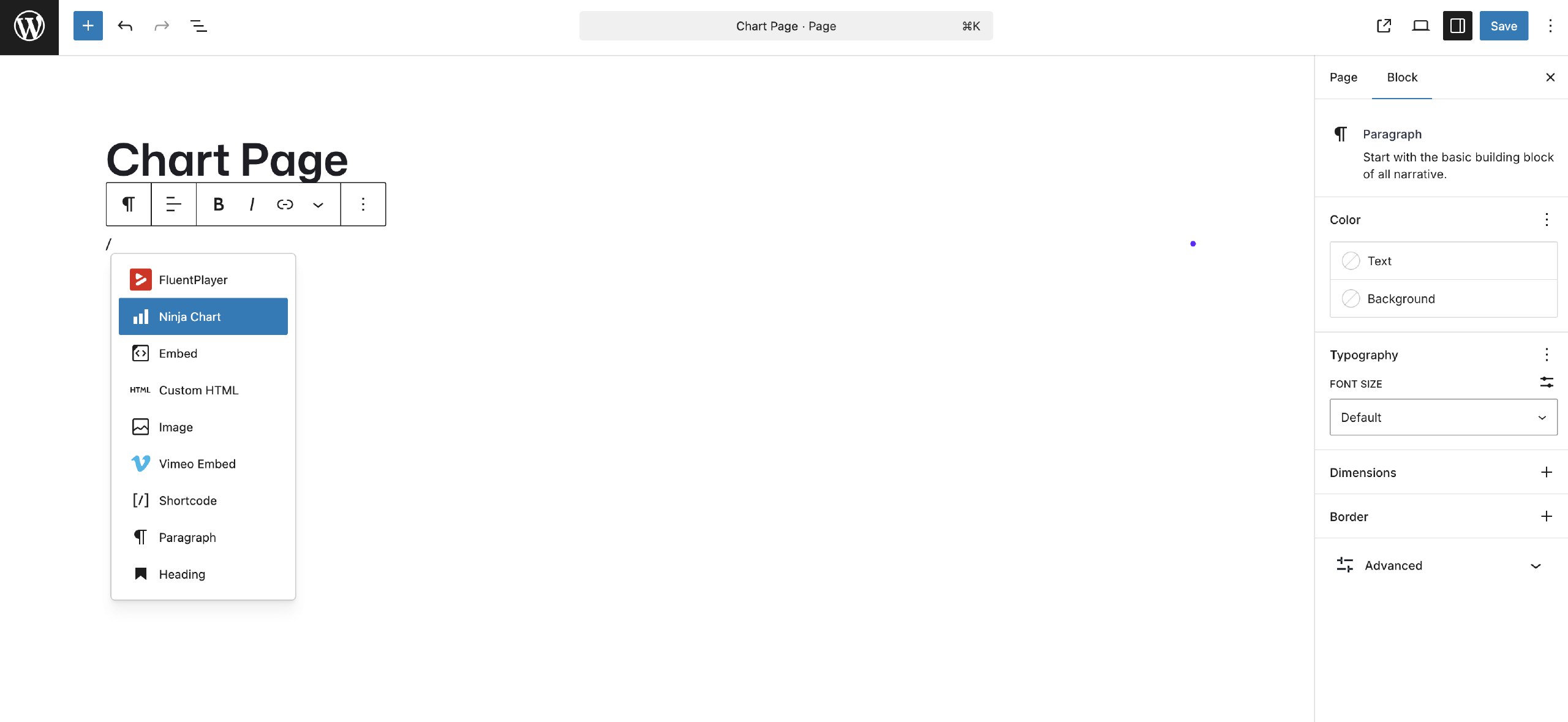
Ninja Charts now ships with a dedicated Ninja Chart block you can drop into any post, page, or block-enabled template. Once added, the entire chart creation and configuration experience lives in the block sidebar — no need to navigate away to a separate admin screen to use the shortcode.
The block is registered under the widgets category in the block inserter, so it’s easy to find.
All chart types, fully supported
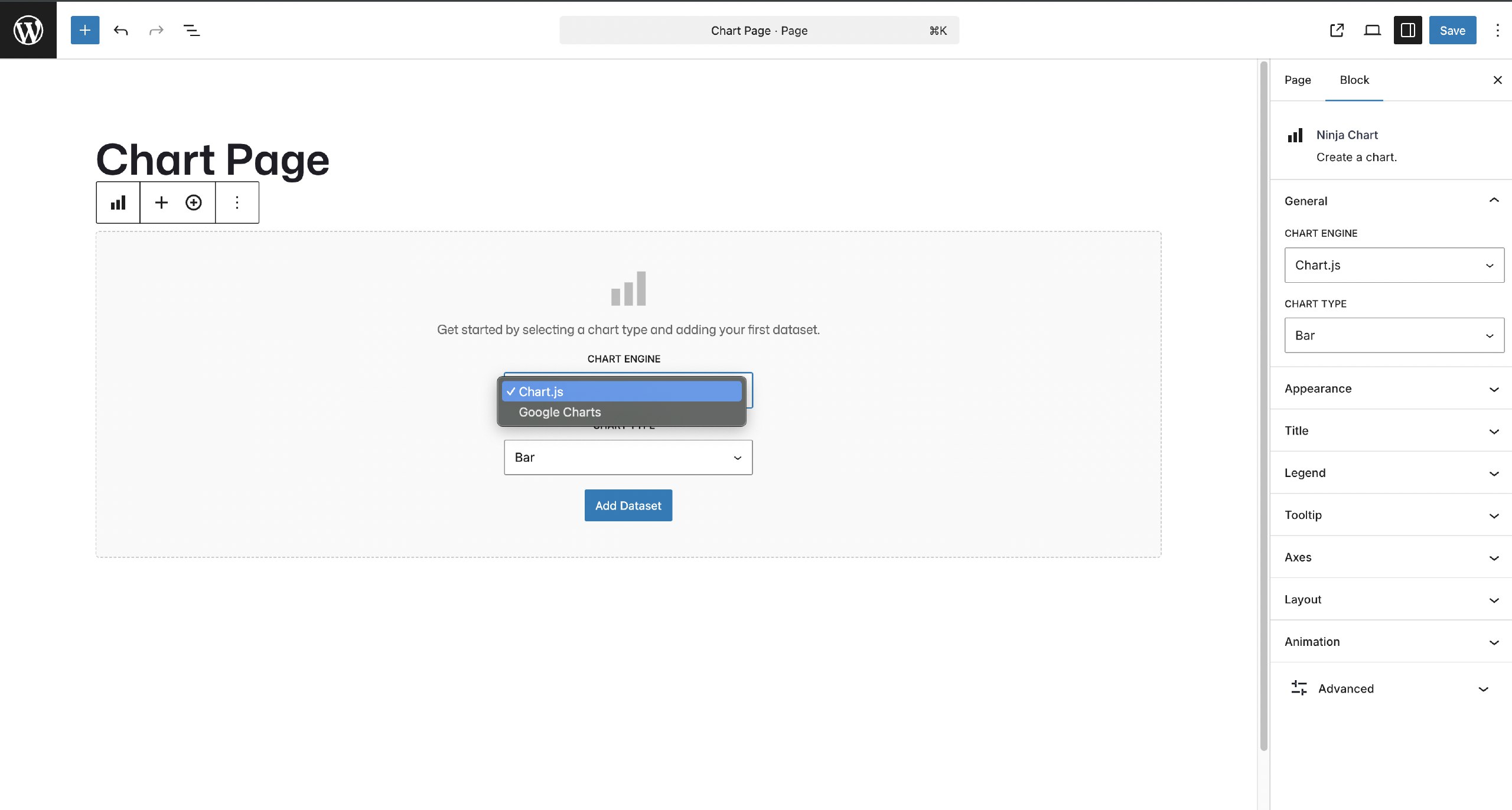
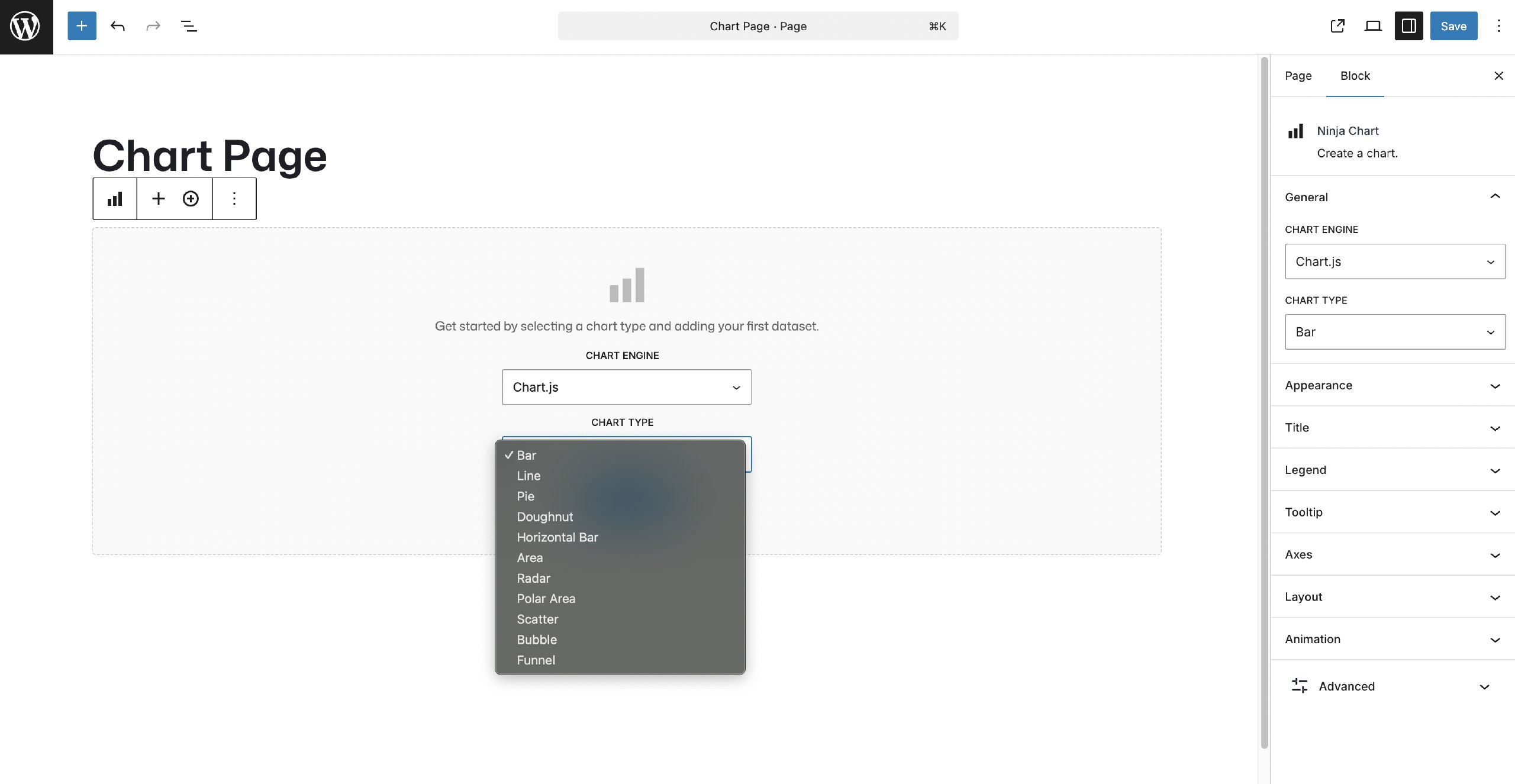
Every chart of the previous version, Chart JS, and Google Chart type available in Ninja Charts works in the new block — no exceptions:
- Bar — classic vertical bar charts for comparing categories
- Horizontal Bar — great for ranked lists and long labels
- Line — ideal for showing trends over time
- Area — line charts with filled areas for emphasizing volume
- Pie — proportional breakdowns in a circular layout
- Doughnut — like Pie, but with a hollow center for cleaner design
- Polar Area — segments with varying radius to show magnitude
- Radar — multi-axis comparison charts for performance data
- Scatter — plot individual data points on X/Y axes
- Bubble — Scatter charts with a third dimension: bubble size
- Funnel — visualize sequential stages and conversion rates
Take a look at some popular comparison charts with Ninja Charts and help us improve them with your feedback.
Complete customization from the sidebar
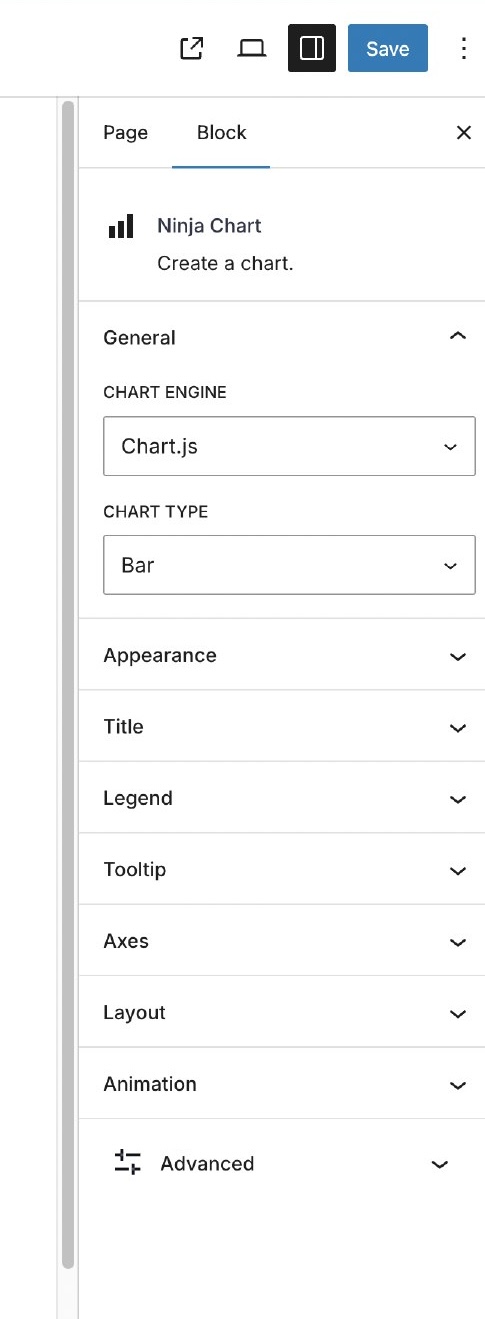
Once you’ve placed the block, the sidebar gives you full control over how your chart looks and behaves right then and there. Settings are organized into clearly labeled panels:
Read on to see how you can customize and fine-tune your charts with flexible styling options to better match your data and use cases.
Appearance: Control the chart’s dimensions, background, padding, and animation easing to match your site’s design language.
Title: Add a chart title, choose its font color, and position it relative to the chart canvas.
Legend: Toggle the legend on or off, set its position (top, bottom, left, right), and customize the label color to match your palette.
Tooltip: Enable or disable tooltips, control the background and text colors, set font size, border color and width, and choose between “nearest” and “index” mode for multi-dataset charts.
Axes: Show or hide axes, enable stacked mode for bar and area charts, add X and Y axis labels, and set custom min/max tick values for the Y axis — all without touching any code.
Preview directly inside the block editor
As you adjust settings in the sidebar, the chart updates in real time inside the block editor canvas. What you see is what your visitors get.
The Ninja Charts block is built on Chart.js 4.4.2, the industry-standard open-source charting library. The block also loads the chartjs-plugin-datalabels and chartjs-chart-funnel extensions, so data labels and funnel charts work right out of the box. It’s lightweight, responsive, and renders beautifully on all screen sizes.
How to Use the Ninja Charts Block
Using the new block is simple:
- Open any post or page in the Block Editor.
- Click the + block inserter and search for “Ninja Chart”.
- Click to add the block to your content.
- Select your chart type from the sidebar dropdown.
- Enter your labels and dataset values in the block settings.
- Customize the appearance, legend, tooltip, and axes from the sidebar panels.
- Publish or update the page — your chart is live!
Ninja Charts Installation and Update
This Ninja Charts 3.4.0 update is available through your WordPress admin dashboard.
Navigate to Plugins > Updates and update Ninja Charts to the latest version.
If you’re new to Ninja Charts, go to Plugins > Add New > Search “Ninja Charts” → Install and activate.
You can also download the file directly from the plugin repository and upload it via Plugins > Add New > Upload Plugin.
Chart Integration with Tables and Forms
Ninja Charts works standalone — just the block, your data, your chart. But if you’re also using Ninja Tables or Fluent Forms, you can pull in table data or form entries as a live data source for your charts.
Select a table or form, create the chart, and customize it as you want.
Ninja Charts can also be activated directly from the Ninja Tables backend — click Enable Ninja Charts and the plugin activates automatically.
Note: You can use Ninja Charts and the new Gutenberg block even if you don’t have Ninja Tables or Fluent Forms installed.
Support and Feedback
If you run into any issues with this update, our support team is ready to help.
For feature requests and suggestions, email us or reach out on our socials. The Gutenberg block is brand new, so your feedback will directly shape how it evolves in the next release.
Get in touch with Ninja Tables
Get Started with Ninja Charts
Ninja Charts 3.4.0 brings the chart editor into the heart of the WordPress Block Editor. Whether you’re building a marketing page, a data report, or a blog post, you can now drop in a stunning, fully customized chart in seconds — right where you write.
Start creating simple yet beautiful WordPress charts today.

Ninja Tables– Easiest Table Plugin in WordPress



Add your first comment to this post