
Feature-Based Pricing vs Usage-Based Pricing (With Real Tables)

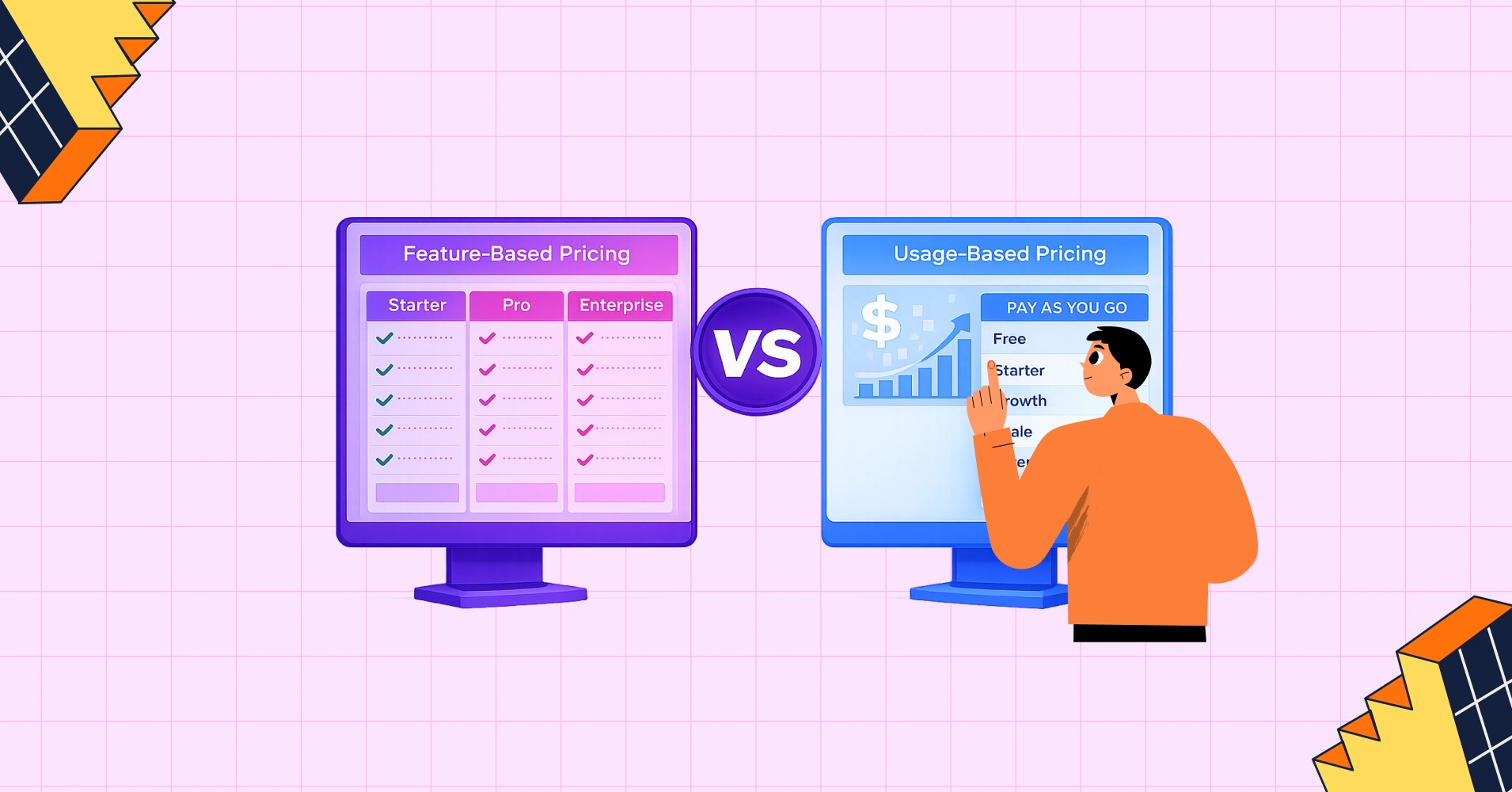
Pricing is not just a number — it’s the message you send to your market. The way you structure your pricing model directly shapes who buys from you, how much revenue you generate, and how quickly you can grow. Pick the wrong pricing model, and you’ll earn less than half of what your product is worth. Not because of your features. Not because of your marketing. Just the structure of your pricing page.
Two models run most of the SaaS and WordPress product world. Feature-based pricing charges for what your product can do. Usage-based pricing charges for how much your customers actually use it. The difference sounds small. The revenue gap is not.
For WordPress businesses, this question is more pressing than most. Over 43% of the web runs on WordPress, and most plugin developers, WooCommerce store owners, and membership site operators picked their pricing model by copying someone else. Some guessed right. Many didn’t.
This guide shows you how both models work, which one fits your business, and where hybrid approaches make sense. Every comparison in this guide is backed by a structured table so you can share the logic with your team, not just your gut feeling.
What is Feature-based pricing?
Feature-based pricing (also called tier-based or plan-based pricing) bundles your product’s features into distinct packages, typically labeled Starter, Pro, and Enterprise. Each tier unlocks a progressively richer set of capabilities, and the customer picks the plan that matches their needs and budget.
This is the model most people think of when they picture a software pricing page. You see three or four columns, each with a price and a checklist of features. The more you pay, the more you get.
How It Works
The core logic is simple: customers self-select into a tier based on the features they need. As their requirements grow, they upgrade to the next tier. The vendor’s revenue grows as customers level up through the plans.
Below is an example of what a typical feature-based pricing table looks like in practice:
PRO | Top! PLUS | BUSINESS |
4.99$/month with 4 days free trail | 9.99$/month with 4 days free trail | 19.99$/month with 4 days free trail |
1 GB Disk Space | 1 GB Disk Space | 1 GB Disk Space |
500 MB Bandwidth | 2 GB Bandwidth | 5 GB Bandwidth |
1 Sub Domain | 3 Sub Domain | 10 Sub Domain |
1 Email Account | 5 Email Account | 10 Email Account |
SMTP | SMTP | SMTP |
Monthly Traffic: 1000 GB | Monthly Traffic: 2000 GB | Monthly Traffic: 3000 GB |
Network Port: 50 Mbps | Network Port: 75 Mbps | Network Port: 100 Mbps |
Example feature-based pricing tiers using Ninja Tables
Pricing table templates for free
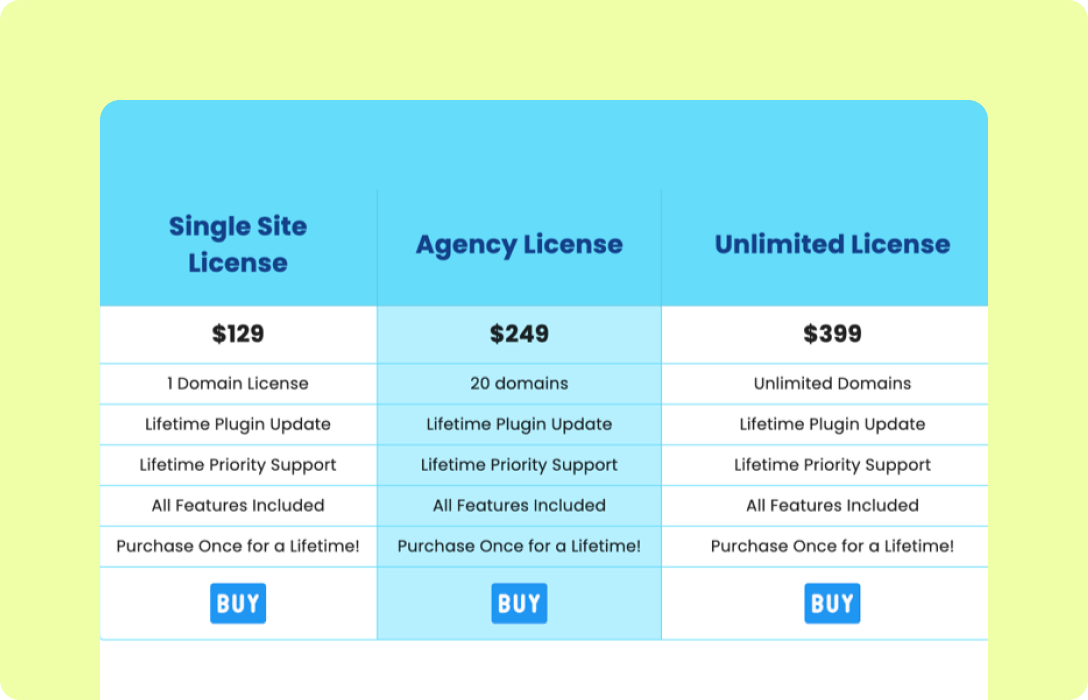
Advanced Pricing Table
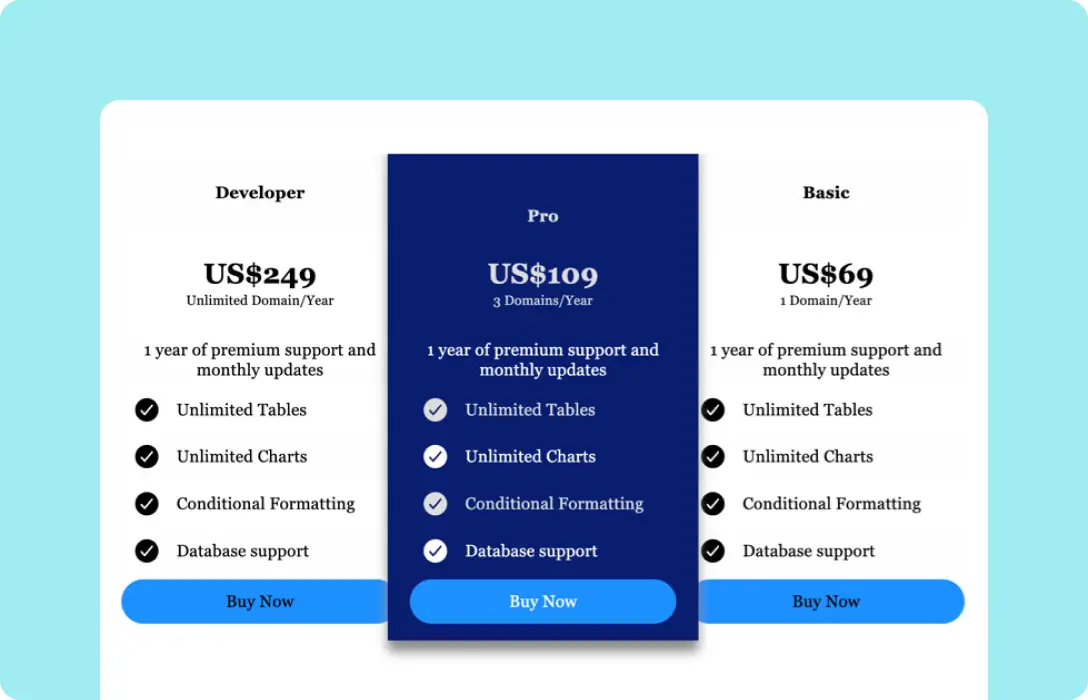
Plugin Pricing Table
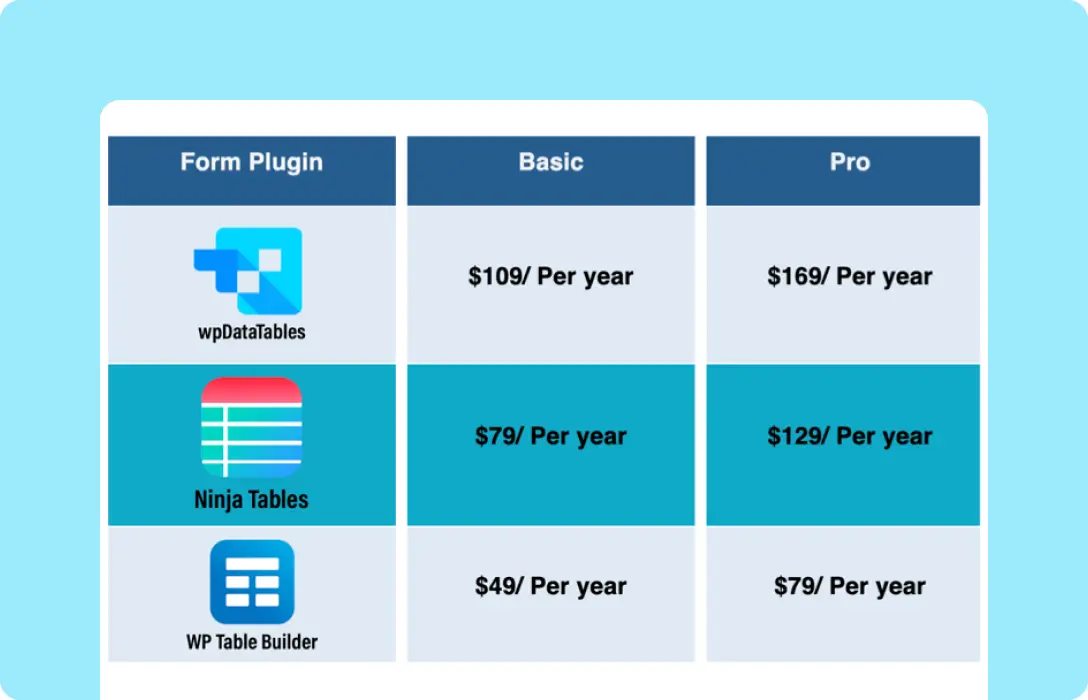
Pricing Comparison Table
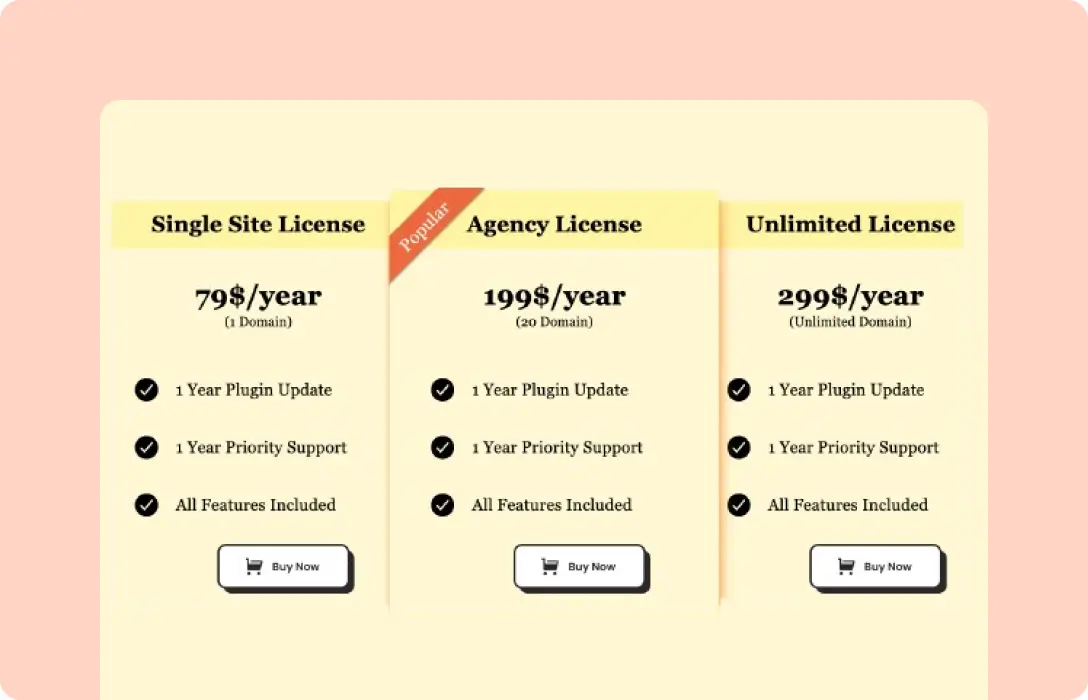
Pricing Table
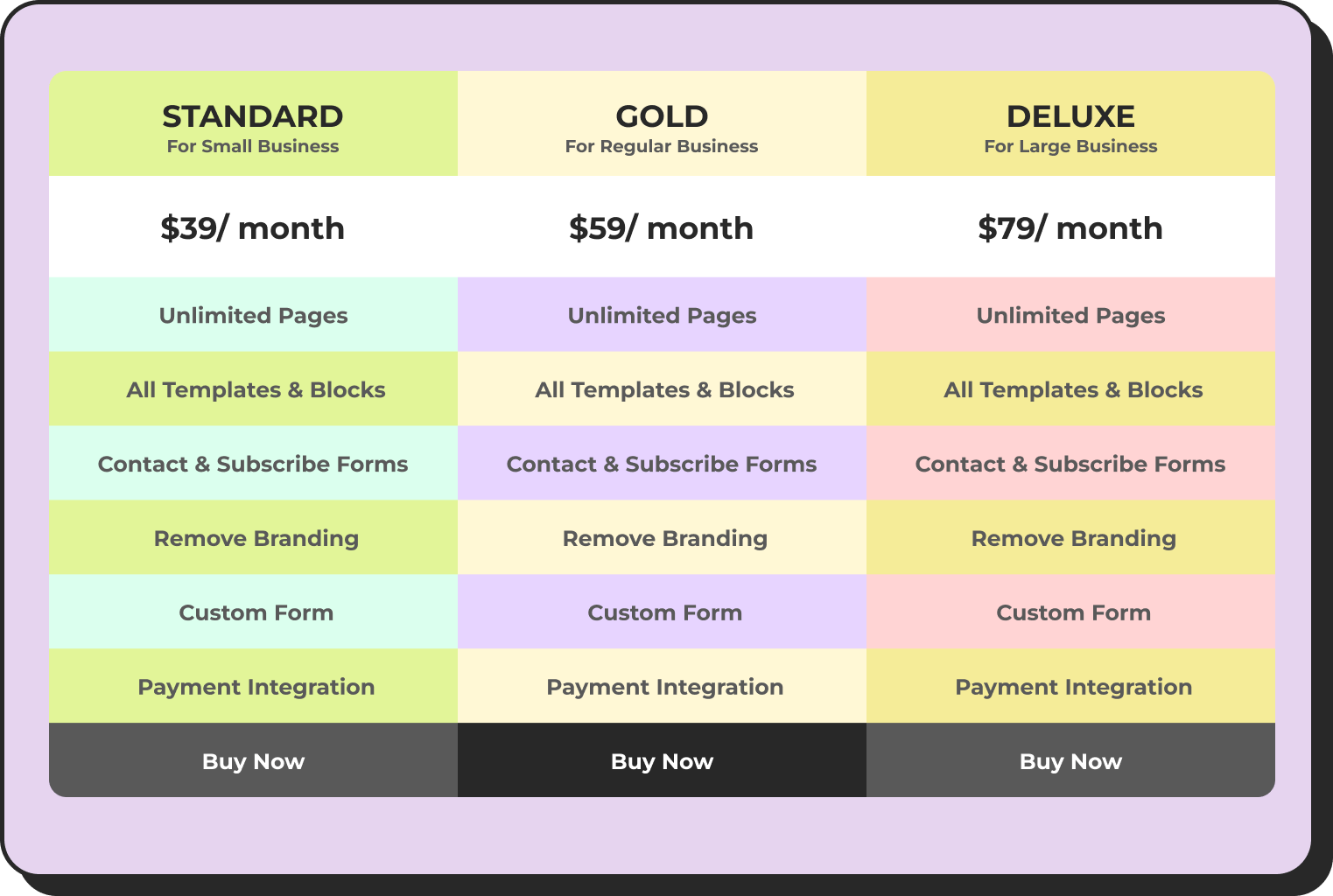
Service Pricing Table
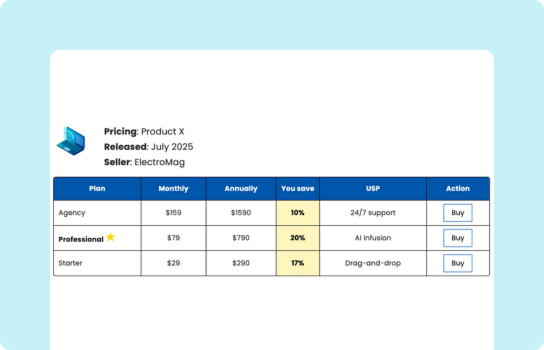
Horizontal Pricing Table
Advantages
- Predictable Monthly Revenue: Fixed plan prices make MRR and ARR forecasting straightforward.
- Clear Value Communication: Customers know exactly what they’re getting at each price point.
- Simple Sales Process: Easy to explain, compare, and close without complex usage estimates.
- Upsell Path: Natural upgrade journey from tier to tier as customers’ needs expand.
Disadvantages
- Overcharging Light Users: Customers who only need one specific feature may feel forced into a higher tier just to unlock it.
- Rigid Scaling: Fixed tiers don’t naturally accommodate rapid growth between plan levels.
- Feature Bloat Risk: Pressure to add features to justify higher-tier pricing.
Best Suited For
Feature-based pricing works best when your product has distinct, demonstrable capability tiers; when your customers have relatively predictable and stable usage patterns; and when simplicity in billing is a competitive advantage (as is common in SMB-focused tools, CRM platforms, project management software, and team collaboration tools).
What is Usage-based pricing?
Usage-based pricing (also called consumption-based or pay-as-you-go pricing) charges customers based on how much they actually use your product. There are no fixed feature bundles. The meter runs based on a measurable unit of consumption: API calls, messages sent, gigabytes stored, transactions processed, or emails delivered.
The philosophy here is radical fairness. A company making 1,000 API calls per month pays proportionally less than one making 10 million. Revenue scales naturally with the value delivered.
How It Works
Usage-based models define one or more billing units, track consumption, and charge accordingly. Rates often decrease at higher volumes, a structure called volume pricing. Below is an example of what this looks like in practice:
Usage Volume (per month) | Unit Price | Monthly Cost Example |
First 1,000 tasks | $0.02 / task | 1,000 tasks = $20 |
Next 9,000 tasks | $0.015 / task | 10,000 tasks = $155 |
Next 40,000 tasks | $0.010 / task | 50,000 tasks = $555 |
50,000+ tasks | $0.007 / task | 100,000 tasks = $905 |
Advantages
- Fair Value Alignment: Customers pay in proportion to the value they receive.
- Low Barrier to Entry: A free or near-free starting tier removes friction to adoption.
- Natural Revenue Scaling: As customers grow, your revenue grows automatically without plan upgrades.
- Land-and-Expand Model: Easy to start small and grow; supports product-led growth strategies.
Disadvantages
- Revenue Unpredictability: Monthly revenue fluctuates with customer activity, making forecasting harder.
- Customer Bill Shock: Unexpected spikes in usage can lead to large invoices and churn.
- Complex Billing Infrastructure: Tracking and billing on consumption requires more sophisticated systems.
- Harder to Sell: Prospects can’t instantly visualize their bill without knowing their usage patterns.
Best Suited For
Usage-based pricing is the natural model for APIs, communication platforms, cloud infrastructure, data processing services, and any product where customer usage varies by orders of magnitude across the customer base. It’s less common in the traditional WordPress plugin world, but it’s growing fast. AI-powered WordPress tools, email marketing integrations, WooCommerce transaction-based services, and cloud hosting providers like Cloudways or Kinsta are all moving toward charging based on bandwidth and visits rather than fixed site counts.
Feature-based vs Usage-based: The head-to-head comparison
Notion, Slack, and HubSpot built their growth on feature tiers. Stripe, AWS, and Twilio built theirs on usage meters. These are not stylistic choices. Each model fits a specific type of product, a specific type of customer, and a specific growth strategy.
Now that we understand each model individually, here’s how they compare across the criteria that matter most to business decisions. This is the comparison your team needs to have before choosing a pricing strategy.
Criteria | Feature-Based Pricing | Usage-Based Pricing |
Revenue Predictability | High: fixed monthly revenue | Lower: varies by consumption |
Customer Fairness | Medium: light users may overpay | High: pay for what you use |
Ease of Understanding | Very easy: clear tiers | Medium: requires math |
Scalability | Medium: capped at tier limits | Very high: grows with usage |
Simplicity | Easy to sell / compare | Harder to pitch without estimates |
Revenue Forecasting | Straightforward | Needs usage projections |
Best Fit | SaaS tools, project mgmt, CRM | APIs, cloud services, messaging |
Example | Notion, Slack, HubSpot | Stripe, AWS, Twilio |
Comparison Table Created with Ninja Tables
Comparison Table Templates for Free
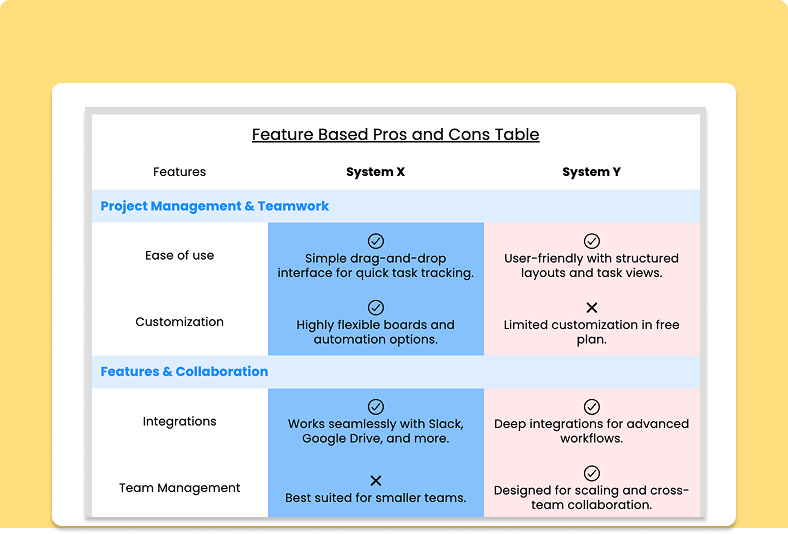
Pros and Cons Table
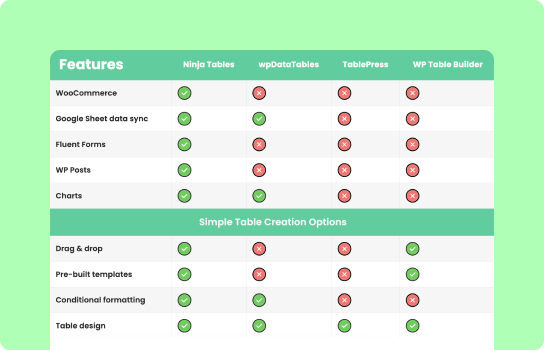
Feature Comparison Table

3 Column Comparison Table
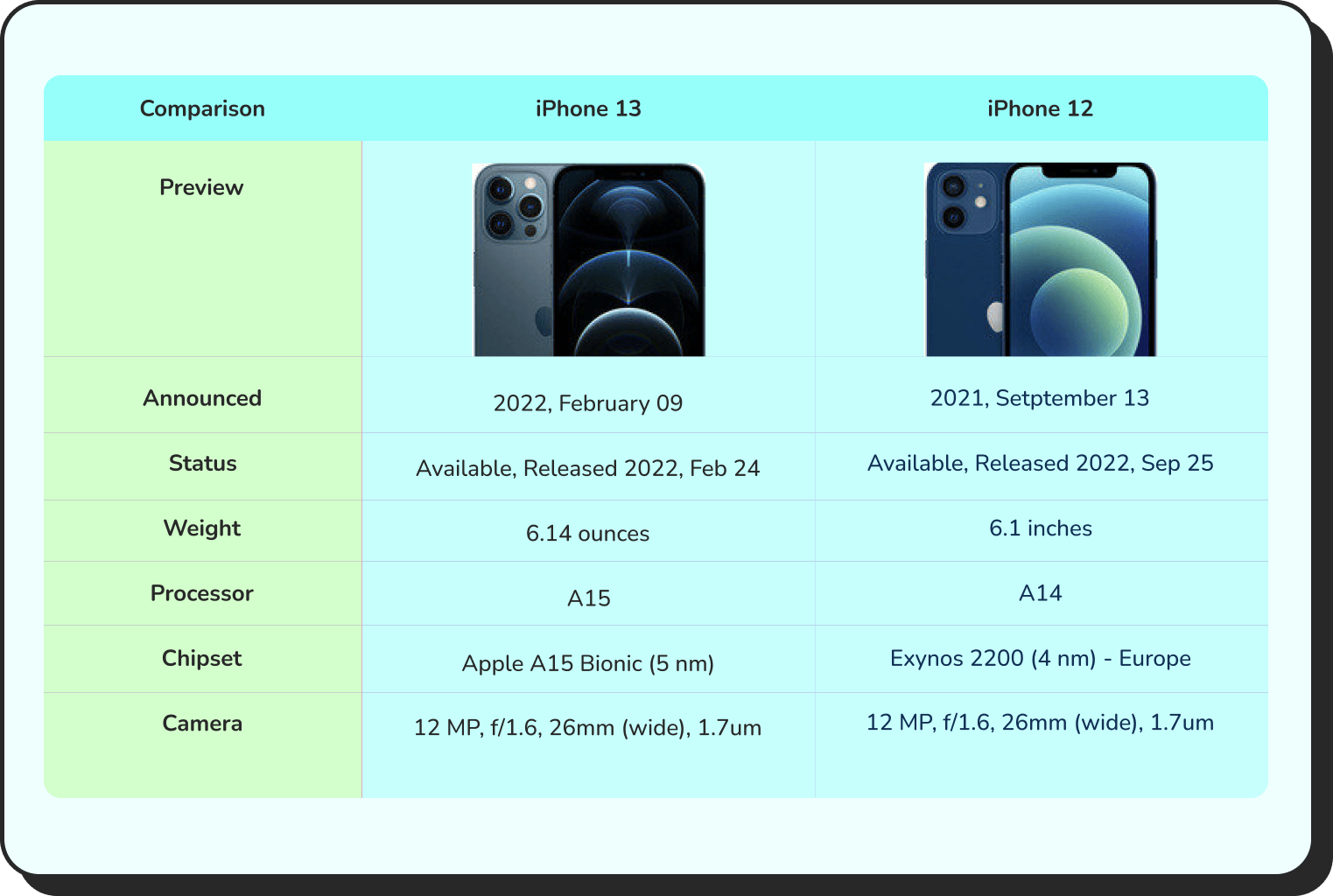
Products Comparison
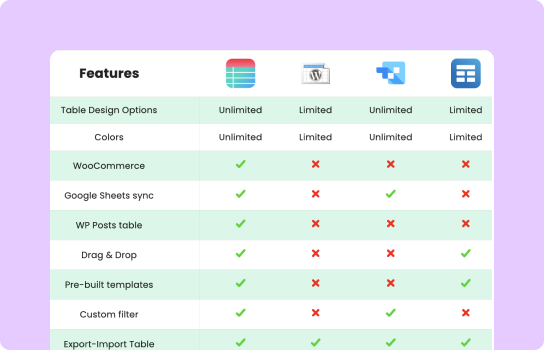
Comparison with logo
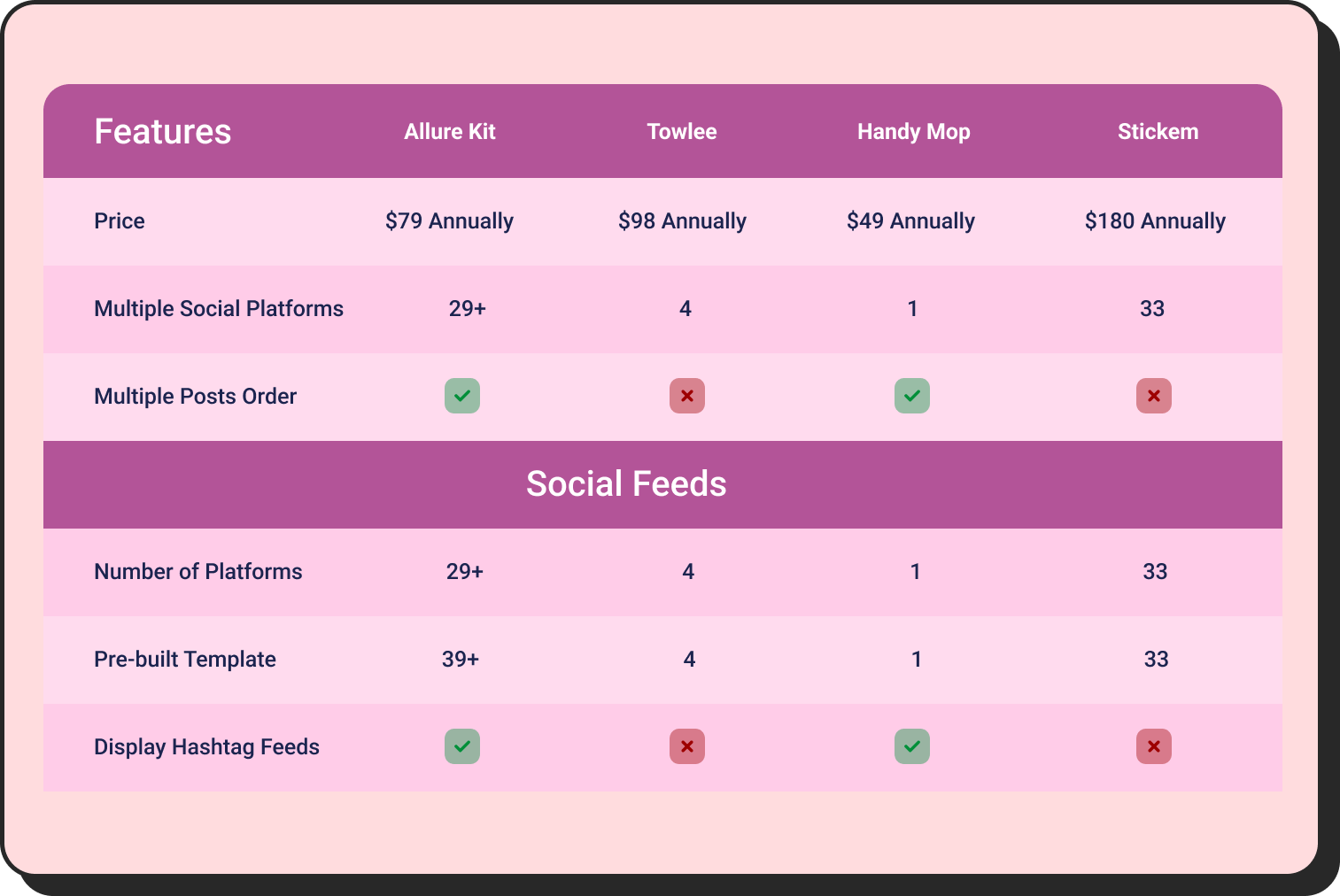
Features Comparison
What the Comparison Reveals
The most important insight from this comparison is that neither model is objectively better. They optimize for different things. Feature-based pricing optimizes for clarity, predictability, and sales simplicity. Usage-based pricing optimizes for fairness, scalability, and low-friction adoption.
The businesses that struggle most are those that pick the wrong model for their customer profile. A developer API product with wildly varying call volumes should not use feature-based pricing. Heavy users will resent paying for a tier that caps them, and light users will feel overcharged. Conversely, a project management tool with clearly defined team workflows shouldn’t use usage-based pricing. What would the billing unit even be? Number of tasks created? That creates perverse incentives.
The right pricing model follows your value metric: the unit by which customers measure the value they get from your product. Identify that first, then build your pricing around it.
Quick Tips
The right pricing model follows your value metric: the unit by which customers measure the value they get from your product. Identify that first, then build your pricing around it.
How to choose the right pricing strategy
The decision between feature-based and usage-based pricing comes down to five key factors: how your customers perceive value, how variable their consumption is, how predictable you need your revenue to be, how you go to market, and how sophisticated your billing infrastructure is.
Your Situation | Recommended Model | Why |
Fixed product features, clear tiers | Feature-Based | Predictable value is easy to communicate |
Usage varies widely between customers | Usage-Based | Fairness drives adoption and retention |
Selling APIs or metered services | Usage-Based | Natural fit for consumption-driven value |
Need revenue predictability ASAP | Feature-Based | Fixed recurring revenue is easier to forecast |
Want to attract both SMBs and enterprises | Hybrid | Base tier + usage overage covers all segments |
Low-volume customers drive high support cost | Feature-Based | Minimum tier ensures you cover your costs |
Product-led growth / free trial strategy | Usage-Based or Hybrid | Free tier expands naturally as users grow |
Hybrid Pricing Model: Best of Both Worlds?
Many mature SaaS companies eventually adopt a hybrid pricing model. This means a base subscription tier that guarantees a revenue floor, combined with usage-based charges beyond a certain threshold. This structure is sometimes called ‘platform fee + overage’ pricing.
The hybrid approach is popular because it solves the core weaknesses of each pure model. The base subscription gives you revenue predictability and customer commitment. The usage component lets you capture more value from high-volume customers without penalizing low-volume users.
An ideal hybrid pricing model example is Stripe, which doesn’t just charge per transaction. It also charges monthly fees for premium features like Radar fraud detection or Stripe Tax. HubSpot layers contact volume limits on top of its feature tiers. These hybrid structures let companies land customers easily and scale revenue naturally as those customers grow.
Real-World Company Examples
Theory is useful, but the most convincing evidence comes from how the world’s most successful SaaS and technology companies have structured their pricing. Here’s a breakdown of well-known brands and why their pricing model works for their specific business.
Company | Pricing Model | Billing Unit | Why it Works |
Stripe | Usage-Based | % per transaction | Aligns perfectly with customer revenue growth |
Notion | Feature-Based | Per seat / tier | Clear value at each plan level |
Kinsta | Hybrid | Sites + monthly visits | Base tier by site count + overage on traffic spikes |
AWS | Usage-Based | Compute hours, GB, requests | Infinite scale without plan limits |
Dropbox | Feature-Based | Per user / tier | Storage and collaboration features unlock by plan |
Twilio | Usage-Based | Per SMS / call / email | Pay-as-you-go removes barrier to entry |
Canva | Feature-Based | Free / Pro / Teams | Clear feature unlock at each plan |
Netflix | Feature-Based | Per plan tier | Locks video quality and screen count per tier |
Spotify | Hybrid | Free + Premium per user | Ad-supported free tier with usage cap on skips |
Uber | Usage-Based | Per ride / mile / minute | Pure consumption billing with no minimum commitment |
Key Lessons from These Examples
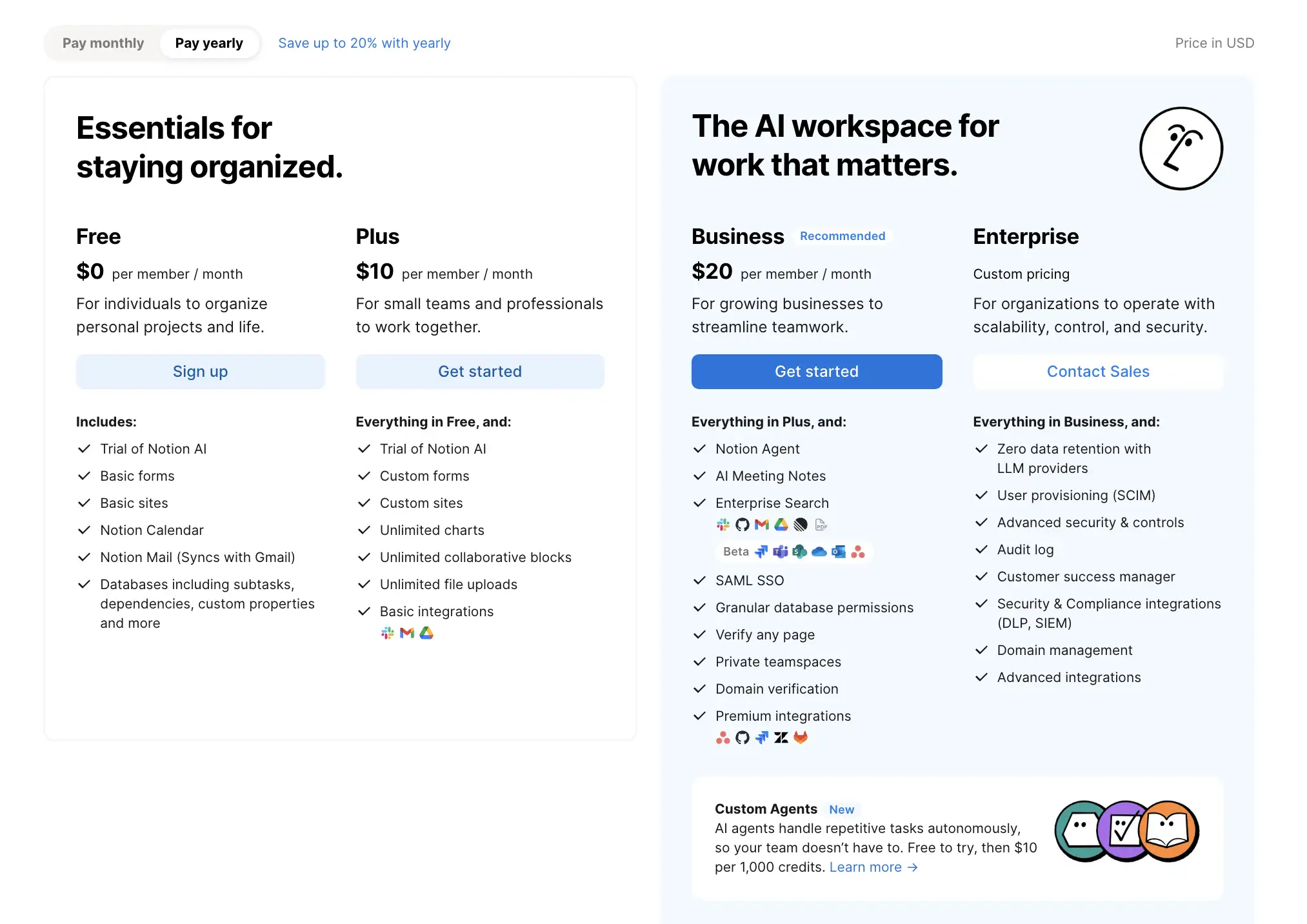
What stands out when you look at these companies is that their pricing models are not random. They’re tightly aligned with how value is delivered. Stripe charges per transaction because its core value is enabling revenue. AWS charges per compute hour because its core value is on-demand infrastructure. Notion charges per seat because its core value is a collaborative workspace that improves with team size.
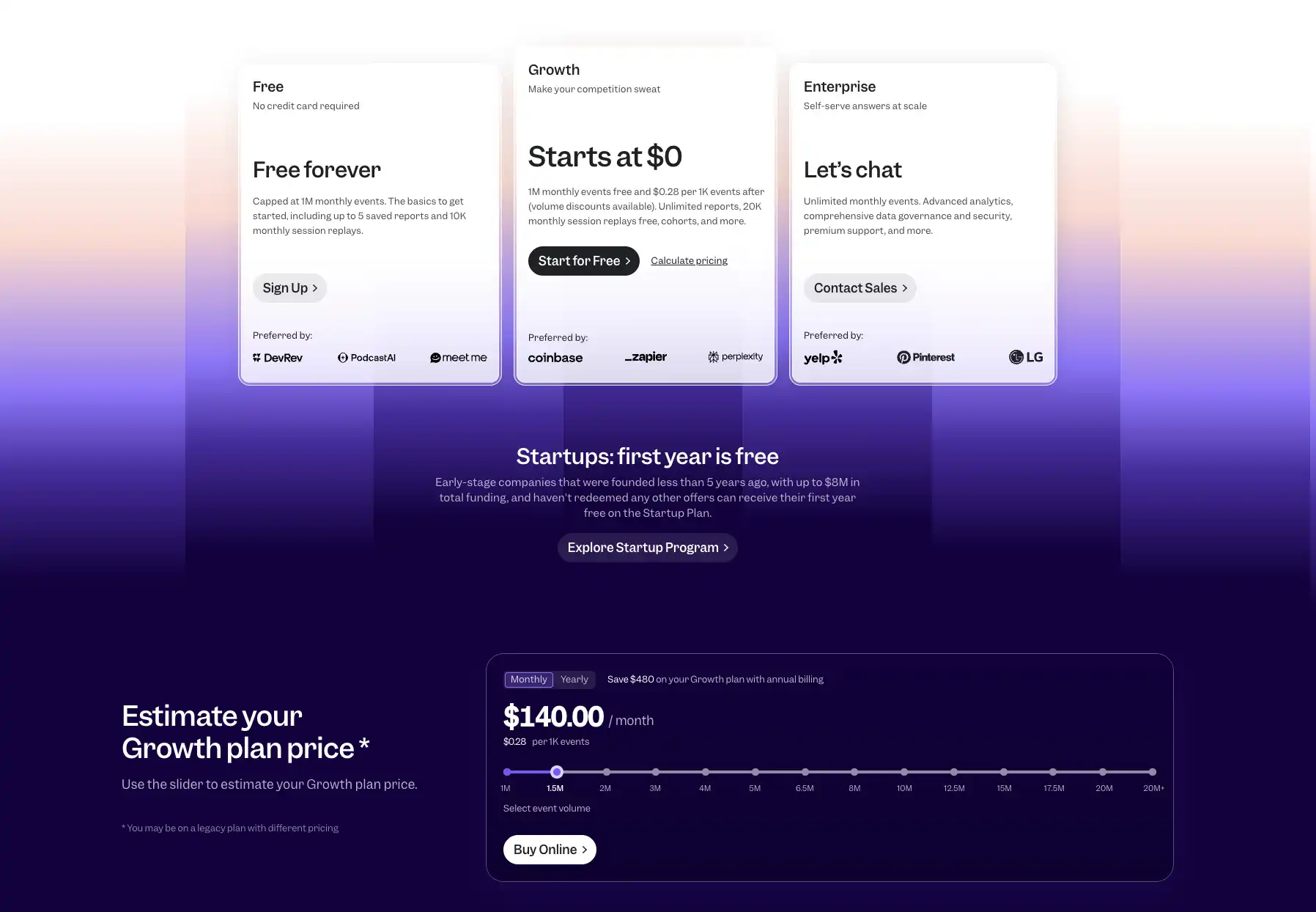
The WordPress ecosystem tells the same story. WooCommerce extension developers use site-license models (single site vs multi-site vs unlimited) because their customers are agencies and freelancers who think in terms of deployment count, not feature checkboxes. Kinsta tiers by site count and monthly visits because that mirrors the actual infrastructure cost. Mixpanel uses fully usage based pricing startegy for their customers.
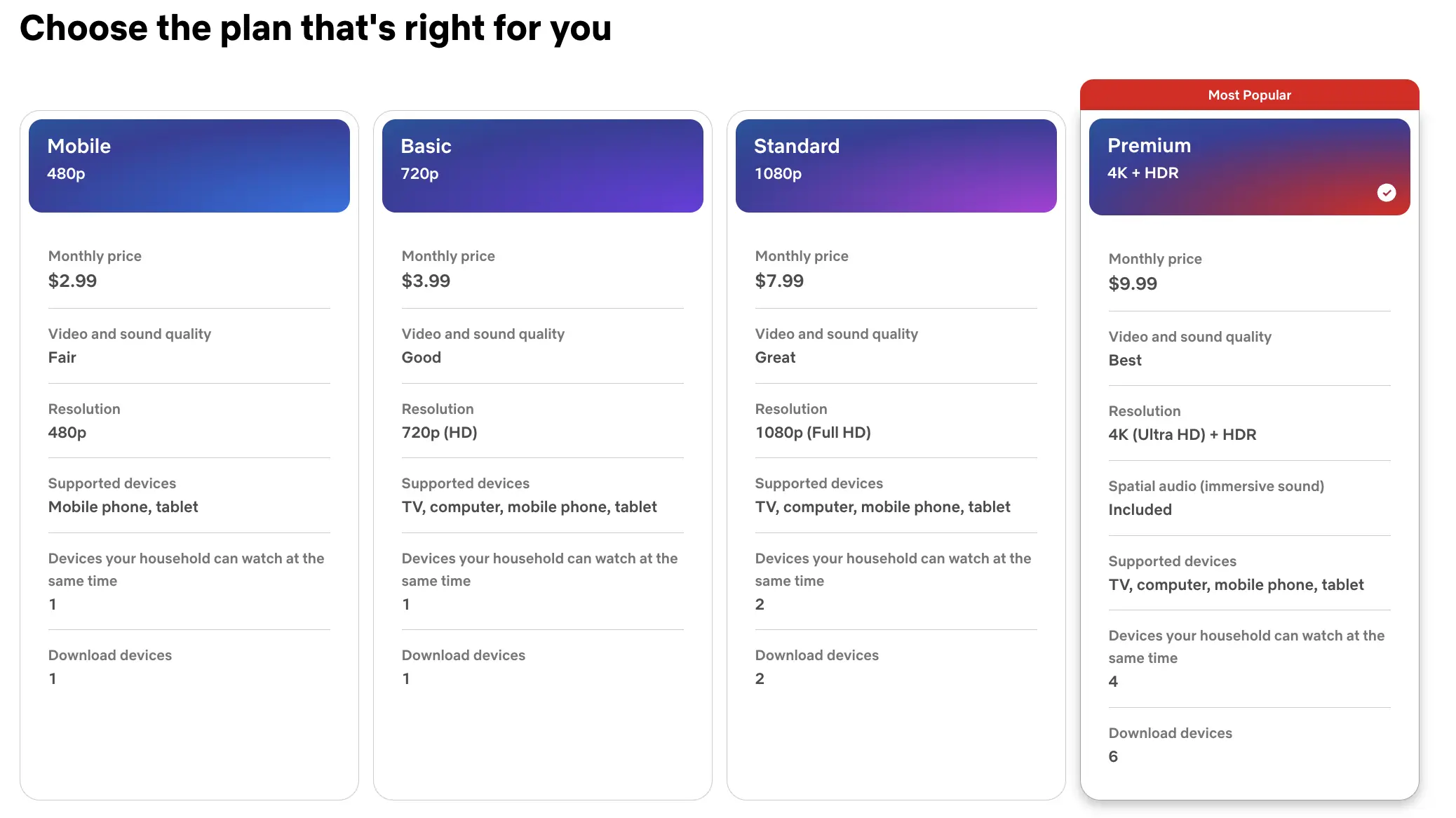
Outside software, the logic holds just as well. Netflix uses feature-based tiers because the value is content access, and locking quality and screen count per plan gives customers a clear reason to pay more. Stripe charges per transaction because its value is enabling revenue, so billing the same way makes the cost feel fair, not arbitrary.
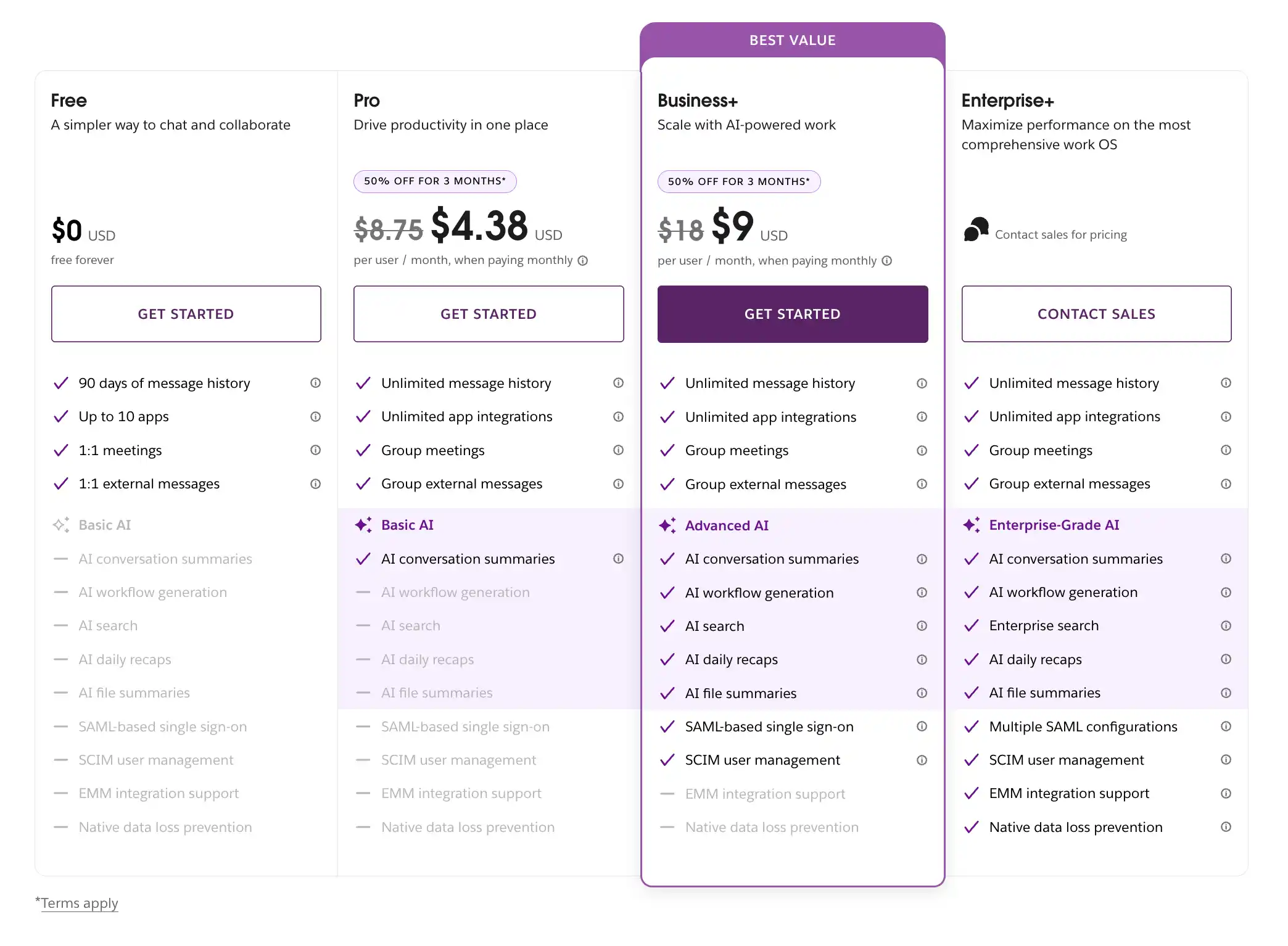
Notice also that the most sophisticated companies, Slack, HubSpot, AWS, and Kinsta, have all moved toward hybrid models over time. The pure models are a starting point. Hybrid structures emerge as a company matures and needs to serve multiple customer segments at once.
Explore 15+ high converting pricing table design examples for any website, where we talked about everything you need to know about the businesses that solved this maze.
Building Pricing Tables with Ninja Tables
Understanding which pricing model to use is only the first step. The next challenge is communicating your pricing clearly, both internally for team alignment and externally for customer-facing pricing pages. This is where structured, professional tables make all the difference.
Ninja Tables is a powerful table builder that works in two ways: as a standalone table creation tool for anyone who needs to build and share professional comparison tables, and as a fully-featured WordPress plugin for businesses running their websites on WordPress. Whether you’re putting together an internal pricing strategy document or building a live pricing page on your WordPress site, Ninja Tables handles both with the same clean, visual interface. No code required.
Why Ninja Tables
Ninja Tables works for everyone: Use it as a standalone table builder to create and share pricing comparisons anywhere, or install it as a WordPress plugin to embed dynamic, responsive pricing tables directly on your site.
Knowing what truly breaks the process you must know why most pricing tables confuse visitors and how to fix it.
For WordPress Users: Live Pricing Tables That Actually Convert
For the 43% of the web running on WordPress, pricing pages are often built the hard way. They get hardcoded in page builders, buried in shortcode spaghetti, or copied from screenshots that go stale the moment a plan changes. Ninja Tables solves this completely.
As a WordPress plugin, Ninja Tables lets you build pricing comparison tables visually inside your WordPress dashboard, then embed them on any page with a single shortcode. When your pricing changes (a new tier, updated feature availability, a price adjustment), you update the table once in the backend, and it refreshes everywhere it’s embedded, instantly.
Read this extended blog on how to create a high-converting pricing table that engages customers and keeps your business afloat.
What WordPress Users Can Build
- Feature-tier pricing tables: the classic Starter / Pro / Enterprise comparison, fully responsive on mobile with no extra CSS work
- WooCommerce product comparison tables: compare attributes, pricing, and availability across multiple products side by side
- Membership plan comparisons: perfect for WordPress membership sites built with MemberPress, Paid Memberships Pro, or Restrict Content Pro
- Plugin or theme license comparison tables: the standard personal/ developer/agency licensing model, displayed clearly for buyers
- Sortable and filterable data tables for pricing with dynamic interaction, so visitors can filter by their own use case
Key Features That Make Ninja Tables the Right Pricing Tool
- Drag-and-Drop Table Builder: No coding needed. Add rows, columns, and headers visually with a clean interface that anyone on your team can use.
- Fully Responsive Design: Tables look great on every screen size, which is critical for pricing pages where mobile visitors are deciding whether to buy.
- Sorting and Filtering: Let visitors sort pricing tables by price, feature count, or any other column. This is especially useful for usage-based pricing breakdowns with multiple tiers.
- Custom Styling: Match your brand colors, fonts, and visual identity without writing a line of CSS. This is particularly powerful for WordPress sites with existing design systems.
- Import from CSV / Spreadsheet: If your pricing data lives in a spreadsheet, import it directly into Ninja Tables to get a professional table instantly.
- Live Updates via Shortcode (WordPress): Update your pricing in one place and have it reflect everywhere on your site. No hunting down hardcoded plan details.
A Practical Workflow
Here’s how a WordPress business might use Ninja Tables throughout its pricing strategy process. First, use the standalone table builder to map out and compare pricing models internally, the kind of decision matrix shown in Table 4 of this guide. Share it with stakeholders, collect feedback, and finalize the model. Then, once the pricing structure is decided, build the customer-facing version directly in the WordPress plugin, style it to match the site, and embed it on the pricing page with a shortcode. When plans evolve six months later, update the table in the backend. Done!
This two-stage workflow, strategy table first and live pricing page second, means Ninja Tables serves the full lifecycle of a pricing decision, not just the final output.
Conclusion
Feature-based and usage-based pricing are not competing philosophies. They’re tools, and their value depends on fit. Feature-based pricing wins on clarity, predictability, and sales simplicity. Usage-based pricing wins on fairness, scalability, and low-friction adoption. Hybrid models capture the best of both, and many successful companies move toward them over time.
The companies that price well don’t start with a price. They start with a value metric. They ask: What’s the unit by which my customers measure the value they get from this product? Then they build a pricing model that mirrors that unit as closely as possible. For most WordPress businesses, plugin developers, WooCommerce store owners, and membership site operators, that value metric is almost always feature access or site count, which is why feature-based and hybrid models dominate the ecosystem.
Once you’ve made that decision, the next step is communication. Your pricing strategy only delivers results if customers can see it, understand it, and compare it clearly. A well-designed pricing table does more to convert a prospect than three paragraphs of copy. It also keeps your team aligned on the model you’ve chosen.
That’s exactly where Ninja Tables earns its place in your workflow, whether you’re a WordPress site owner building a live pricing page or any business that needs clean, professional comparison tables to make pricing decisions visible and actionable.

Ninja Tables– Easiest Table Plugin in WordPress






Add your first comment to this post