
Ninja Tables 5.5.1: Import from TablePress & Supsystic, a New Row Details Popup & More!

Hello everyone, welcome back to another Ninja Tables update!
Ninja Tables 5.5.1 is here, and it makes moving to Ninja Tables easier than ever. Your tables from other plugins can now come with you in a few clicks. We also gave the Row Details popup a fresh new look, fixed #colspan# merging, and tightened security across the board.
But most importantly — you can now bring your TablePress and Supsystic tables into Ninja Tables, many at once!
What’s New in Ninja Tables 5.5.1?
This release is all about making the switch to Ninja Tables painless, and making your tables nicer to read once they’re here.
Import from TablePress and Supsystic, many tables at once
Already have tables in TablePress or Supsystic? You no longer need to bring them over one by one. Go to Ninja Tables → Import, and under Import from Another Plugin you’ll see one line per plugin, with how many tables it has and how many you’ve already imported.
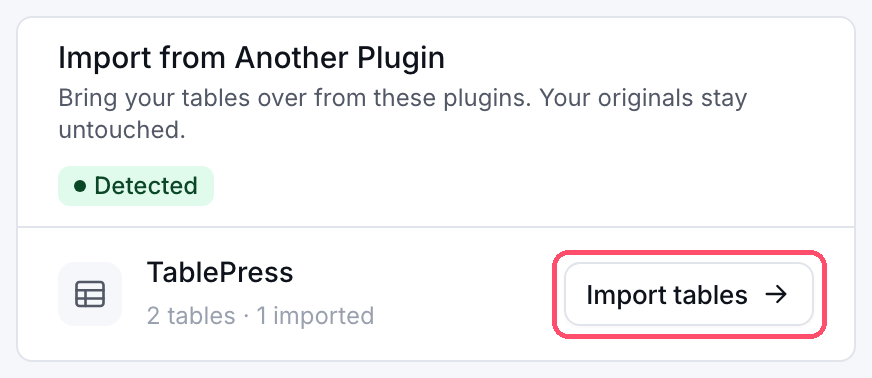
Click Import tables and a drawer opens with every table from that plugin. From there you can:
- Search tables by name, and filter them by All, Not imported or Imported.
- Select all on this page and import them in one go. The button shows your progress while it works.
- Choose the engine for the new tables: DataTables (recommended) or FooTable (lighter, for small tables).
- Retry any table that didn’t make it, without starting over.
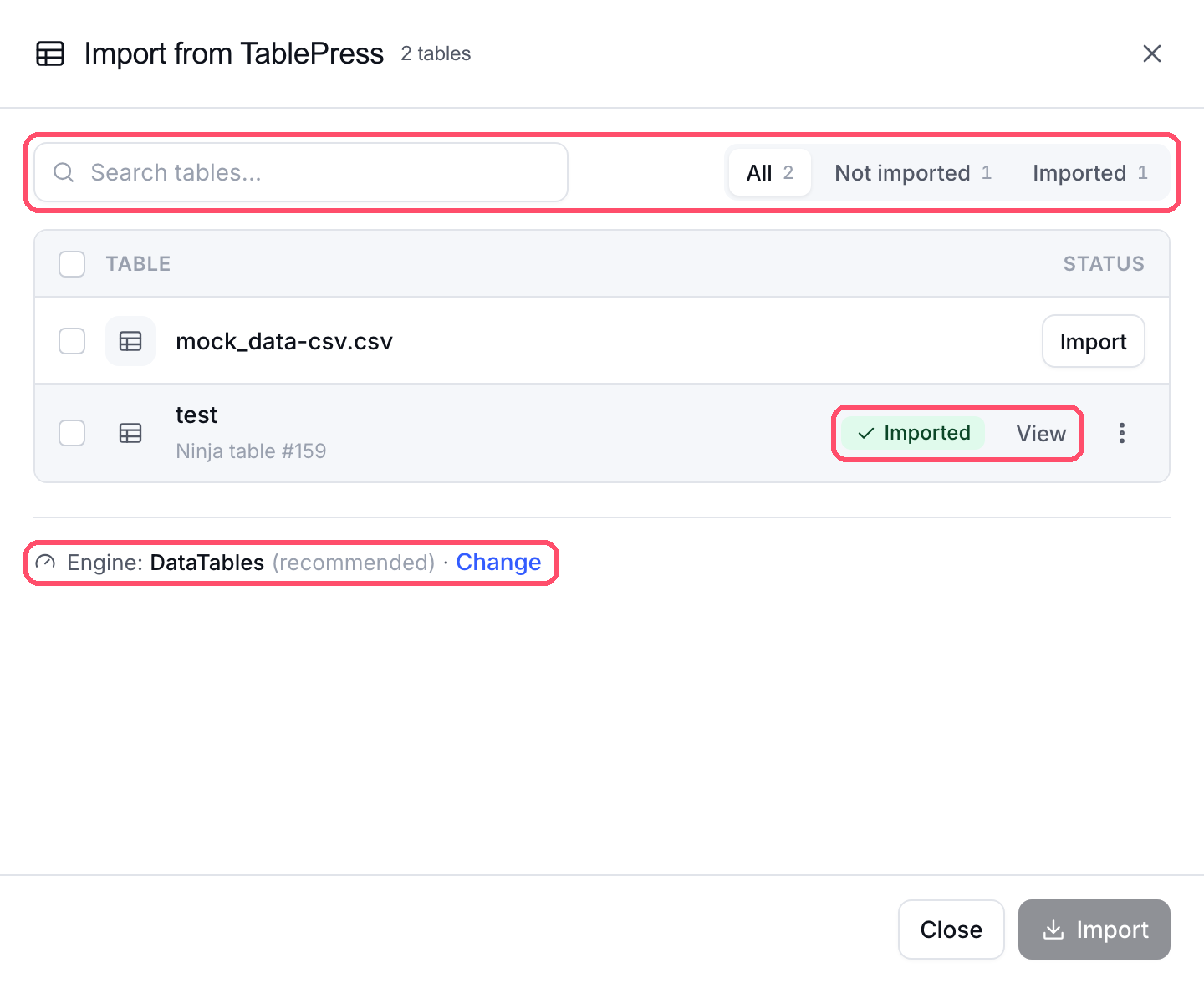
Ninja Tables also remembers what you’ve imported. Each table shows the Ninja table it became, with a View link. Importing it again asks first, then adds it as a new table, so your existing Ninja tables stay unchanged. And your TablePress and Supsystic tables are never touched — the originals stay right where they were.
So if you’ve been putting off the move because of a long list of tables, now’s the time!
A cleaner Row Details popup
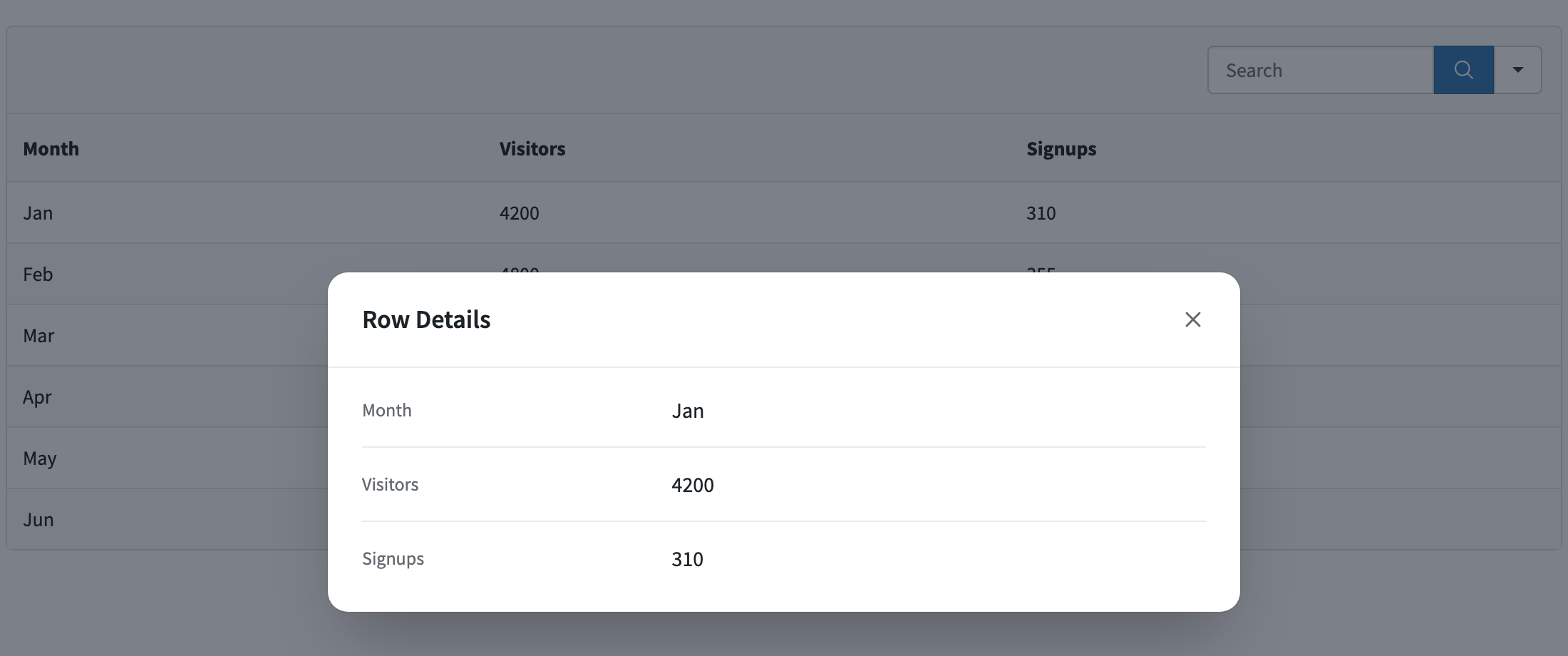
The Row Details popup lets your visitors click a row and see everything in it, nicely laid out in a pop-up. In 5.5.1 we redesigned it from the ground up.
- Easy to scan: every column shows as a simple label and value pair.
- Clean look on any table: the popup no longer picks up your table’s borders and stripes, so it stays tidy whatever theme you use.
- Built for long rows: the header stays in place while you scroll through the details.
- Mobile friendly: on small screens, labels and values stack neatly.
- Right labels, every time: on DataTables tables with responsive columns, labels no longer shift by one column.
- Keyboard friendly: keyboard users still get a clear focus outline, while mouse users don’t see an extra ring.
To turn it on, open your table and go to Table Design → Features → Row Details, then switch on Row Details Popup.
Fixes and improvements
1. Merged cells with #colspan# work everywhere
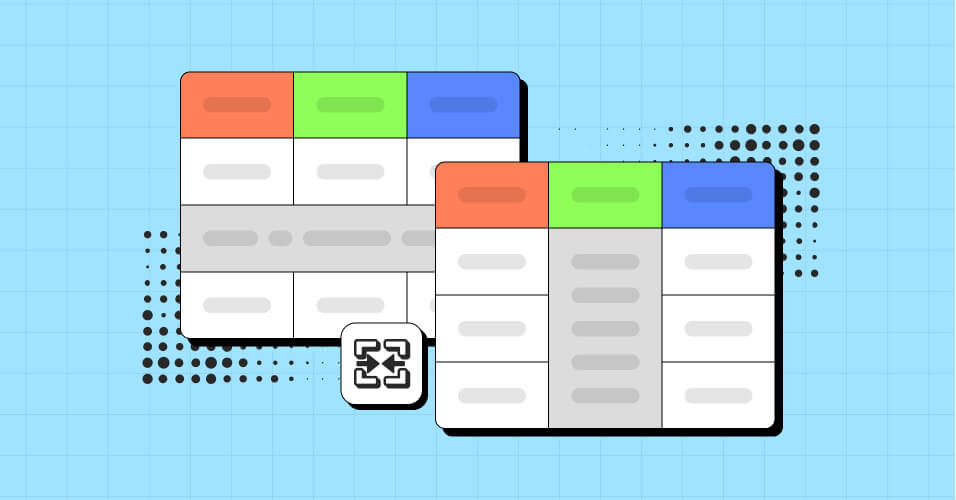
Type #colspan# into a cell and it merges into the cell on its left. This now works on DataTables tables and on FooTable tables that load with Ajax, not just regular FooTable tables. Merged cells also stay correct when a responsive layout hides a column, and the #colspan# text no longer shows up in the Row Details popup or in expanded detail rows.
2. Private posts are back in WP Posts tables
WP Posts tables (Pro) once again list private posts to logged-in users who are allowed to read them. Visitors still never see them.
3. Security: your tables are safer
Keeping your site safe is always on our list, and this release adds several layers of protection.
- Safer imports: we tightened how Ninja Tables reads imported files and data — Supsystic tables, Ninja Tables JSON files, row data and table settings — so an import can only bring in what belongs in a table.
- Custom JavaScript is for trusted users only: editing a table’s custom JavaScript now needs WordPress’s unfiltered HTML permission, in both the free and Pro versions. Administrators on a normal site have it. On multisite, only Super Admins do.
- Database passwords stay on your site: SQL Query tables (Pro) can read from another MySQL database. When you export one of those tables, the export file no longer includes that database’s password; you just enter it again after importing.
One thing to do: if you exported a SQL Query table that connects to another database before 5.5.1, that export file may contain the database password. Please change that database user’s password to be safe.
4. WP Posts status conditions (Pro)
In WP Posts tables, filtering by post status no longer shows private, pending, scheduled or trashed posts to your site visitors. Only published content reaches them.
Why This Update Matters
Moving from another table plugin used to mean a lot of one-by-one work. Now you can bring a whole library of TablePress or Supsystic tables over in minutes, pick the engine you want, and always know what’s already moved. Add a cleaner Row Details popup, reliable merged cells, and tighter security, and your tables look better and stay safer with no extra effort from you.
How to Update
Go to your WordPress dashboard, then Plugins → Installed Plugins, and click Update now under Ninja Tables (and Ninja Tables Pro). You can also download the latest free version from WordPress.org and Pro from your Ninja Tables account.
Update Ninja Tables and Get Started!
That’s it for Ninja Tables 5.5.1! Update today, bring your old tables home, and let us know how it goes. Our support team is always here to help.
If you enjoy Ninja Tables, a quick 5-star rating on WordPress.org means the world to us. Want the full list of changes? Check the changelog and our documentation.

Ninja Tables– Easiest Table Plugin in WordPress



Add your first comment to this post