Product Comparison Table: Create Tables for Amazon


Over $12 billion is spent annually on affiliate marketing globally. It is one of the most widely used business models worldwide.
Let’s say you work as an affiliate marketer and use WordPress to promote products from the Amazon Associates program. In that case, your Amazon affiliate website needs product comparison tables.
However, manually adding tables is a daunting task. Fortunately, there are WordPress table plugins available for Amazon affiliates.
Now the challenge is choosing the best when there are so many options.
Be at ease. We’ve got your back. This article discusses the best WordPress plugin to create Amazon product comparison tables.
Why do you need the WordPress data table plugin?
Product comparison tables are a fantastic way to guide your customers toward the ideal product.
They might be deciding which kind of service to get from you. A visual comparison is a great way to persuade someone to buy something.
Most affiliate marketers focus on enhancing the user experience to raise conversion rates, and affiliates for Amazon are no different.
You must provide excellent content to keep people returning to your affiliate website.
However, it would help if you visualized data using tools like an Amazon comparison table, product table, product box, widget, and others to increase your Amazon conversion rate.
You can add a comparison table or chart to a website in two different ways.
- First is to create code or use HTML
- Second is to make use of a comparison table plugin
Using a plugin is the easiest way for non-techie people.
Things to consider before choosing a product comparison table plugin
The phrase “Amazon affiliate plugins” is too inclusive because it can refer to many features.
Most of these plugins make adding Amazon affiliate links to your WordPress website simple without going through Amazon.com.
More significantly, most of these plugins employ the Amazon Product Advertising API (or, in some cases, an alternative technique). Due to how strict Amazon Associates is about accurate product information, including the ban on displaying inaccurate prices, this is very important.
Because Amazon regularly updates its prices, if you manually enter the price for a product you’re promoting in a comparison table, that price may change in the future.
In that case, you would be advertising the incorrect price, which is prohibited. However, you can ensure you’re always displaying accurate pricing information by using one of these plugins (and the API).
The below list can give you a quick overview of the required features that make the best comparison table plugin.
- Easy user interface: The comparison table should give you the easiest way to display your table on your website.
- Feature to control the stylings: It’s one of the most important features for the best view of your comparison table on your website.
- Pre-built templates: If you are a non-techie and a beginner, this feature will save you big time! Following and editing a pre-made template is the best practice here.
- Mobile responsiveness: 90% of buyers first browse your website from a mobile device. So, mobile responsiveness is a fact you can’t ignore in that case. You must check that feature must exist in your table builder plugin.
- Easy and flexible customization: You will often need to customize your product page or comparison table. So it must be easy and flexible at the point of customization.
- Price: Last but not least, it’s one of the most important facts. It would help if you considered the price and package update cost to match your budget.
Now you know what needs cross-checking before purchasing the desired plugin. Let’s see what comes next.
5 best product comparison table plugins for Amazon and WordPress
| Plugin | Feature | Rating | Demo |
|---|---|---|---|
| AzonPress |
| Demo | |
| Ninja Tables |
| Demo | |
| TablePress |
| Demo | |
| WP Table Builder |
| Demo | |
| AAWP |
| Demo |
Amazon product table plugins allow you to make stunning, fully responsive tables. These plugins are simple to use, loaded with fantastic features, and compliant with Amazon.
The best part is that each plugin provides shortcodes, so you can insert tables wherever you want on your website.
While these plugins may differ in their features and functionality, they all aim to assist you in creating beautiful tables and increasing sales.
Let’s see our sorted list of the five best Amazon product table plugins for your WordPress Website,
AzonPress

AzonPress is a specific WordPress plugin for Amazon affiliates. When you search for and choose the desired product, it will be added automatically to your product tables.
This plugin can quickly create fully responsive products and comparison tables.
Your tables will automatically add each product’s related information. To assist your audience in making faster, better decisions, you can also use AzonPress to create product comparison tables.
With the fantastic customization options this WordPress plugin provides for Amazon affiliate tables, you can change every aspect of the tables.
To help you quickly create products and comparison tables, AzonPress provides templates that have been expertly designed.
Key Features of AzonPress
- Easy and flexible customization
- Automated updates for products
- 24/7 support
- Responsive tables
Pricing of AzonPress
This affiliate table WordPress plugin only supports one website, and a single site license costs $39. AzonPress comes with a seven-day money-back guarantee.
Ninja Tables
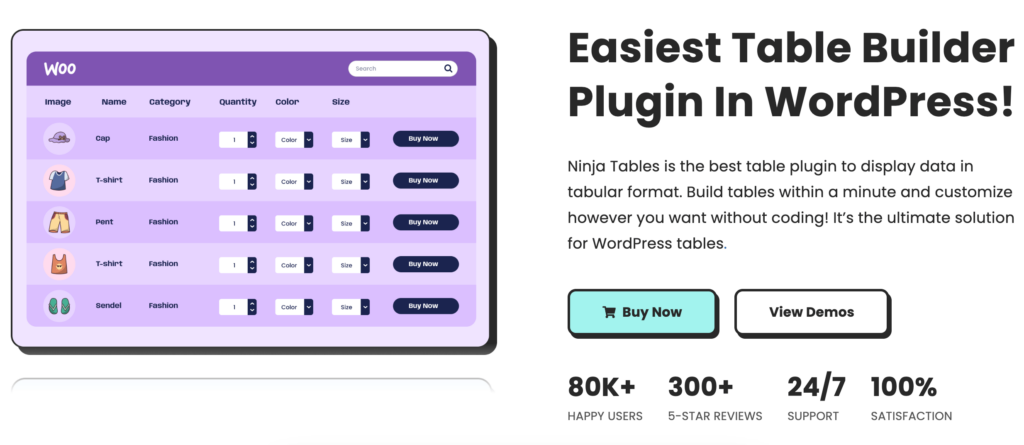
Ninja Tables is an extremely popular WordPress table plugin. The simplest interface with a drag-and-drop table builder feature moves it to the top of the list.
You can add affiliate links to your products and edit the tables in the spreadsheet interface, among other customization options. Moreover, it provides pre-made templates for various kinds of tables.
To make your tables more sophisticated and beautiful, you can include any data when creating them. Include features like filtering, pagination, sorting, and so on and on. And you will get advanced styling options that help you make the table impressive.
The tables also support import-export of CSV/JSON files. And finally, they are very simple to add to any website.
Overall, Ninja Tables is a dependable free WordPress data table plugin that simplifies creating any table.
Key Features of Ninja Tables
- Drag and drop table builder
- Responsive tables
- WooCommerce product tables
- Lots of pre-made templates (free and pro)
- Custom filtering options
- Table design and frontend editing
- Conditional formatting
- Fluent Forms
- Auto-sync with Google Sheets
Pricing of Ninja Tables
This plugin is freemium. Ninja tables allow you to create an unlimited number of tables with this free option. And the pro version offers many premium features.
TablePress
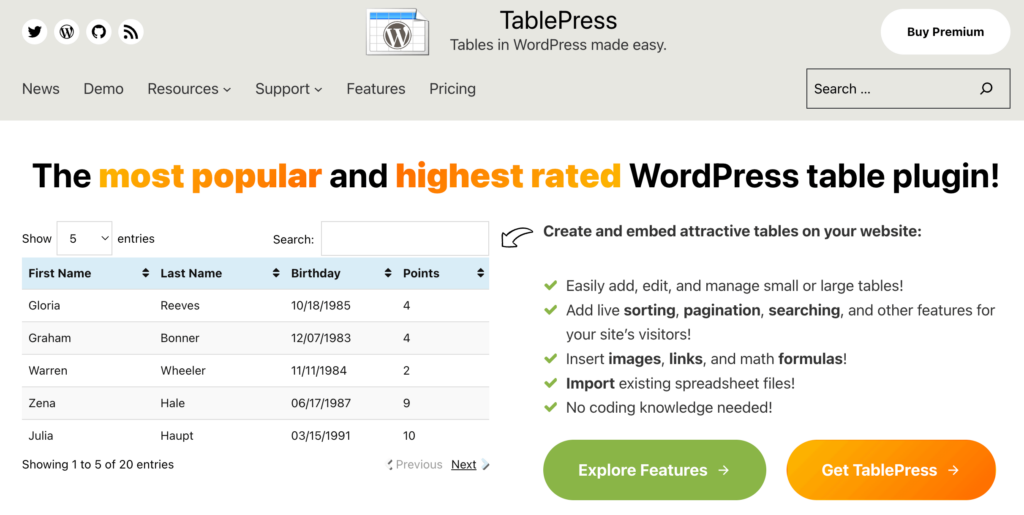
TablePress is one of the oldest WordPress table plugins. With 800K active installations its one of the best plugins in this niche. It lets you create and manage stunning tables.
It has many customization options, and you can add affiliate links to your Amazon products here and customize the tables in the spreadsheet interface.
You can add data and formulas to make your table more advanced and stunning. Additionally, you can include features like filtering, pagination, sorting, changing the color of the rows, and more.
Moreover, the tables can be imported and exported to Excel, CSV, HTML, and JASON files. To summarize, TablePress is a plugin that can help you create responsive tables easily.
Key Features of TablePress
- Easy To Use.
- Responsive Addons.
- Table import/export.
- Data filtering
- No Coding is Required.
- Sorting & Filtering Option.
Pricing of TablePress
This plugin is free and open source. You can make tables with this free option available.
Check out TablePress alternatives.
WP Table Builder

WP Table Builder is a drag-and-drop WordPress table builder plugin. You can make various kinds of tables without writing any code. Moreover, it lets you create responsive tables.
It’s a plugin for creating comparison tables, product list tables, product boxes, pricing tables, and more. When creating tables, you can include elements like text, images, lists, buttons, star ratings, custom HTML, and shortcodes.
This plugin enables you to insert tables anywhere in WordPress using the shortcode.
It comes with full-fledged customization options where you can customize the table to match your website’s look. You can make links open in a new tab, tag links as nofollow, and show ordered and unordered lists, and so on.
Key Features of WP Table Builder
- Drag & Drop User Interface.
- Table customization.
- Gutenberg Integration
- Responsive Tables
- Shortcode Supported.
Pricing of WP Table Builder
WP Table Builder has a free version in the WordPress.org repository with limited features. The premium version starts at $39 for a single site.
AAWP

AAWP is one of the Amazon affiliate WordPress plugins. It lets you create responsive tables easily without writing any code.
Whether you want to create a list or comparison table, the AAWP plugin can be a good choice.
For any product, you can add information such as — titles, product images, price, star rating, button, and amount of reviews. Finally, it provides shortcodes to embed tables on any post and pages of your WordPress website.
Key Features of AAWP
- Dynamic Text Links
- Pre-built Templates and Styles
- Product Boxes
- Responsive and customizable tables
- Shortcodes Supported
Pricing of AAWP
The basic plan of AAWP costs $42 for a single website that provides one year of updates and customer support. Additionally, it offers a 30-day money-back guarantee.
Select your WordPress data table plugin wisely
So we’re done describing 5 WordPress plugins to create Amazon product comparison Tables. Each plugin on the list has a unique set of features that will assist you in building tables for your WordPress website that is fully responsive.
Additionally, we tried to elaborate on the importance of the product comparison table for your Amazon affiliate website and what you need to consider before selecting your desired plugin.
We hope that this post fulfills your needs. What WordPress plugin do you prefer to use to create comparison tables? Tell us in the comments below.

Ninja Tables– Easiest Table Plugin in WordPress







Add your first comment to this post