
Ninja Tables 5.2.10: Custom Filter Fixes and More Advanced Improvements

Ninja Tables 5.2.10 is a focused update. The 5.2.8 release introduced the DataTables rendering engine and opened up server-side AJAX processing for large datasets. With Ninja Tables 5.2.10, what followed was real-world usage across a wider range of filter configurations than testing covers, and this release addresses what that exposed. The focus is the custom filter layer in DataTables mode: dynamic-select support, proper accessibility labeling, a rendering engine indicator in the table list, and a concentrated round of fixes for the filter behavior issues that made it into production.
Today is all about polishing the parts of Ninja Tables you work with every day with sharper filters, a clearer admin, and a solid round of security hardening.
But most importantly- your custom filters just got a whole lot smarter.
What’s New in Ninja Tables 5.2.10?
Three additions ship in this release. Two are directly tied to the DataTables filter layer, and one is an admin-level visibility improvement that benefits anyone managing tables across both rendering engines.
Dynamic-select support for custom filters in DataTables mode
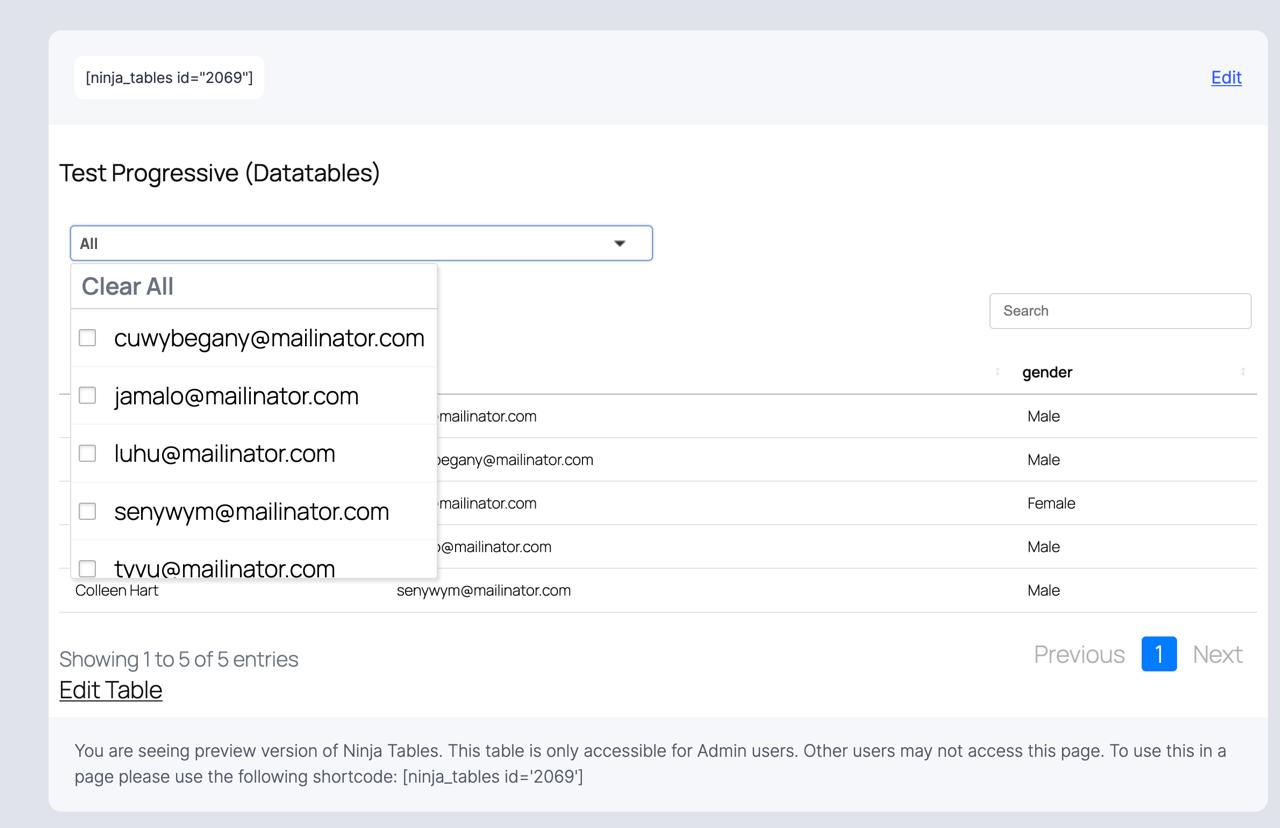
Custom filters in DataTables mode now support dynamic-select: filter options populate from the actual data in the table rather than from a manually maintained static list. This keeps filter options accurate as data changes without requiring manual updates to the filter configuration after each data refresh.
Accessibility labels for custom filter controls
Every custom filter control now carries a proper accessibility label. Screen readers and keyboard-based navigation can identify and interact with each filter correctly. This applies across all filter types in DataTables mode.
Rendering engine indicator in the table list and settings
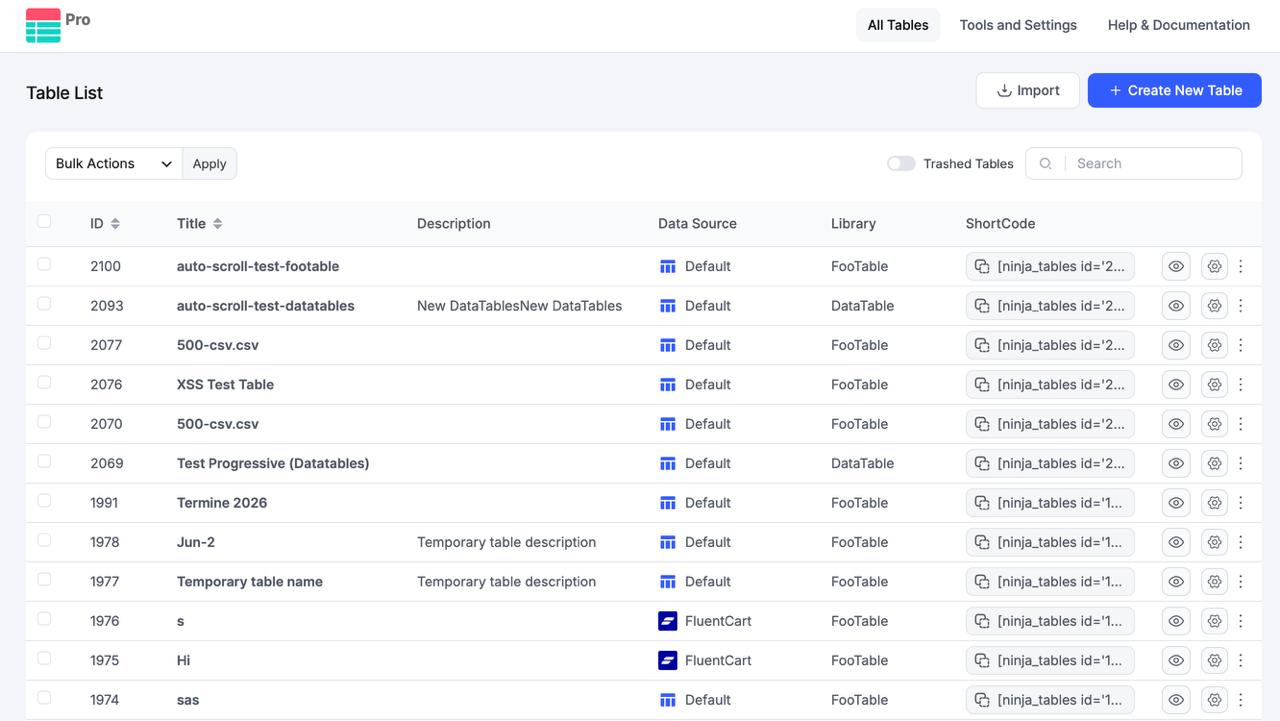
The table list in the Ninja Tables admin now shows which rendering engine each table is using, FooTable or DataTables, directly in the list view. The same indicator appears in table settings. No need to open individual tables to check.
Looking for Premium Features?
If you have been getting value from the free version, the Pro version is worth a look. Conditional formatting, Google Sheets sync, WooCommerce integration, front-end editing, and more are waiting on the other side.
Fixes
Most of what is fixed here lives in the DataTables custom filter layer, with two additional fixes covering column rendering behavior that affected both DataTables and FooTable users.
Custom filters rendering in reverse order in DataTables mode. Filters were appearing in the inverse of their configured sequence. The rendering order now matches configuration order exactly.
Progressive filter not refreshing dynamic-data selects. After a progressive filter was applied, dependent dynamic-select filters were holding stale option lists rather than updating to match the narrowed dataset. Dependent selects now refresh correctly on each progressive filter change.
Filter labels showing placeholder text instead of configured labels. In DataTables mode, the configured label text was being bypassed, and the raw placeholder string was rendering in its place. Labels now render from their configured values as expected.
SumoSelect crashing in DataTables mode. SumoSelect, which handles styled multi-select dropdowns, was throwing an initialization crash under certain DataTables configurations. The initialization sequence has been corrected.
Multi-select and HTML column values behaving incorrectly in Inline Edit and Add Data modal. Both interfaces were failing to save and display multi-select field values and HTML-type column values correctly. Both now save and render as expected.
Button and WooCommerce HTML-field columns outputting escaped text. Rather than rendering HTML, these column types were printing the raw escaped string as visible text in the table. HTML rendering is now applied correctly for both.
Range filter failing when Pro loads before FooTable. A load-order dependency between the Pro version and the FooTable library caused the range filter to fail silently. The dependency is resolved, and load order no longer affects range filter behavior.
Stronger Security
Direct file access protection has been added to installer service files. This prevents direct URL access to internal plugin installer scripts that have no business being publicly reachable.
Improvements
Design Studio Styles panel spacing and rendering-settings UI. Spacing and layout corrections in the Design Studio panel and the rendering settings section for cleaner visual presentation.
Sticky header support and keyboard accessibility for DataTables and FooTable engines. Sticky headers now behave correctly across both rendering engines. Keyboard navigation through table controls meets accessibility expectations in both engines.
Admin UI alignment and border fixes. Miscellaneous alignment and border rendering corrections across the admin interface.
Why This Update Matters
Shipping the DataTables engine was the right move. Server-side AJAX processing for large datasets solves a real architectural problem that client-side rendering cannot. But an engine is only as usable as the controls built on top of it, and the custom filter layer is where most of that usability lives.
Filters rendering out of sequence, dynamic selects not refreshing after progressive narrowing, SumoSelect crashing on initialization, labels showing raw placeholder strings instead of configured text: none of these are edge cases once the engine is in wider use. They surface across configurations we did not test against, and they affect what end visitors actually see and interact with. That is the gap this release closes.
Beyond the filter fixes, accessibility labeling on filter controls is not a feature addition in the optional sense. Screen readers and keyboard navigation depend on those labels to function. Sites serving general audiences have no clean workaround when they are missing. They should be there by default, and now they are.
If something in this release does not behave as expected, or if you have a feature request you have been sitting on, we want to hear it. Reach us directly through the support portal. Every report and request shapes what goes into the next one.
Get in touch with Ninja Tables
How to Update
That’s the easy part! You can update to version 5.2.10 through your WP Plugins dashboard or download the latest version from the plugin repository.
- Go to your WordPress dashboard
- Navigate to Plugins > Installed Plugins
- Find Ninja Tables and click “Update”
- Or, download the latest version from wordpress.org
Update and Get Started
As always, we’ve tried to give you the best table-building experience we can, and we’re not done yet. Every release gets us a little closer to where we want this product to be.
Enjoying Ninja Tables? A quick rating on the WordPress.org plugin page helps more than you’d think. And you can always browse the full change log for everything that shipped.
Update today and happy table building, guys!

Ninja Tables– Easiest Table Plugin in WordPress



Add your first comment to this post