
Ninja Tables 5.5.3: Three New Form Integrations, WooCommerce on DataTables & More!

Welcome back to another Ninja Tables update!
Ninja Tables 5.5.3 is all about connecting more of your site to your tables. Whichever form plugin you use, its entries can now live in a clean, searchable table. Your WooCommerce shop gets the faster DataTables engine. On top of that, we tidied up exports, fixed a few display issues, and tightened security around the Gutenberg block and admin links.
But most importantly, tables from Ninja Forms, Gravity Forms and WPForms entries are here!
What’s New in Ninja Tables 5.5.3?
Turn Ninja Forms, Gravity Forms and WPForms entries into live tables
Until now, Fluent Forms was the only form plugin you could pull entries from. Lots of you asked for the other big names, and we listened. With Ninja Tables Pro, you can now build a table straight from Ninja Forms, Gravity Forms and WPForms entries (Pro).
No exporting. No copy and paste. Pick a form and your submissions show up as rows. When someone submits the form, the new entry lands in the table on its own.
You will find the three new sources under Ninja Tables > Create Table > Connect Live Data.
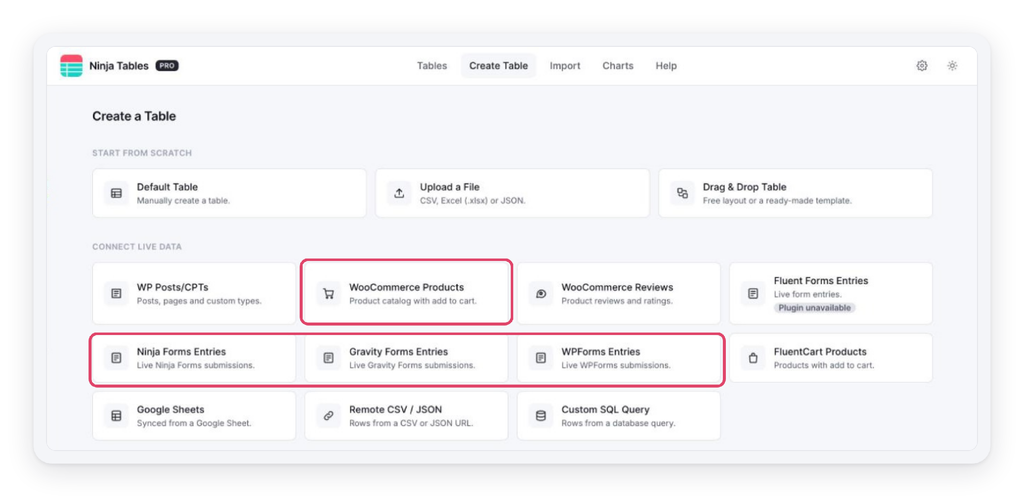
Ninja Forms, Gravity Forms and WPForms entries, now on the Create a Table screen
Setting one up takes less than a minute:
- Give your table a name and choose the form.
- Tick the fields you want. Every ticked field becomes a column, in that order. You can also add entry details like Entry ID, Date Submitted, Submitted By and Source URL.
- Set Max records (1,000 by default), or leave it empty to show every entry.
- Hit Create Table. That’s it!
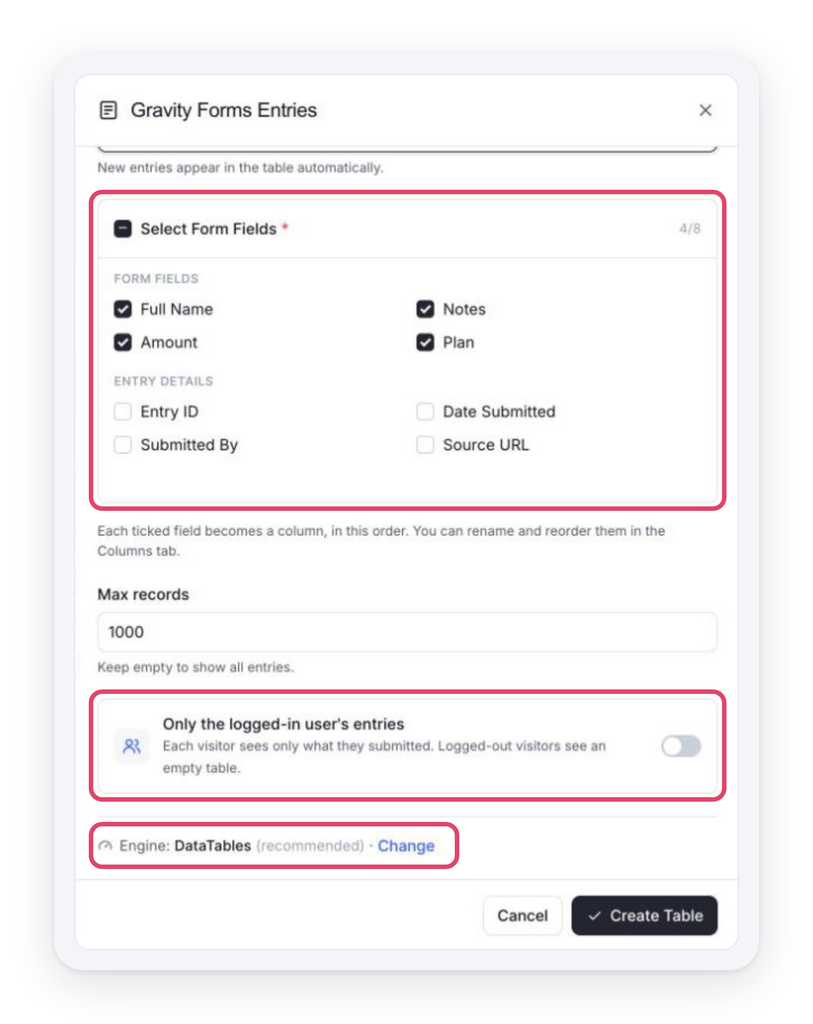
Pick your fields, limit visitors to their own entries, and choose the engine
Want each visitor to see only their own submissions? Turn on Only the logged-in user’s entries. Members see what they sent in, and logged-out visitors see an empty table. It’s perfect for registration lists, order requests or support forms.
These tables run on DataTables by default, so search, sorting and paging stay fast even with lots of entries. You can still switch to FooTable from the same screen. And if you change the form later, the columns rebuild to match the new one.
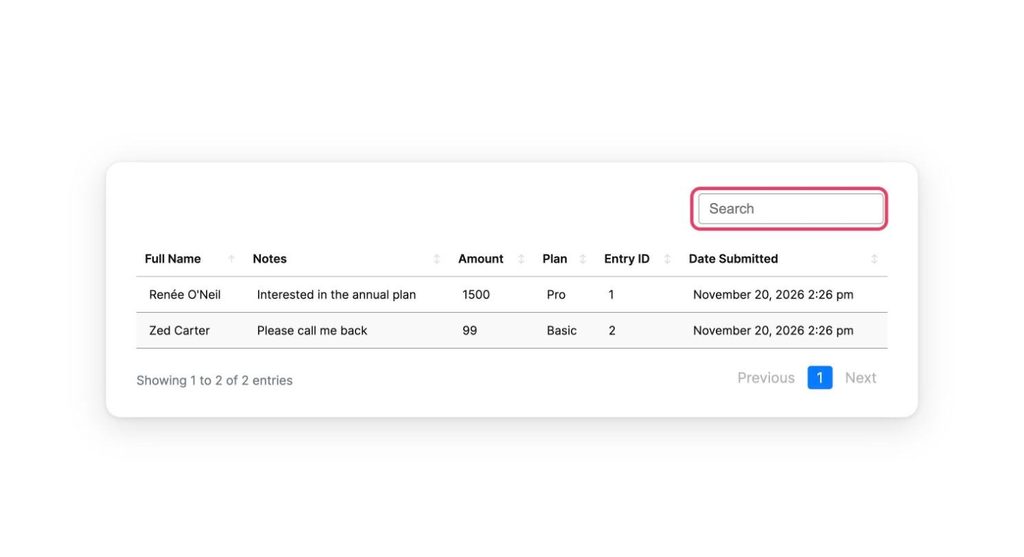
A Gravity Forms entries table on the front end, with instant search
WooCommerce product tables, now on DataTables
WooCommerce product tables (Pro) can now run on the DataTables engine. New product tables pick DataTables by default. Add to cart, quantity, price, rating and bulk selection all keep working, so your shop looks and feels the same, just quicker.
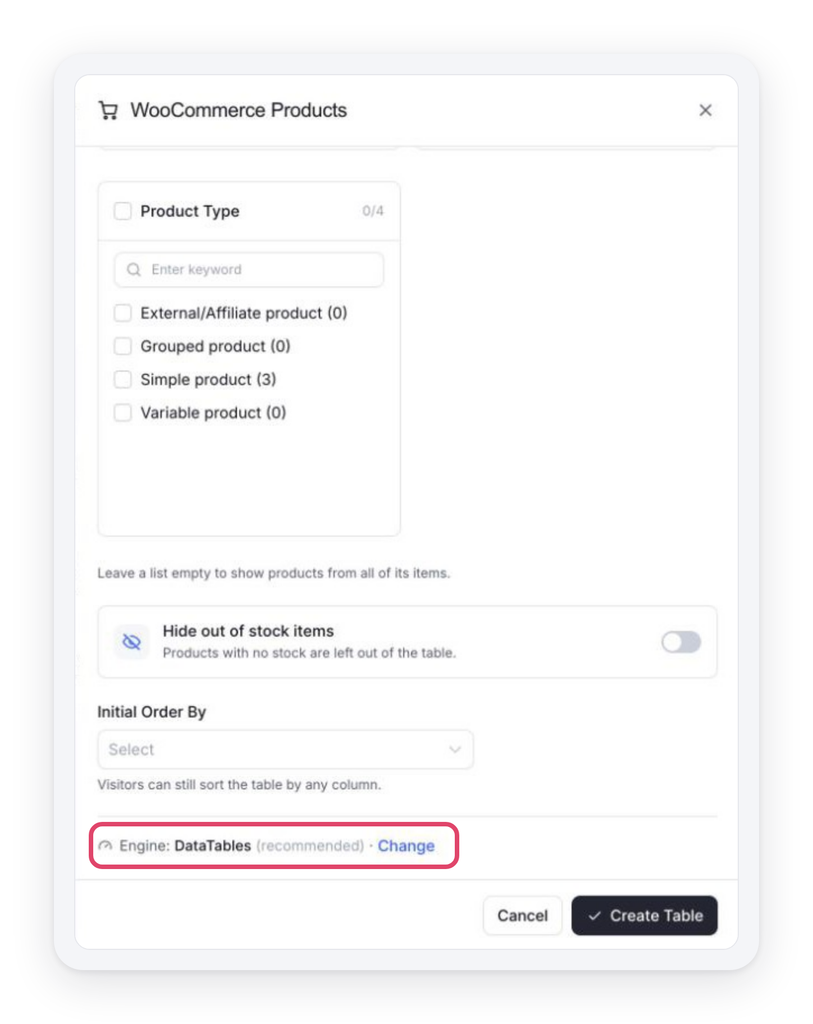
New WooCommerce product tables use DataTables by default
Prefer the classic look? Click Change next to the engine and pick FooTable. Your existing WooCommerce tables stay on FooTable, so nothing changes on live pages unless you want it to. WooCommerce Reviews tables keep using FooTable for now.
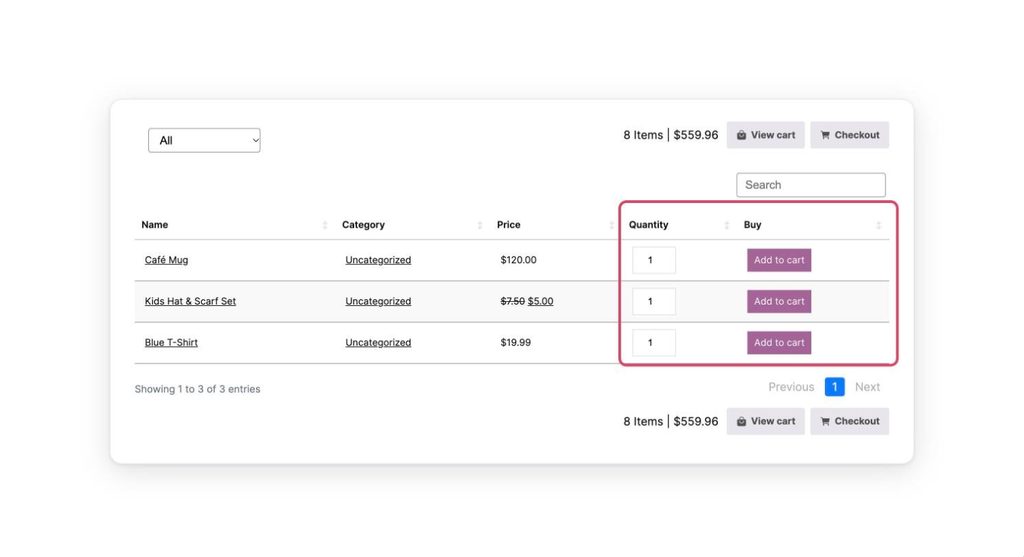
A WooCommerce product table on DataTables, with quantity boxes and add-to-cart buttons
Fixes and improvements
1. A safer, friendlier Gutenberg block
The table block now lists only published tables, and only to people who can write posts. Drafts and private tables no longer show up in the block picker.
No more blank previews. If someone can add a block but can’t manage tables, the block now shows a short note telling them so, instead of an empty box.
2. Security: your tables are safer
We hardened how the admin talks to your site. Admin links and requests are now checked more strictly, so a crafted link or block can’t be used to change your tables behind your back. As always, we recommend updating right away.
3. Cleaner CSV and Excel exports
Exports of connected-source tables now contain plain text. Before, a CSV or Excel file could carry HTML markup from the cells. Now you get clean values, ready for a spreadsheet.
4. Special characters display correctly on DataTables
Quotes, ampersands and other special characters now show correctly in DataTables text cells and in locked filters. No more odd-looking codes where a symbol should be.
5. FluentCart cart bar stays in sync
The cart bar on FluentCart tables now updates when you change the cart in the FluentCart drawer. Add or remove an item there, and the table’s cart bar follows along straight away.
Why This Update Matters
Your data lives in many places: form plugins, your shop, spreadsheets. Ninja Tables 5.5.3 brings more of it into one place without extra work. Form entries from the most popular plugins now become tables in a few clicks, your WooCommerce shop gets a faster engine, and your exports and blocks are cleaner and safer. Less time copying data around, more time running your site.
How to Update
Updating is easy:
- Go to your WordPress dashboard, then Plugins.
- Find Ninja Tables (and Ninja Tables Pro, if you have it) and click Update now.
Pro users can also download the latest version from their account dashboard. Free and Pro ship on the same version number and each needs the other at that version, so update both together.If Pro is still on an older version after you update, the admin will tells you, with a link to update it.s.
Update Ninja Tables and Get Started!
That’s it for Ninja Tables 5.5.3! Update now, connect your favourite form plugin, and let us know what you build.
If Ninja Tables makes your work easier, please leave us a 5-star rating on WordPress.org. It really helps!
Got a feature idea or need a hand? Drop a comment below or reach out to our support team. You can check the full changelog and read the documentation any time.
Happy table building!

Ninja Tables– Easiest Table Plugin in WordPress



Add your first comment to this post